Aprisa LTE User Manual 2.1
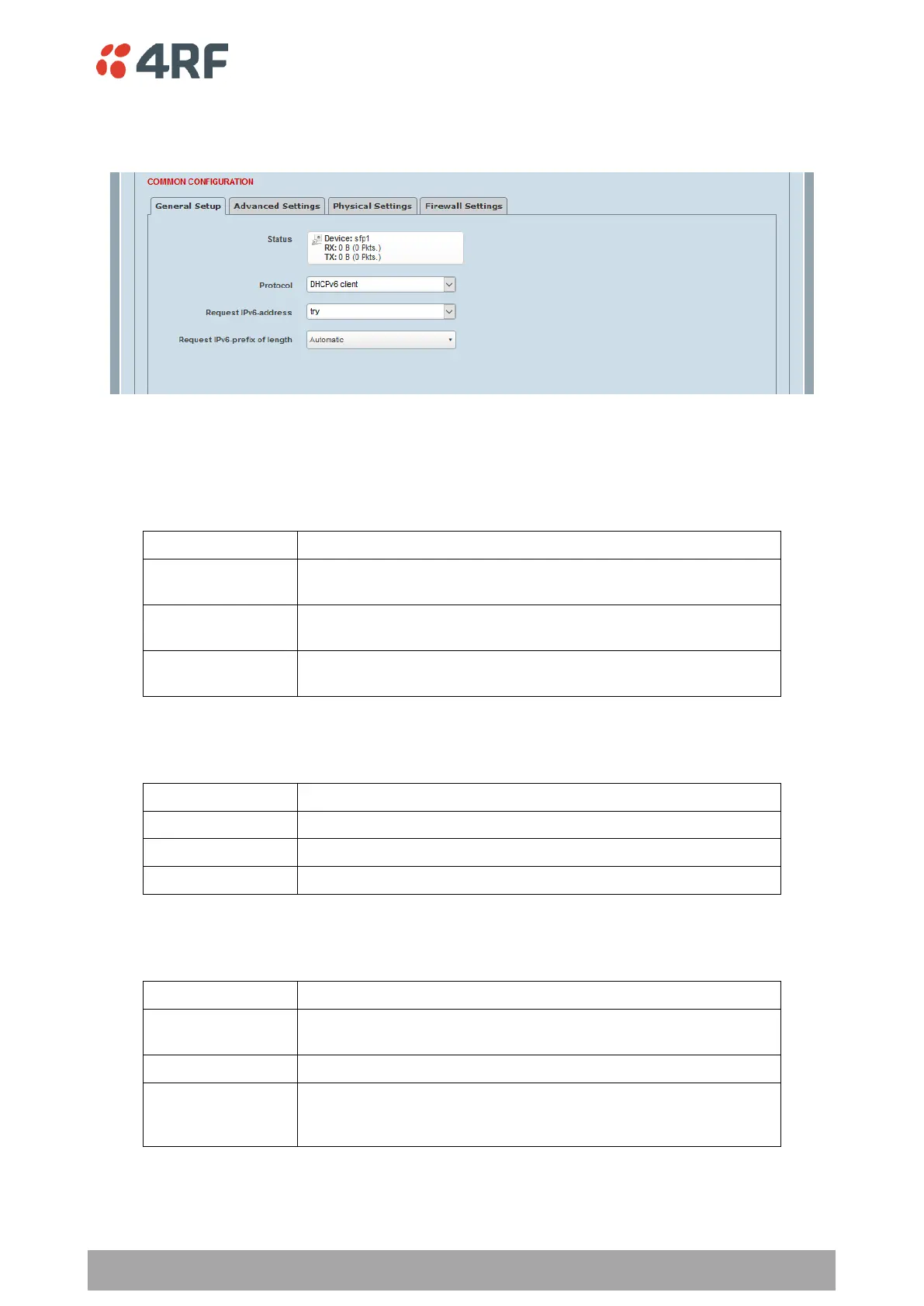
DHCPv6 Client > General Setup
This page configures the setup of a DHCPv6 Client interface.
Protocol
This parameter allows changing the Protocol for this logical interface. If you want to switch protocols, select
the desired one from the drop down list, then click the ‘Switch protocol’ button when prompted with ‘Really
switch protocol?’. The default setting is DHCPv6 Client.
Allows assignment of one or more IPv4 and/or IPv6 static
addresses, along with manual configuration of default gateway.
Allows automatic configuration of IPv4 address, netmask, gateway
and DNS servers through the DHCP protocol.
Allows automatic configuration of IPv6 from any combination of
stateless DHCPv6, stateful DHCPv6, DHCPv6-PD and SLAAC.
Request IPv6 Address
This parameter specifies how prefix allocation is requested.
Ask server for prefix, but accept whatever is given
Keep requesting if server gives smaller prefix
Don’t specify prefix length in request
Request IPv6 prefix of length
This parameter Specifies the prefix length to request. Integer between 1 and 128.
Integer between 1
and 128
Request the specified prefix length. Typical values are 56, 60 or
64.
The Aprisa LTE will determine an appropriate prefix to request.
No prefix will be requested, and only a single IPv6 will be allocated
to this device (meaning no delegation can occur for IPv6 routing
from other interfaces).



 To Next Page