Operation
Product manual 2CKA001473B5023
220
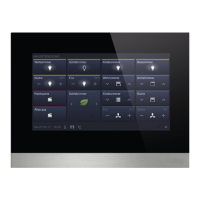
User settings
■
Here the following settings can be made:
– Language
– Display of separator
– Unit of temperature display
Commissioning
■
Here different commissioning processes can be started:
– Reset: Here a reset is made to the start settings of the device since the
last start.
– Read SD card (start the read process when the micro SD card is
inserted):
– On the "Smart home settings" screen, click "Read SD card" and
import the KNX settings from the file stored on the SD card. The
KNX screen will be displayed if successful.
– The KNX screen will be displayed if successful. Enter the user
name and password, and click "OK". The Home screen of
free@home is set on SysAP. Additional details are available in the
SysAP product manual.
– Firmware update (start the read process when the micro SD card is
inserted): A Firmware file (*.img) can be selected from the list. The file
is transferred to the device by confirming the message.
Information
■
Here different information about the device is displayed, such as the KNX
address or the Firmware version. Also an error log can be exported here.
Create error log process:
1. Insert the micro SD card.
2. Tap on the "Export error log" button.
3. Confirm message about the successful export.
4. Remove the micro SD card.
5. Read card into the PC. Use an adapter if necessary.
6. Send the log file (*.log) via e-mail (see rear page of the manual) to sales
service.
Table 3: System areas


 To Next Page