SETTINGS
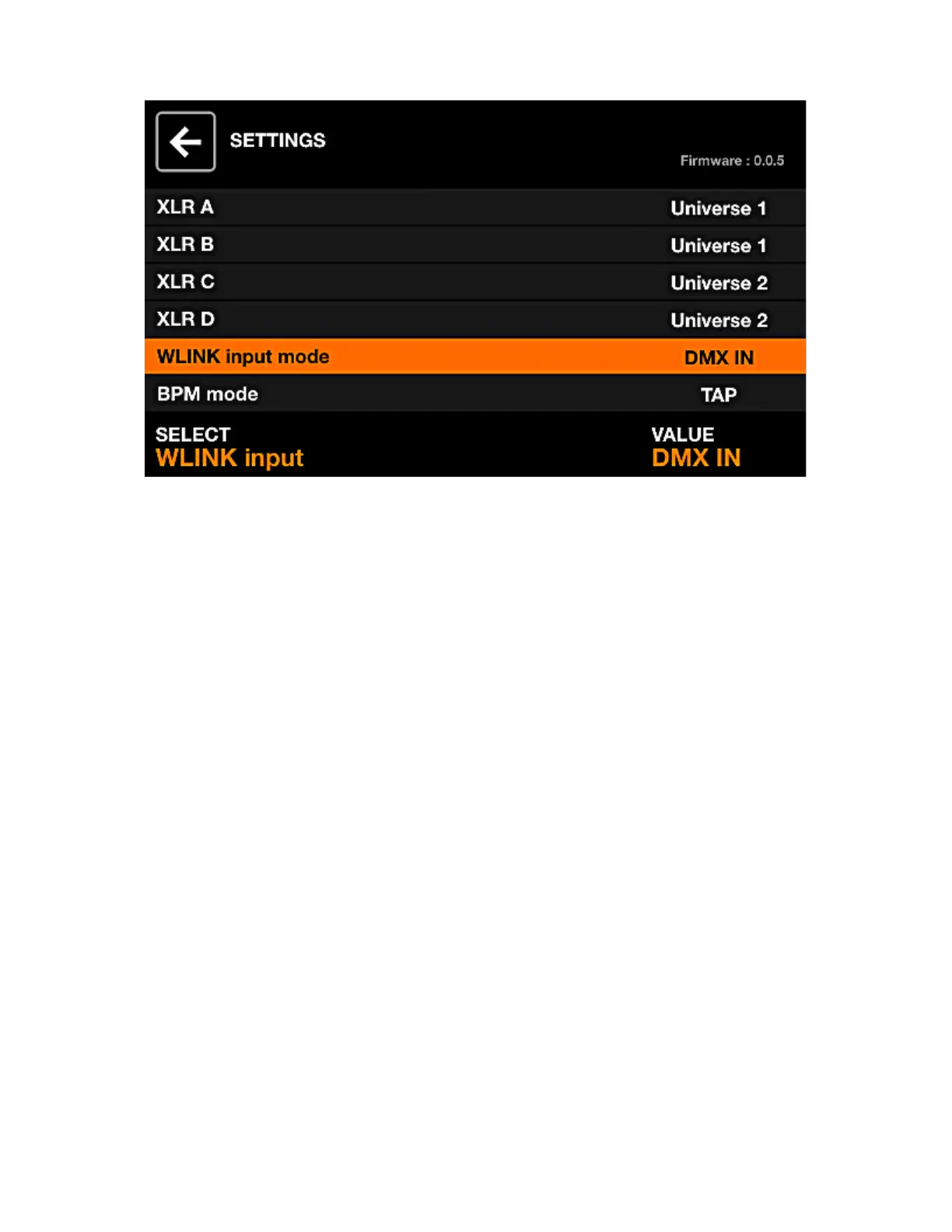
The Settings screen shows a list of global Wolfmix settings.
Displayed data:
• A list of settings is displayed on the left along with the title on the right.
• The selected setting and value is displayed along the bottom.
• The current rmware version is displayed to the top right. The rmware can be updated using the
WTOOLS app.
Encoder actions:
• Moving the rst encoder navigates through the settings list.
• Moving the fourth encoder changes the setting’s value. Pushing the encoder will display the keyboard
if applicable.
Settings list
• XLR A - XLR D: the DMX universes to map to XLR A-D.
• WLINK i: DMX input data will be received via XLR C and mapped to group dimmers and DMX output
channels.
• BPM Mode:
- TAP: the BPM TAP button will be used to calculate the BPM.
- EXTERNAL: the BPM will be taken from WTOOLS using Ablelton Link or OS2L. This option is
automatically set when BPM is enabled within the WTOOLS app.
• Audio input level: the amount of gain to add to the built-in microphone. The microphone level is set
automatically according to the average volume level over a short period of time, however this setting
may be used to further adjust the level.
• Display brightness: used to adjust the display backlight level.
• Button brightness: used to adjust the LED brightness of the button s when they are switched on.
• Lock password: the password required to unlock the controller.
• tore Group dimers in preset: when set, the group dimmer values will be stored within the preset. When
not set, the group dimmer values will not be recalled by the preset. This is useful if the group dimmers
are controlled via a DMX fader board.
• Jump back on mode release: when enabled, the control screens will work like ash buttons whereby
on button release the previous screen will be recalled. Holding shift will latch the selected screen. This
is useful for quickly navigating between control screens.
40














 To Next Page