CHAPTER 7
236
Creating Titles
Setting Title window options
The Title window options let you specify the size of the title area, a background color, and
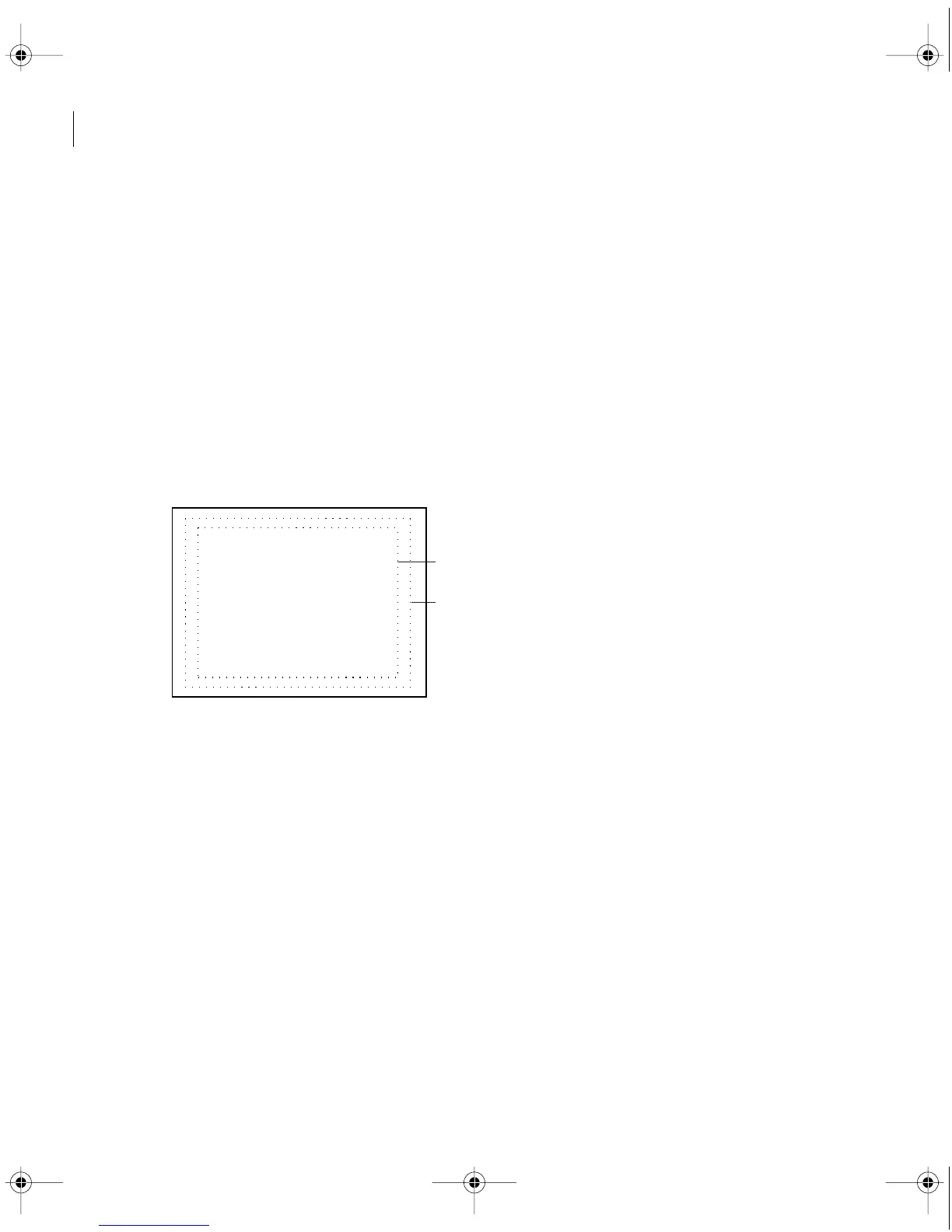
safe zones. Safe zones are useful when editing for NTSC broadcast and videotape, because
most NTSC consumer television sets cut off some portion of the outer edges of the picture.
This process, called
overscan
, permits the center of the picture to be enlarged. The amount
of overscan is not consistent across all televisions, so it is best to keep titles within the
title-
safe
zone and important subjects within the
action-safe
zone. The Title window options
include an option to display NTSC title-safe and action-safe zones. For best results, play back
the video on a television monitor connected to your computer (see “Previewing on another
monitor” on page 195).
Note:
The safe zones indicated by Premiere represent only NTSC video and are only guidelines
for other video standards such as PAL or SECAM.
Title-safe (A) and action-safe (B) zones
To set Title window options:
1
With the title window open, choose Window > Title Window Options.
2
Specify the following settings as necessary and then click OK:
•
For Drawing Size, select 4:3 Aspect if you want to preserve such an aspect ratio when you
specify the title clip size. Then specify the horizontal (h) and vertical (v) dimensions in pixels.
A
B
c00.book for PS Page 236 Tuesday, March 31, 1998 1:28 PM



 To Next Page