EasyManua.ls Logo

Aiwa NSX-430 - SELECTING A TRACK DIRECTLY; RANDOM PLAY; REPEAT PLAY

Aiwa NSX-430
84 pages
Print Icon
To Next Page IconTo Next Page
To Previous Page IconTo Previous Page
Loading...
BI
RANDOM
RANDOM
.,
LRANDOM)
oe
sro Fae
MRTIPLEX
REPEAT
=
2
sino
Par
MULTIPLEX
28
CD
PLAYING
SELECTING
A
TRACK
DIRECTLY
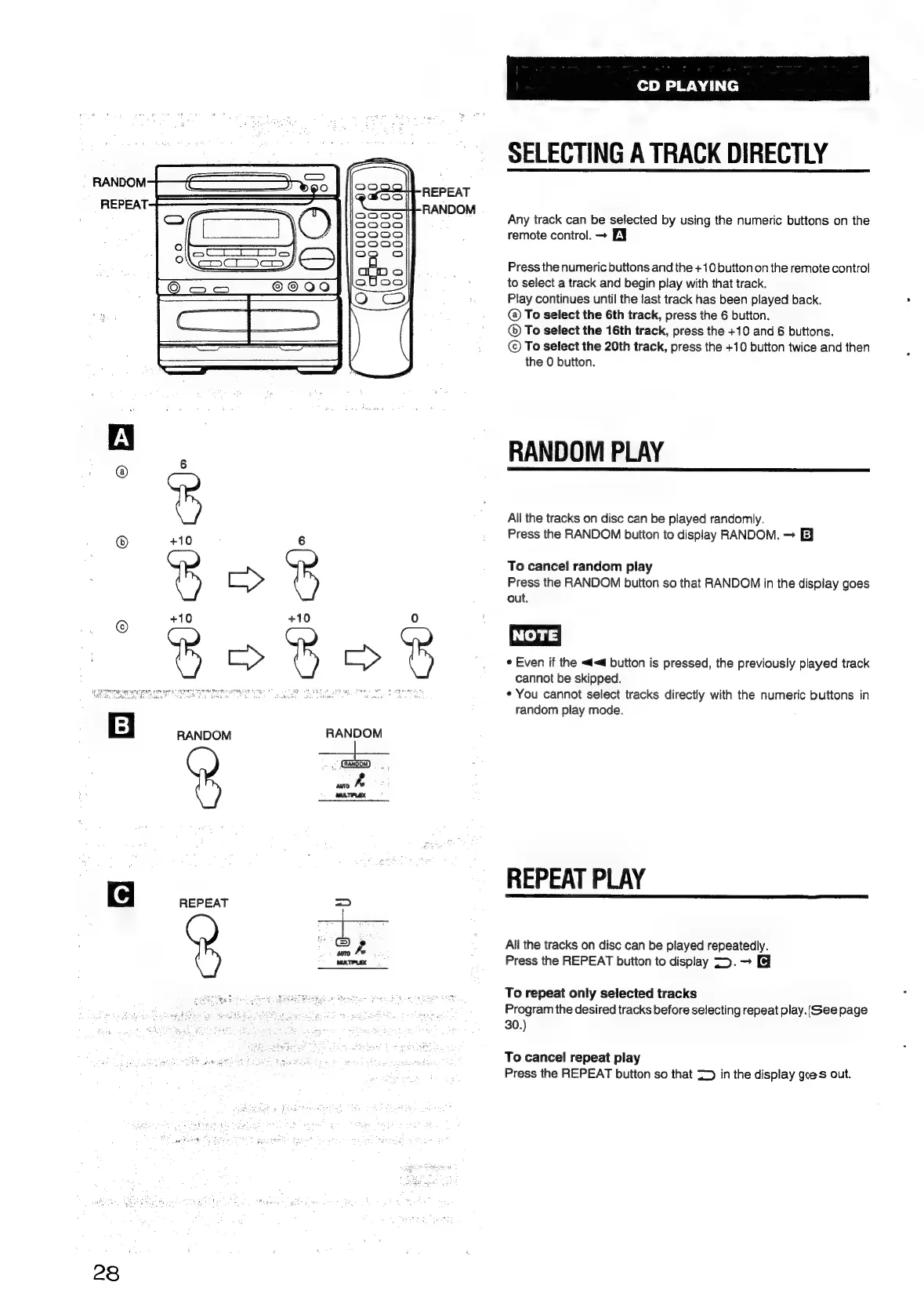
Any
track
can
be
selected
by
using
the
numeric
buttons
on
the
remote
control.
>
EY
Press
the
numeric
buttons
and
the
+10
button
on
the
remote
control
to
select
a
track
and
begin
play
with
that
track.
Play
continues
until
the
last
track
has
been
played
back.
@
To
select
the
6th
track,
press
the
6
button.
®
To
select
the
16th
track,
press
the
+10
and
6
buttons.
©
To
select
the
20th
track,
press
the
+10
button
twice
and
then
the
0
button.
RANDOM
PLAY
All
the
tracks
on
disc
can
be
played
randomly.
Press
the
RANDOM
button
to
display
RANDOM.
E}
To
cancel
random
play
Press
the
RANDOM
button
so
that
RANDOM
in
the
display
goes
out.
NOTE]
*
Even
if
the
<d<@
button
is
pressed,
the
previously
played
track
cannot
be
skipped.
¢
You
cannot
select
tracks
directly
with
the
numeric
buttons
in
random
play
mode.
REPEAT
PLAY
All
the
tracks
on
disc
can
be
played
repeatedly.
Press
the
REPEAT
button
to
display
>.
To
repeat
only
selected
tracks
Program
the
desired
tracks
before
selecting
repeat
play.
(Gee
page
30.)
To
cancel
repeat
play
Press
the
REPEAT
button
so
that
=>
in
the
display
goes
out.

Table of Contents

Related product manuals