EasyManua.ls Logo

Aiwa NSX-430 - SETTING THE SLEEP TIMER

Aiwa NSX-430
84 pages
Print Icon
To Next Page IconTo Next Page
To Previous Page IconTo Previous Page
Loading...
SETTING
THE
SLEEP
TIMER
(Operating
with
only
the
remote
control)
The
sleep
timer
automatically
turns
the
unit
off
after
the
specified
time
passes.
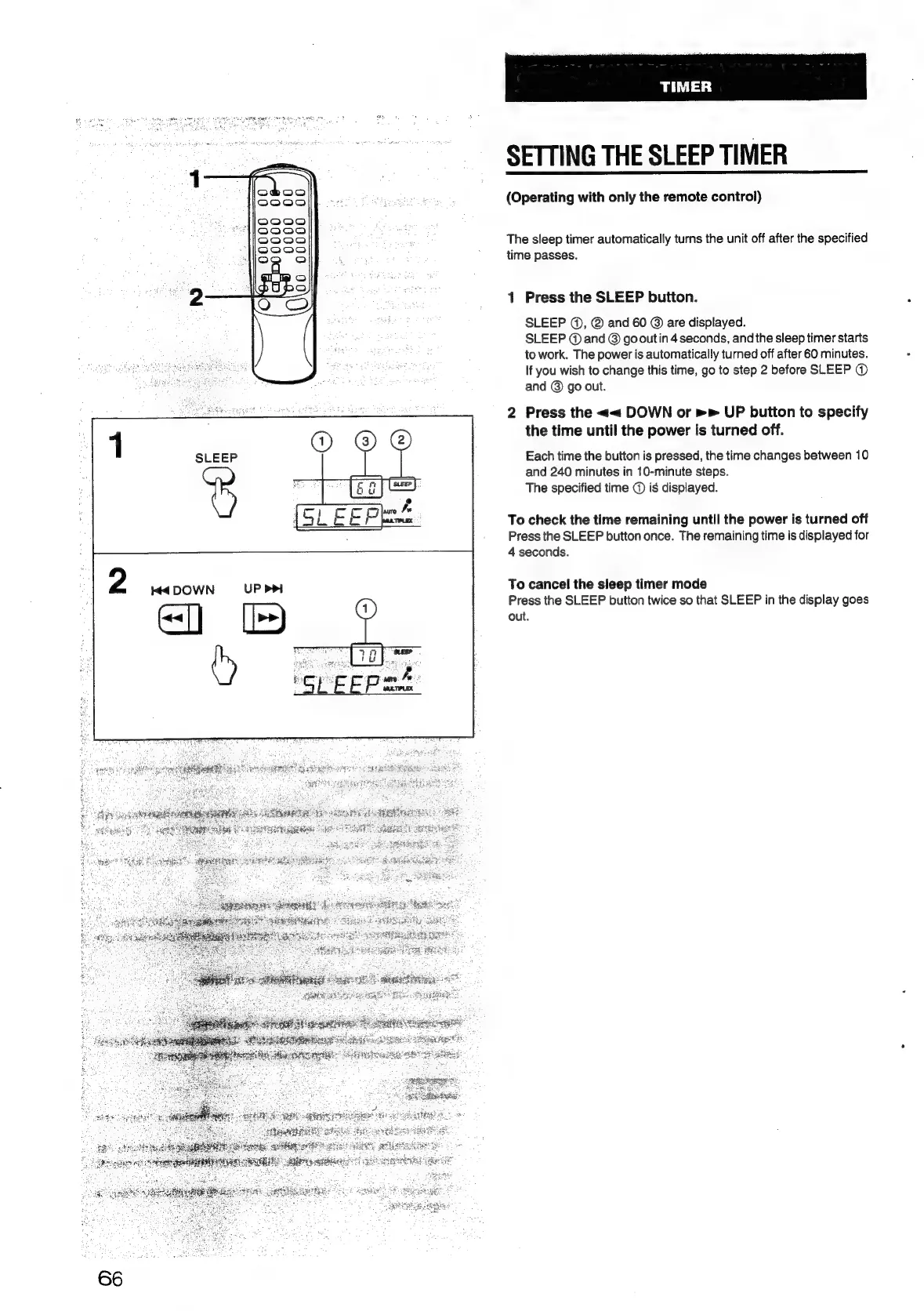
1
Press
the
SLEEP
button.
SLEEP
@,
@
and
60
@
are
displayed.
SLEEP
@
and
©
go
out
in
4
seconds,
and
the
sleep
timer
starts
to
work.
The
power
is
automatically
turned
off
after
60
minutes.
If
you
wish
to
change
this
time,
go
to
step
2
before
SLEEP
@
and
©
go
out.
2
Press
the
<<
DOWN
or
UP
button
to
specify
the
time
until
the
power
is
turned
off.
Each
time
the
button
is
pressed,
the
time
changes
between
10
and
240
minutes
in
10-minute
steps.
The
specified
time
@
is
displayed.
To
check
the
time
remaining
until
the
power
is
turned
off
Press
the
SLEEP
button
once.
The
remaining
time
is
displayed
for
4
seconds.
To
cancel
the
sieep
timer
mode
Press
the
SLEEP
button
twice
so
that
SLEEP
in
the
display
goes
out.

Table of Contents

Related product manuals