EasyManua.ls Logo

Aiwa NSX-430 - OTHER SOURCES; LISTENING TO OTHER SOURCES

Aiwa NSX-430
84 pages
Print Icon
To Next Page IconTo Next Page
To Previous Page IconTo Previous Page
Loading...
1
VIDEQ/AUX
ppVIDEO
AUX?
TN)
S.
ceoenemeieenpeet:
ae
IE
wf
CSIR
SIRNA
IE
MIE
My
dove
eter
roe
Amt
tagee
THANE
FGA
ea
a
a
OTHER
SOURCES
LISTENING
TO
OTHER
SOURCES
See
page
14
for
information
about
connecting
external
equipment.
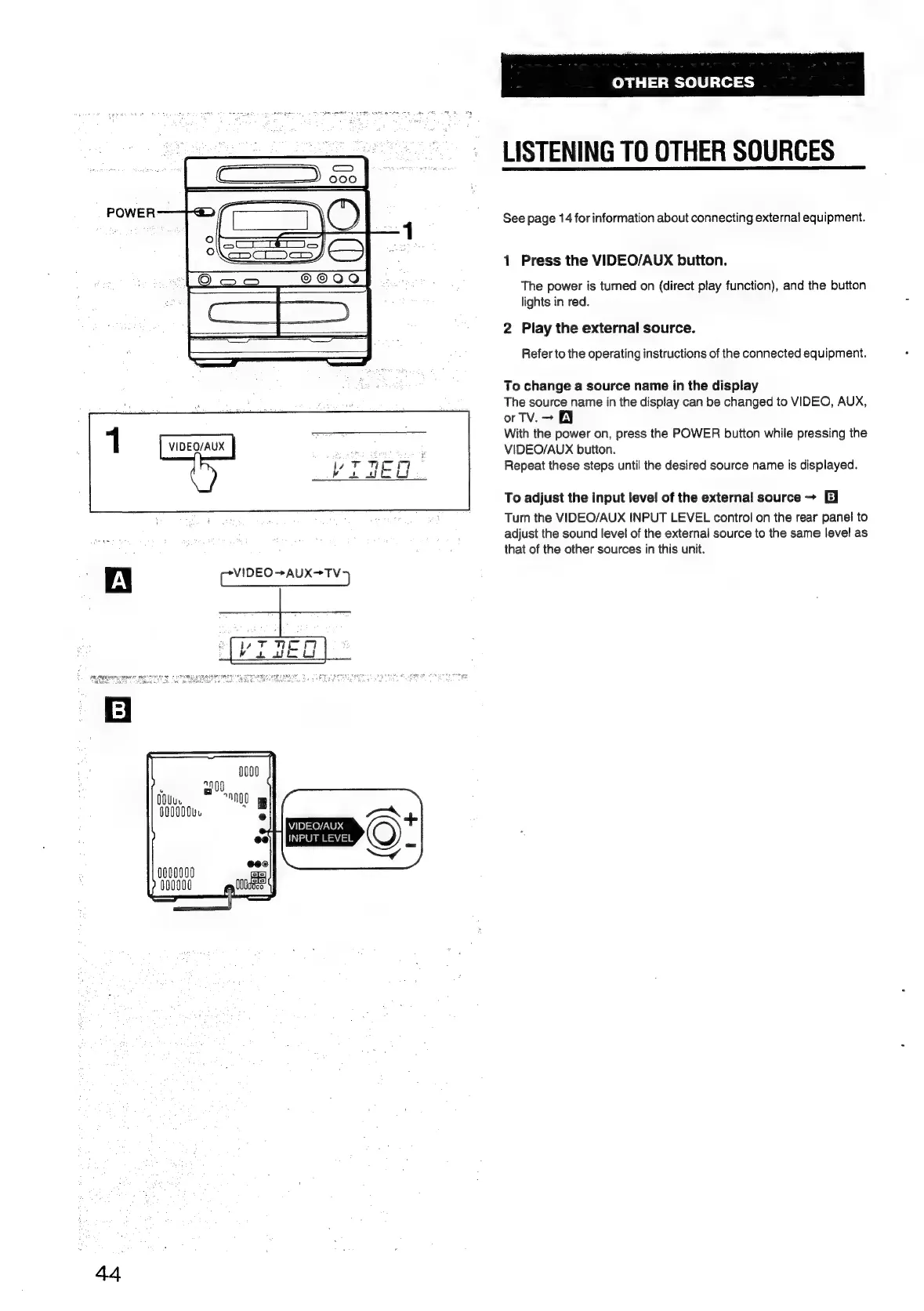
1
Press
the
VIDEO/AUX
button.
The
power
is
turned
on
(direct
play
function),
and
the
button
lights
in
red.
2
Play
the
external
source.
Refer
to
the
operating
instructions
of
the
connected
equipment.
To
change
a
source
name
in
the
display
The
source
name
in
the
display
can
be
changed
to
VIDEO,
AUX,
orTv.—
EY
With
the
power
on,
press
the
POWER
button
while
pressing
the
VIDEO/AUX
button.
Repeat
these
steps
until
the
desired
source
name
is
displayed.
To
adjust
the
input
level
of
the
external
source
~
EI
Turn
the
VIDEO/AUX
INPUT
LEVEL
control
on
the
rear
panel
to
adjust
the
sound
level
of
the
external
source
to
the
same
level
as
that
of
the
other
sources
in
this
unit.

Table of Contents

Related product manuals