EasyManua.ls Logo

Aiwa NSX-430 - RADIO RECEPTION; MANUAL TUNING

Aiwa NSX-430
84 pages
Print Icon
To Next Page IconTo Next Page
To Previous Page IconTo Previous Page
Loading...
Letie
mae
old
Pea
A.
Bae
1
38
MONO
TUNER
RADIO
RECEPTION
MANUAL
TUNING
amb
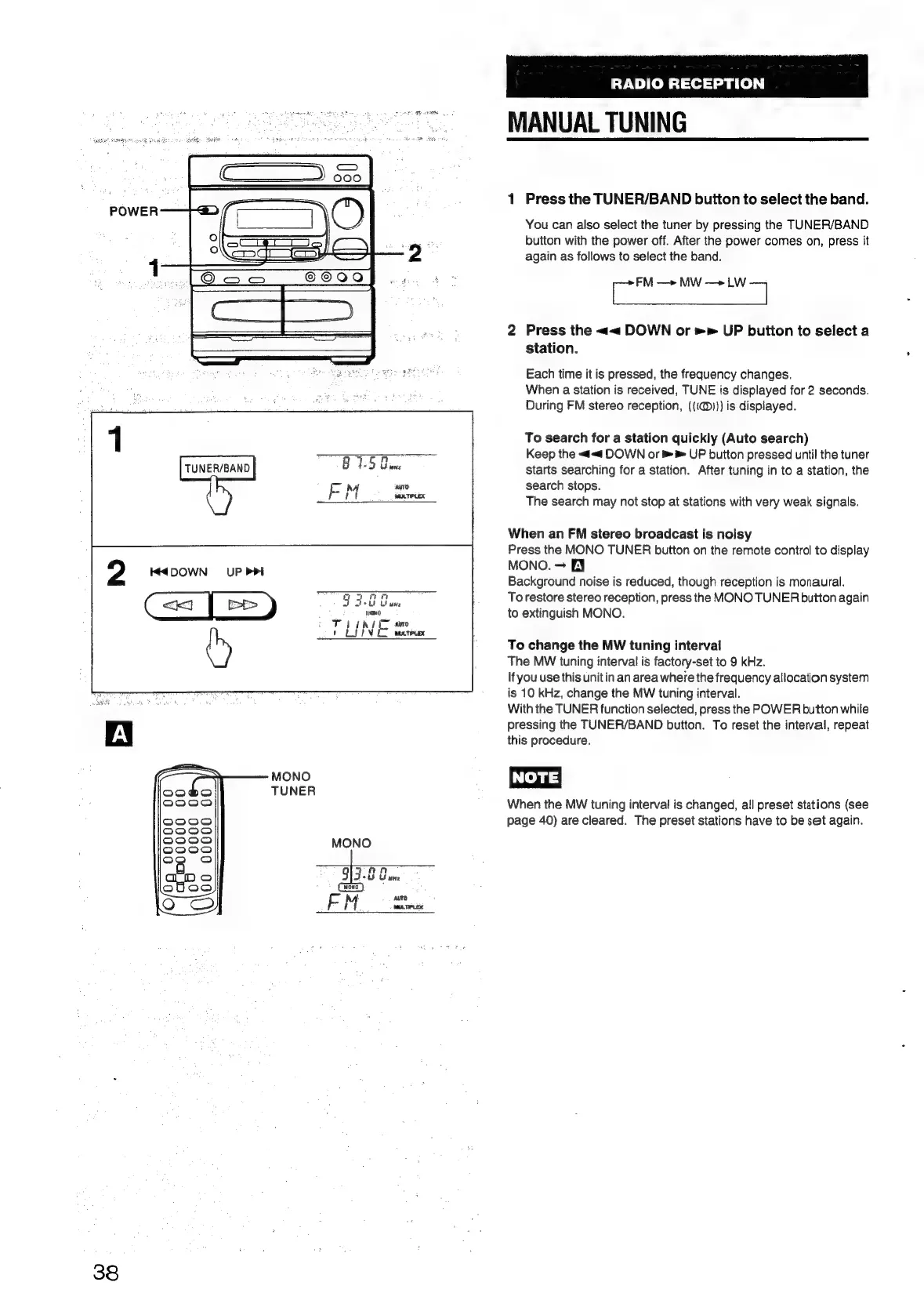
Press
the
TUNER/BAND
buiton
to
select
the
band.
You
can
also
select
the
tuner
by
pressing
the
TUNER/BAND
button
with
the
power
off.
After
the
power
comes
on,
press
it
again
as
follows
to
select
the
band.
Sih
aia
Press
the
<<
DOWN
or
»»
UP
button
to
select
a
station.
nh
Each
time
it
is
pressed,
the
frequency
changes.
When
a
station
is
received,
TUNE
is
displayed
for
2
seconds.
During
FM
stereo
reception,
({(@)))
is
displayed.
To
search
for
a
station
quickly
(Auto
search)
Keep
the
<<
DOWN
or
UP
button
pressed
until
the
tuner
starts
searching
for
a
station.
After
tuning
in
to
a
station,
the
search
stops.
The
search
may
not
stop
at
stations
with
very
weak
signals.
When
an
FM
stereo
broadcast
is
noisy
Press
the
MONO
TUNER
buiton
on
the
remote
control
to
display
MONO.
FY
Background
noise
is
reduced,
though
reception
is
monaural.
To
restore
stereo
reception,
press
the
MONO
TUNER
button
again
to
extinguish
MONO.
To
change
the
MW
tuning
interval
The
MW
tuning
interval
is
factory-set
to
9
kHz.
If
you
use
this
unit
in
an
area
where
the
frequency
allocation
system
is
10
kHz,
change
the
MW
tuning
interval.
With
the
TUNER
function
selected,
press
the
POWER
button
while
pressing
the
TUNER/BAND
button.
To
reset
the
interval,
repeat
this
procedure.
NOTE)
When
the
MW
tuning
interval
is
changed,
all
preset
stations
(see
page
40)
are
cleared.
The
preset
stations
have
to
be
set
again.

Table of Contents

Related product manuals