Accessories
8AL91432ENAD ed01.1 82/94
4.3.4 Install more than one add-on module
It is possible to connect up to 3 similar add-on modules to a desk phone.
Depending on the phone model, the number of add-on modules and the power supply, it may be
necessary to connect an additional power supply. Contact your administrator for more information.
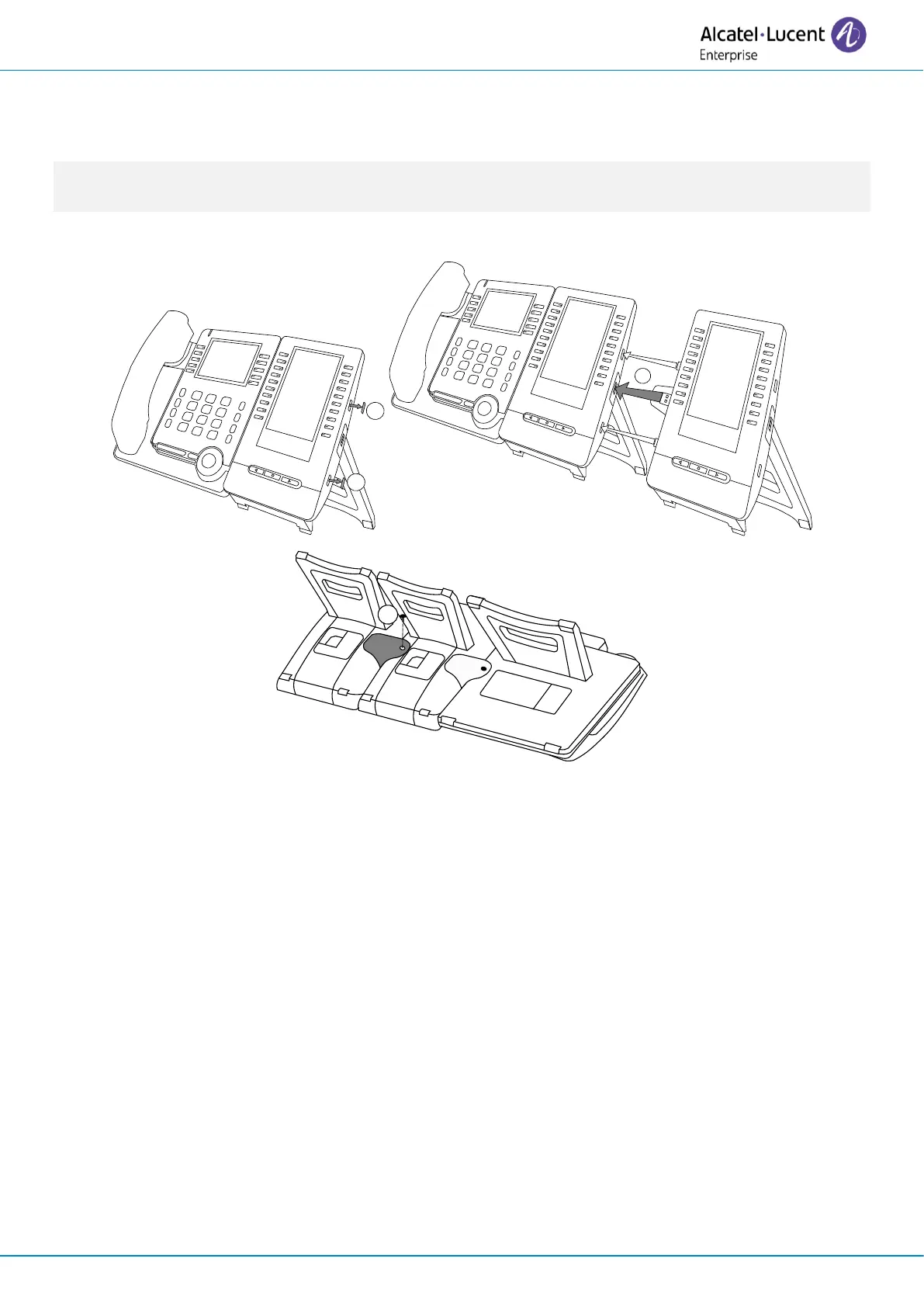
To attach another add-on, affix and connect the new add-on to the one that is already connected:
• The first add-on is connected to the desk phone.
• Remove the protective rubber on the side of the new add-on module.
• Insert the new add-on USB-A connector into the USB socket of the installed add-on.
• Use the add-on support to fix it to the add-on using the screw provided. Remove the foot of
the add-on module where the screw is attached if you have difficulty accessing it.
• Connect the power supply to the desk phone. If you need to use a second power supply,
connect it to the first connected add-on module.












 To Next Page