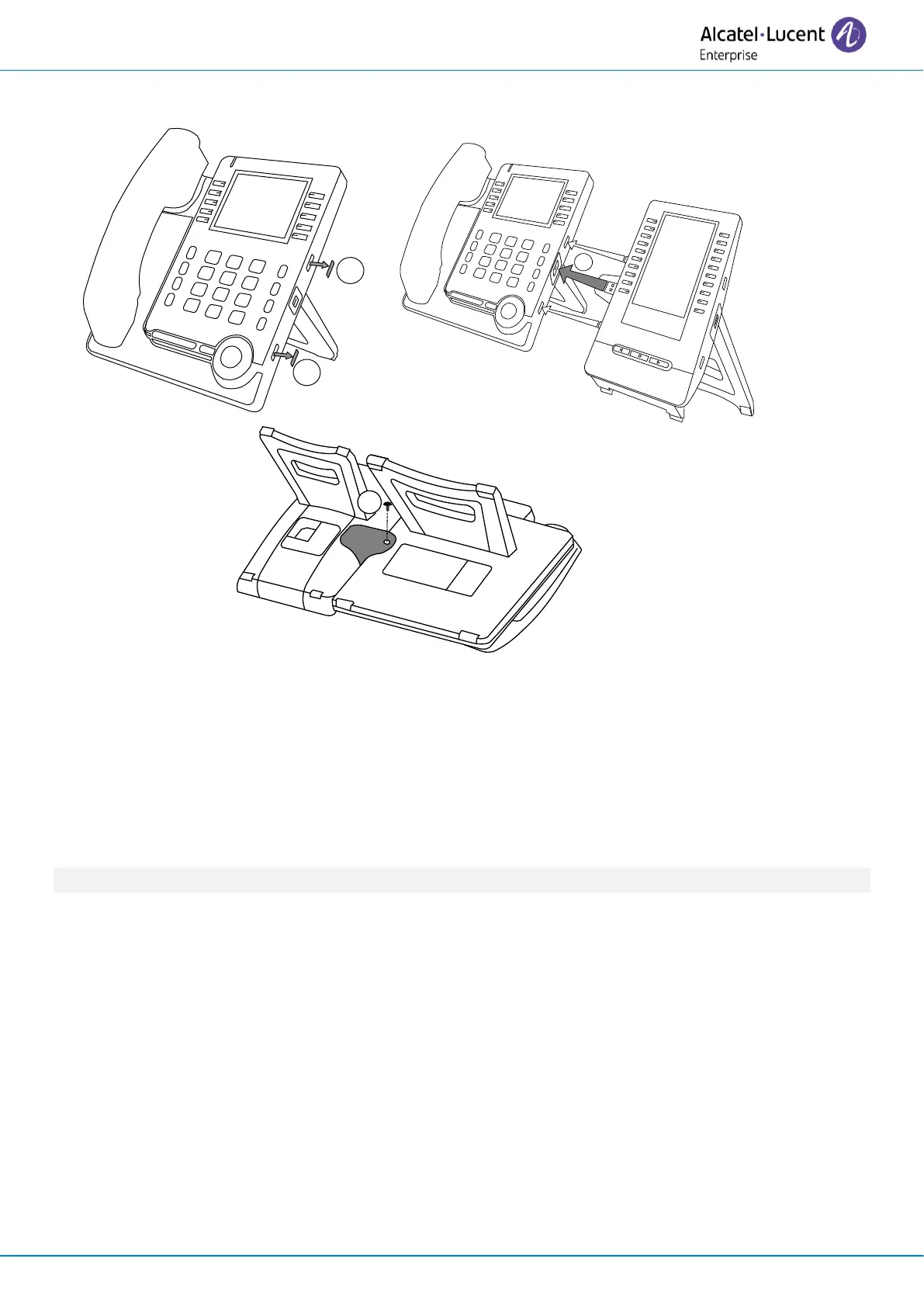
• Remove the protective rubber on the side of the deskphone.
• Insert the add-on USB-A connector into the USB-A socket of the desk phone.
• Use the add-on support to fix it to the desk phone using the provided screw. Remove the foot
of the deskphone if you have difficulty accessing the screw.
• Plug the network cable. If necessary, plug the USB-C power adapter (sold separately). In
digital mode, the desk phone has to be powered by an external USB-C power adapter.
If you are using a USB-A headset, you can connect it to the last add-on module.












 To Next Page