Getting to know your telephone
8AL91432ENAD ed01.1 9/94
1.4 Install your desk phone
1.4.1 Install the foot
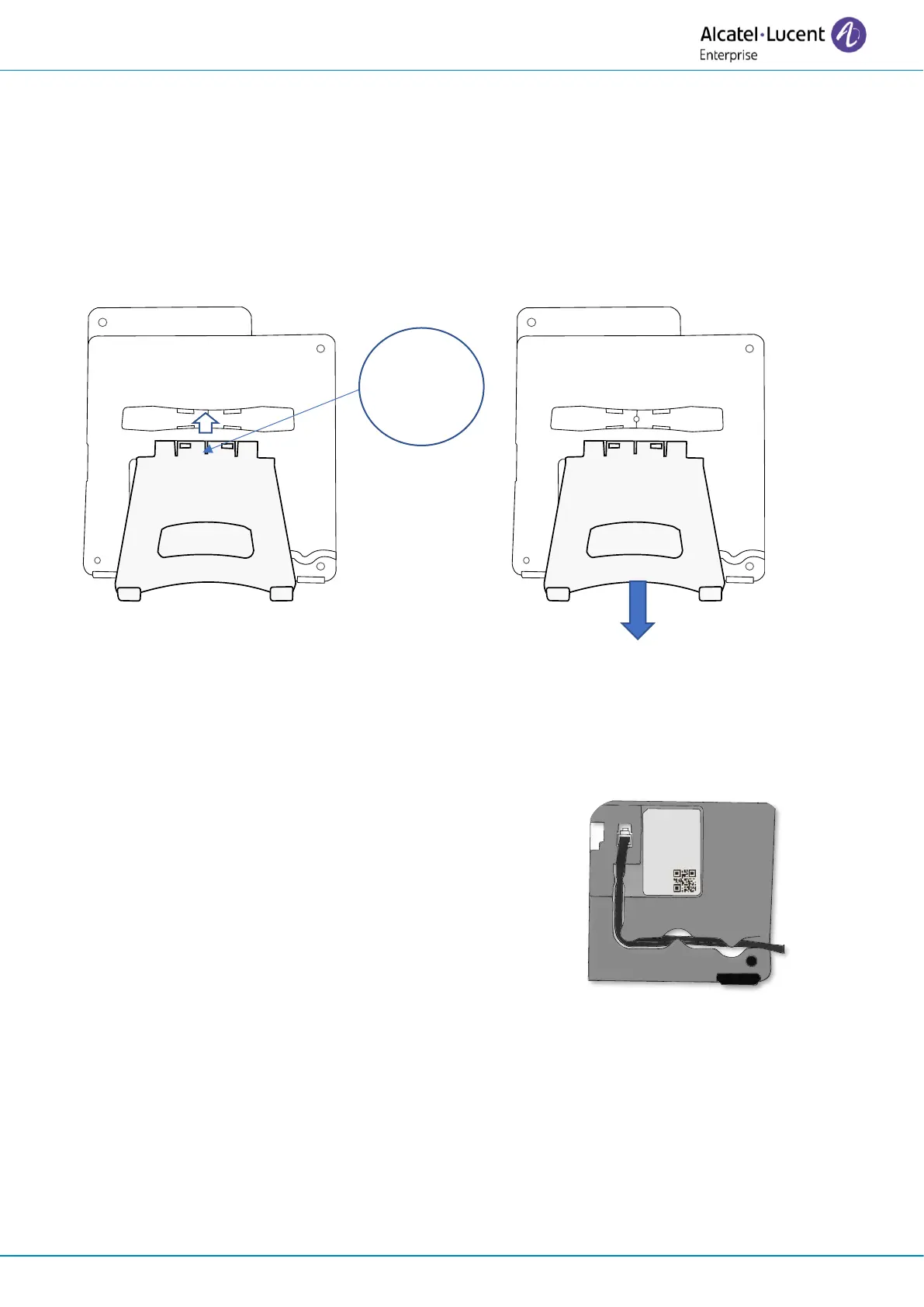
Clip the foot into its compartment behind the phone. Your desk phone provides a 2-degree foot.
Depending on the way you insert the foot into the phone, your desk phone will have a different
angle: 55° or 40°. The angle noted on the top of the foot (face up) corresponds to the angle that the
phone will have after having inserted the foot.
To unclip the foot, pull it straight back until it separates from the phone.
1.4.2 Install a comfort wired handset
Your phone is provided with a connected handset.
If you have to replace it:
• Plug-in the wired handset to the appropriate connector
(see chapter: Description of the connectors).
• Make sure you position the cable correctly in the
compartment intended for that purpose.












 To Next Page