Alfa Laval Micro
Installation, service and operating instruction
23
6 Installing the CM721 wireless system
General 6.1
Note: The individual room thermostat (CM721) and relay box (BDR91) in system packs is pre-configured at the
factory and therefore SHOULD be installed at the same site.
This makes the installation process fast and easy, but if products from individual system packs are separated,
or mixed with other pre-configured system packs during installations please refers to
section 7 Binding/rebinding the CM721, to bind the desired units together and allow them to communicate with
each other.
The CM721, room thermostat communicates with the relay box on an 868MHz Radio Frequency (RF) band to
control a single heating system component such as a boiler, pump or zone valve. Neither product will
communicate with other RF products that use different frequencies or communication protocols.
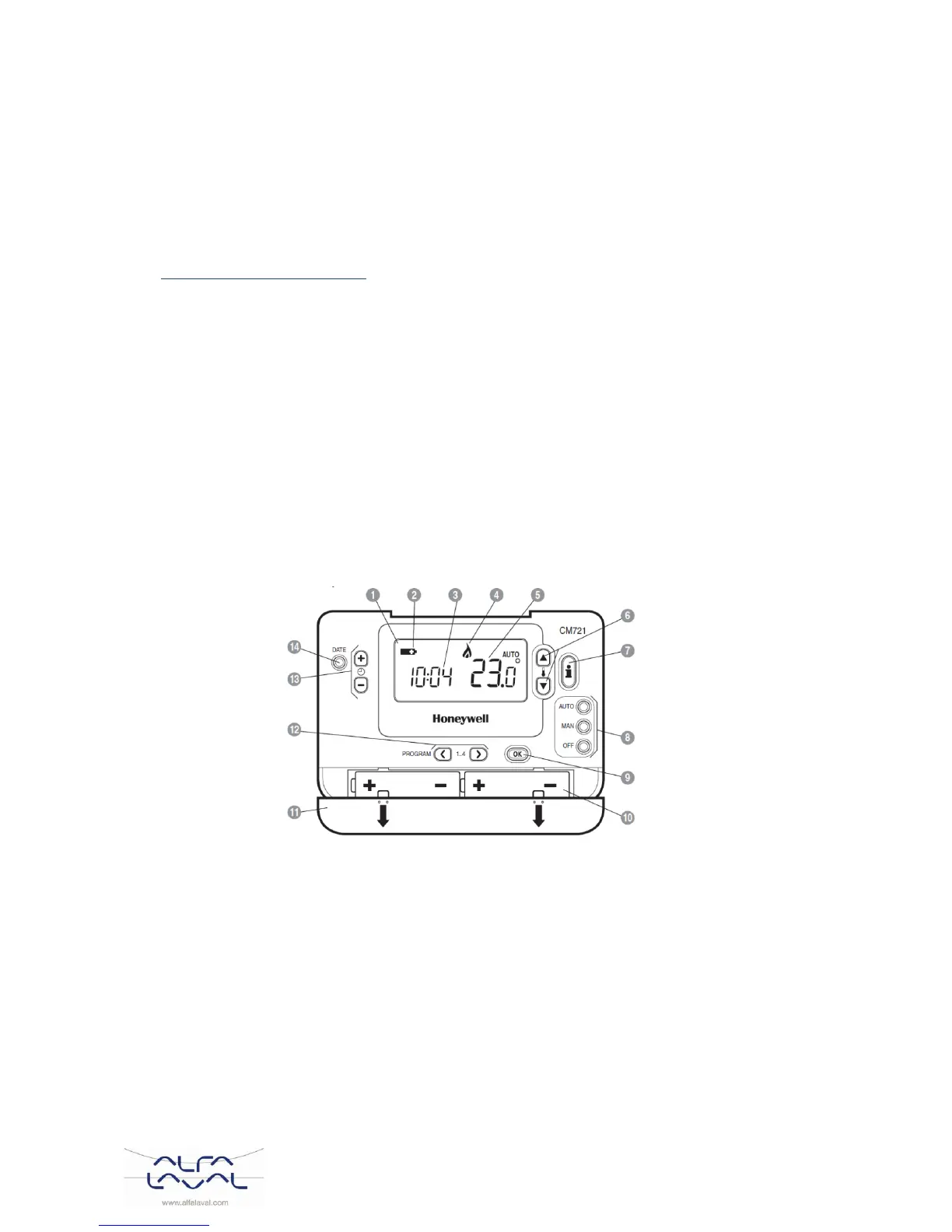
Room thermostat CM721 6.2
Description
The Honeywell CM721 is a programmable
room thermostat designed to control the
heating system efficiently, providing
comfortable temperatures when you are at
home and energy savings when you are
away.
Features
Ergonomic user interface
Large LCD (Liquid Crystal Display)Screen
Four independent temperature levels per day, from
5°C to 35°C
Built-in Memory holds the user program indefinitely
Automatic summer/winter time change.
Optimum start to achieve the right temperature at the
right time.
Temperature change buttons
Temperature enquiry button
OK-button (9)
When changing settings/values in CM737 the numbers in the display is flashing.
Confirm the new settings with the green OK-button (9) and the new setting will be confirmed.



 To Next Page