Allworx Verge IP Phone Series User Guide
866.ALLWORX * +1 585 421 3850 Page 5
www.allworx.com
Version: D Revised: June 1, 2017
2.1.1 Phone Status Area
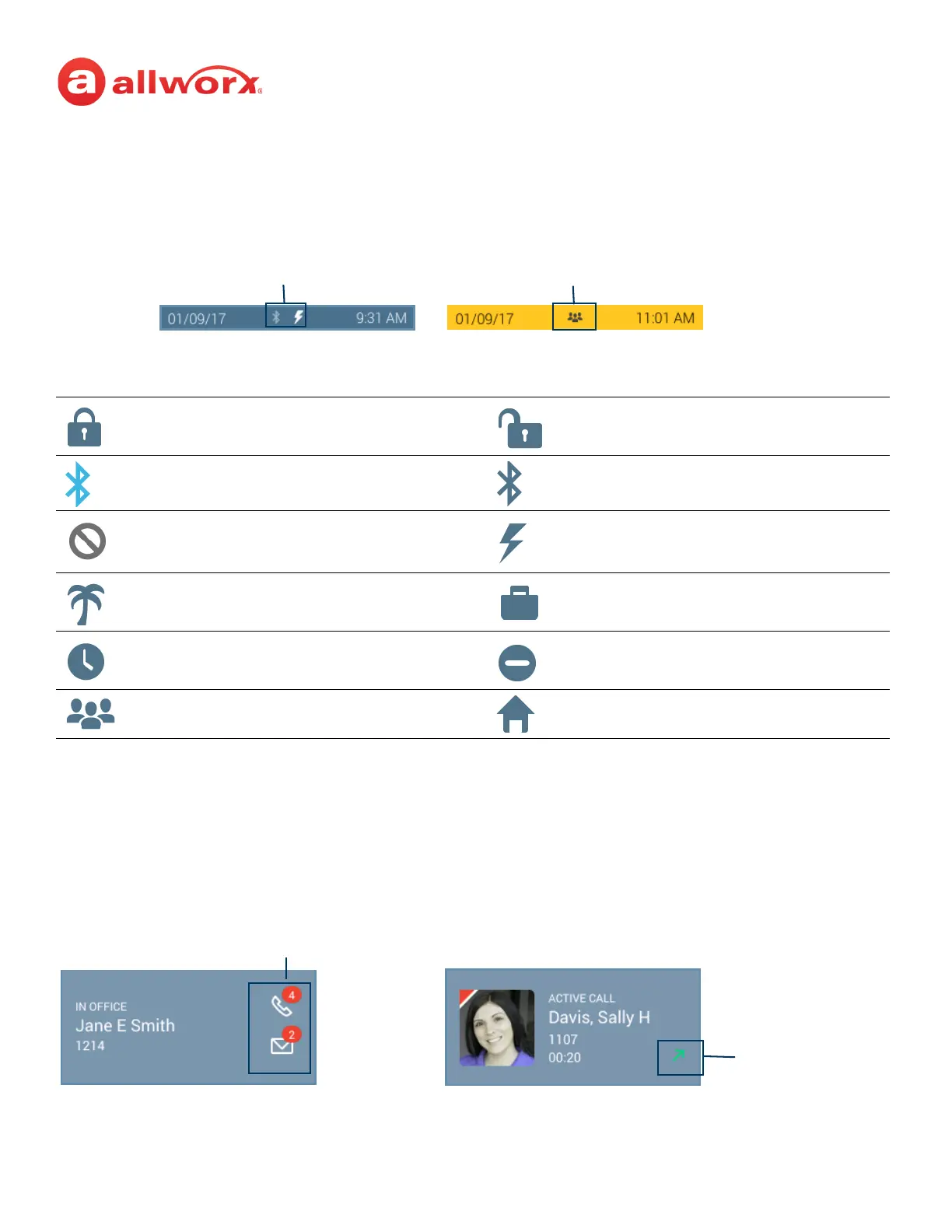
The status bar displays the current date/time and icons about the phone and user state. Verge IP
phone status area examples:
Verge IP phone series phone status area icons:
2.1.2 Call Status Area
During an active call, the Call Status area displays information of the current phone call status. If there
is no active call, the Call Status area identifies the assigned Allworx user’s current presence, caller ID
name and number, and the number of missed calls and/or new message (if available). If there is an
active call, the Call Status area displays the contact image (if available), the call status (active call, on
hold, call ended etc), the caller ID name/number, and the current call status duration.
Contacts locked. Contacts unlocked.
Bluetooth disconnected. Bluetooth connected.
Do Not Disturb activated. Reach Remote Control, Interact, or Allworx
TAPI is connected and controlling the
Verge IP phone.
Presence - On Vacation. Presence - On Business Trip.
Presence - Away. Presence - Busy.
Presence - At A Meeting. Presence - At Home.
Phone Status Icons
Phone Status Gray Background
User Available
User Status Icons
Phone Status Yellow Background
User Unavailable
Call Status Area - Idle Screen Call Status Area - Active Call Screen
Missed Calls/Messages Icons
Call Status: Outgoing



 To Next Page