Allworx Verge IP Phone Series User Guide
866.ALLWORX * +1 585 421 3850 Page 25
www.allworx.com
Version: D Revised: June 1, 2017
3.12 Call History
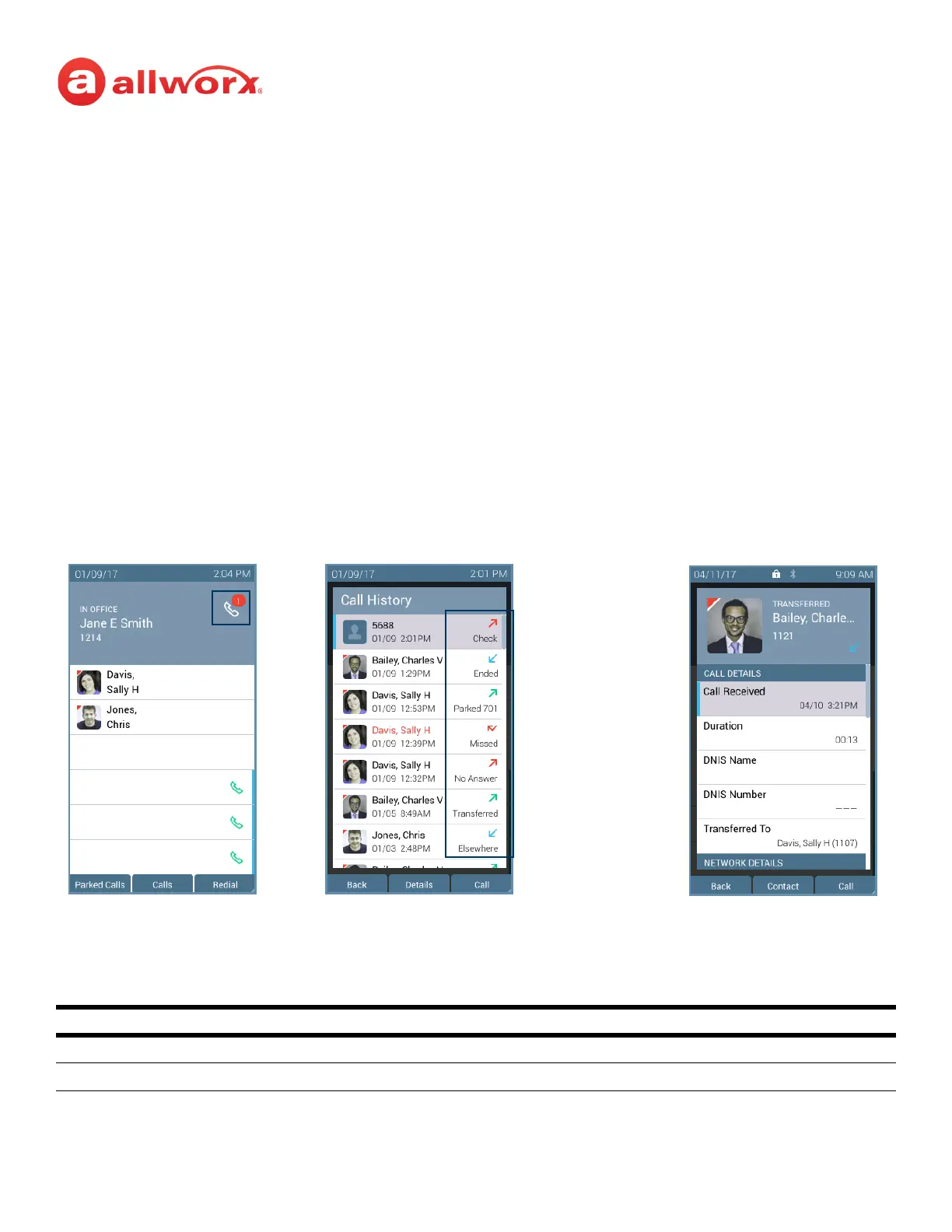
View up to 200 Call History listings by pressing the Calls soft key. When reaching the maximum entries
in the call history list, the Verge IP phone deletes the oldest entry and adds the newest entry. To see
specific call details, press the up/down navigation buttons to scroll through the Call History listings,
and then press the Select button to choose the highlighted listing.
The Call History listings persist after each phone reboot. Each Call History listing displays the Caller ID
name, date/time of the call, and the final call status:
Verge IP phone Call History notification, Call History Listing, and Call History details examples:
• Transferred - call forwarded to another recipient. • Missed - inbound call that rings, but it is not answered.
• Ended - normal call ended. • Check - failed to route to an outbound call.
• Parked <orbit number> - call placed into a Parking
Orbit.
• Elsewhere - missed inbound, picked up somewhere else,
i.e., Reach Device.
• No Answer - outbound call that is not answered (internal
calls only).
Soft Keys
Back return to the previous Verge IP phone screen.
Details display the detailed call statistics.
Call History listing
• Contact image (if available)/Allworx User badge
• Caller ID or Contact name
• Date/time of call
• Call status and icon
Call Status Icons
and final Call
Status
Missed calls icon and
number badge.
Call History Listings Call DetailsIdle Phone Screen



 To Next Page