Allworx Verge IP Phone Series User Guide
866.ALLWORX * +1 585 421 3850 Page 31
www.allworx.com
Version: D Revised: June 1, 2017
Chapter 4 Features
The Verge IP phone has many features to easily manage day-to-day activities using the function
buttons, soft keys, or programmable buttons.
4.1 Contacts
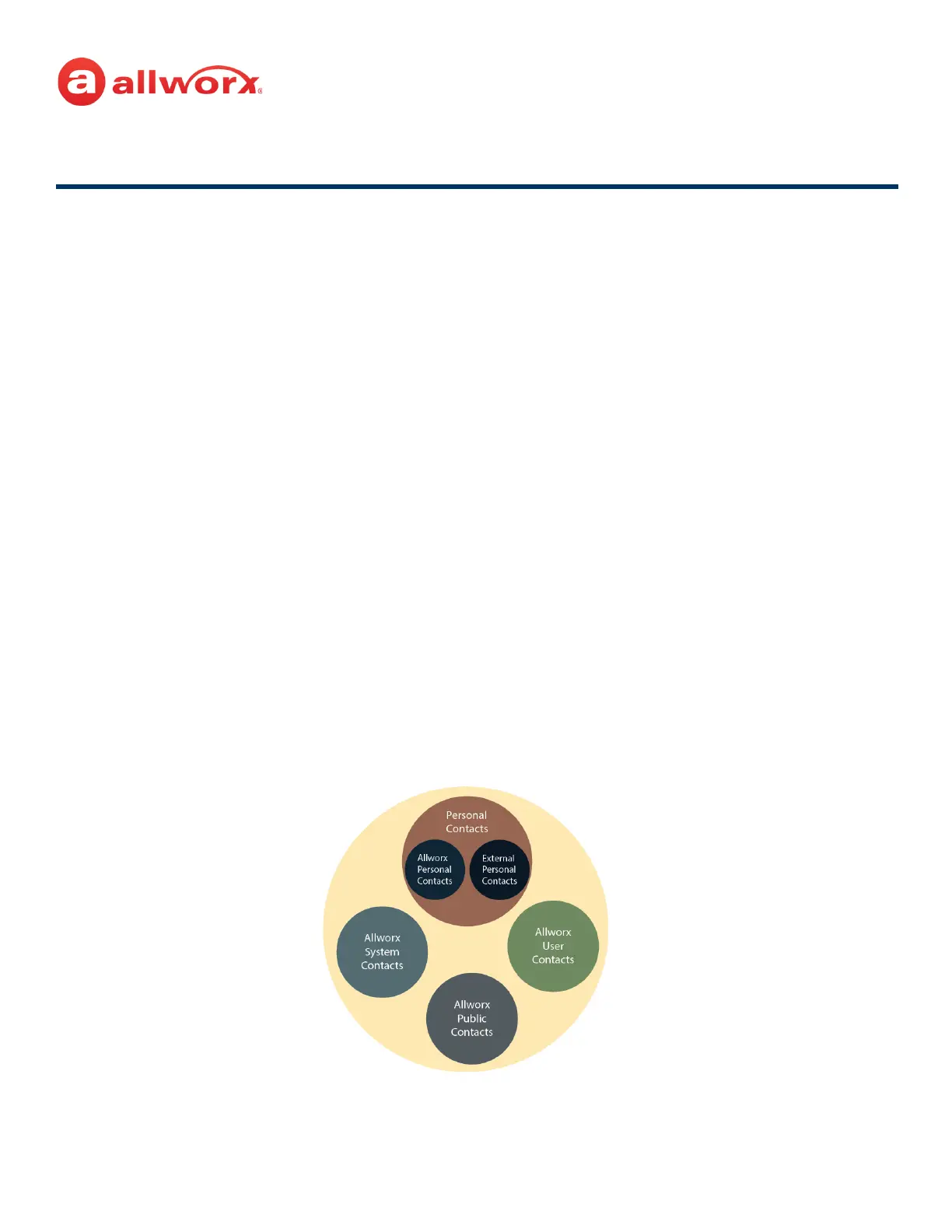
The Allworx System supports four types of contacts on the Verge IP phone series:
• User and System contacts – contacts with an internal Allworx extension assigned. The Allworx
Server Administrator manages these contacts.
• Public Contacts – system-wide contacts (formerly known as Speed Dial). The Allworx Server
Administrator manages these contacts.
• Personal Contacts – (only available on Allworx systems with a Connect server) contacts managed
by the Allworx user.
• Allworx Personal Contacts
• created from the Verge IP phone, the Interact application, or a Reach device
contact application.
• imported from a .CSV file or vCard within the Interact application.
• External Personal Contacts
• synchronized from a Reach device originating application (device app such as
Contacts or People)
• synchronized from an account such as a Gmail email account or an Outlook email
account.
Visual example of Contacts:



 To Next Page