Allworx Verge IP Phone Series User Guide
866.ALLWORX * +1 585 421 3850 Page 61
www.allworx.com
Version: D Revised: June 1, 2017
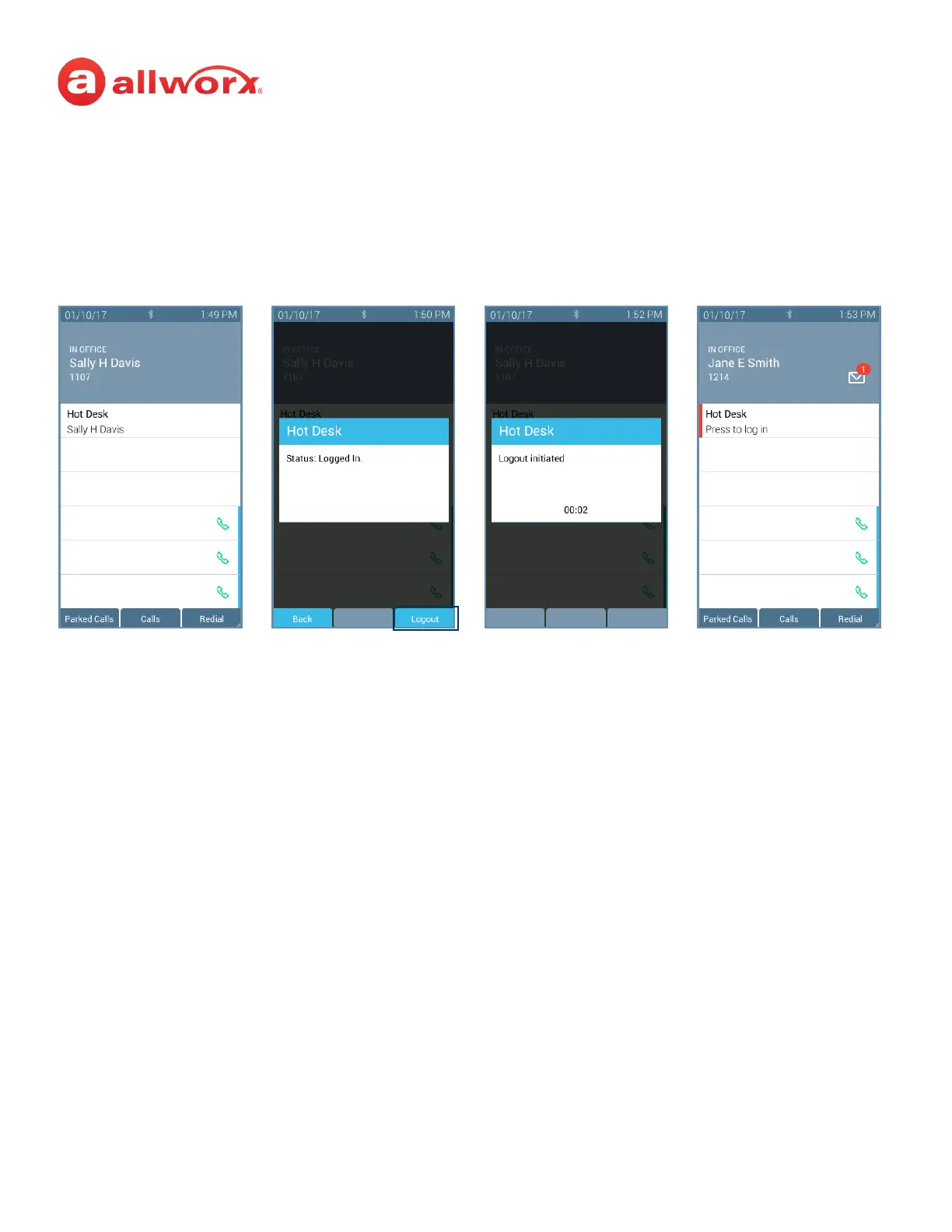
To log out of the Hot Desk feature:
1. Follow the steps above to access the Hot Desk Login option.
2. Press the Logout soft key. The Verge IP phone returns to the original state.
4.17 Schedule
A schedule consists of defined daily periods, associated day/night modes, and Auto Attendant
greetings. Schedules play the appropriate greetings of the Auto Attendants based on the time of day
and switching between day and night modes for call routes of system extensions. Verge IP phone users
can adjust the day/night mode to use and the greeting to play.
The programmable button displays:
• an icon to indicate day or night mode.
• the current schedule in use, as defined by the Allworx Server Administrator.
• the current greeting in use.
Press the Hot Desk
programmable
button, if available
Press the Logout soft
key.
Verge IP phone
updates Hot Desk
request.
Allworx user is no
longer hot desked to
Verge IP phone.



 To Next Page