Allworx
®
Verge™ IP Phone Series User Guide
Page 56 866.ALLWORX * +1 585 421 3850
www.allworx.com
Version: D Revised: June 1, 2017
4.11 My Allworx Manager
Access the business directory, conference scheduling page, company phone list, distribution lists,
phone features chart, and shared folders. Enter the My Allworx Manager address into a web browser
(e.g. Internet Explorer).
The Allworx Server Administrator provides the address: http://ServerLANAddress, and then enter
the log in username and password. ServerLANAddress is the IP address or domain name of the
Allworx server.
For more information about My Allworx Manager, see the Allworx My Allworx Manager User’s Guide,
available at www.allworx.com.
4.12 Busy Lamp Field (BLF)
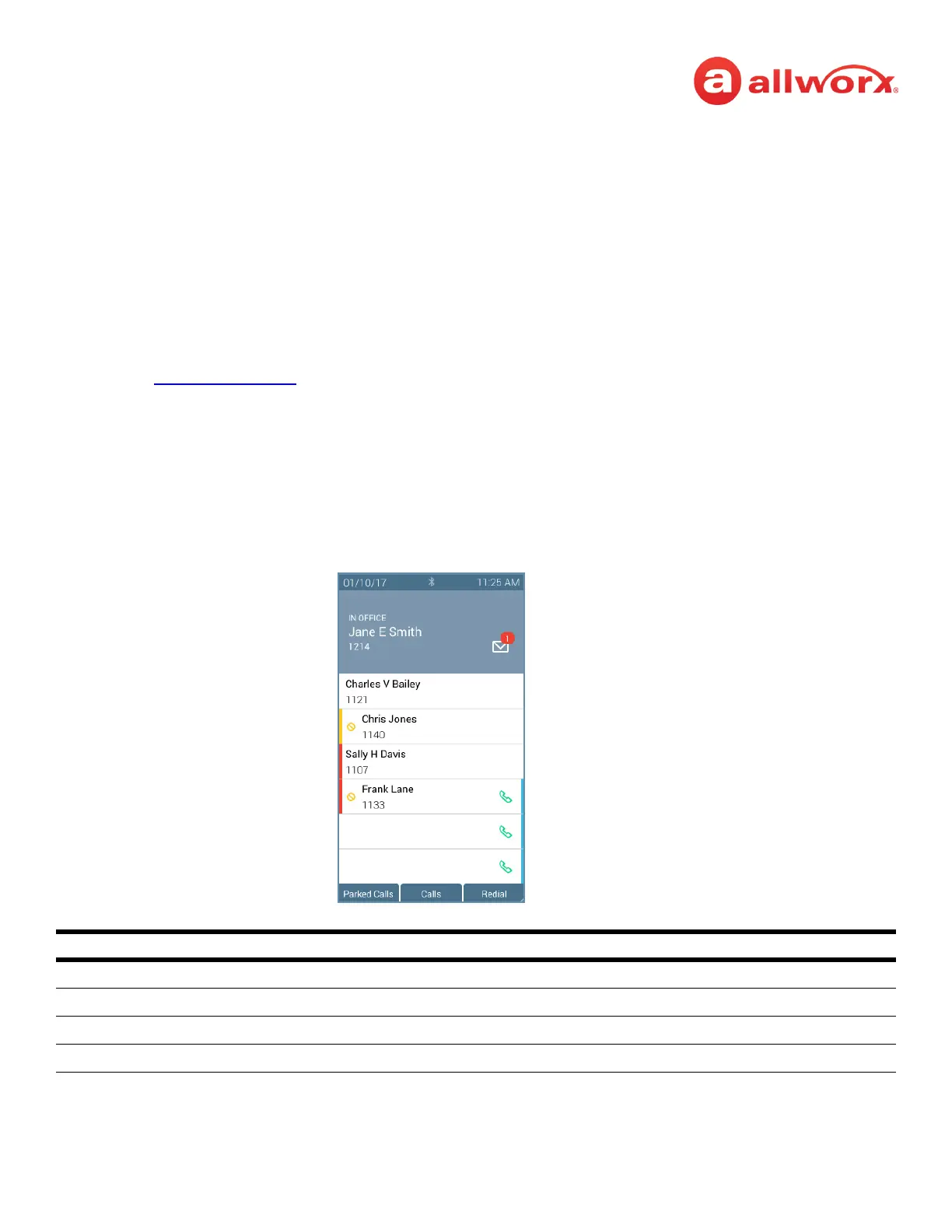
Monitor the activity of an Allworx assigned extension or do a quick call/quick transfer to the assigned
extension. If the Allworx User assigned to the BLF programmable button is unavailable, the BLF
programmable button displays the busy status and the call follows the next step in the Call Route.
Verge IP phone BLF programmable button examples:
Busy Lamp Field Programmable Button LED
off Allworx user is idle.
solid amber Allworx user is idle and has DND active.
solid red Allworx user is on the phone.
flashing red Allworx user has an incoming call.
Active Call (solid)
Incoming Call (flashing)
Idle
Active call, DND Active
Idle, DND Active



 To Next Page