Allworx
®
Verge™ IP Phone Series User Guide
Page 18 866.ALLWORX * +1 585 421 3850
www.allworx.com
Version: D Revised: June 1, 2017
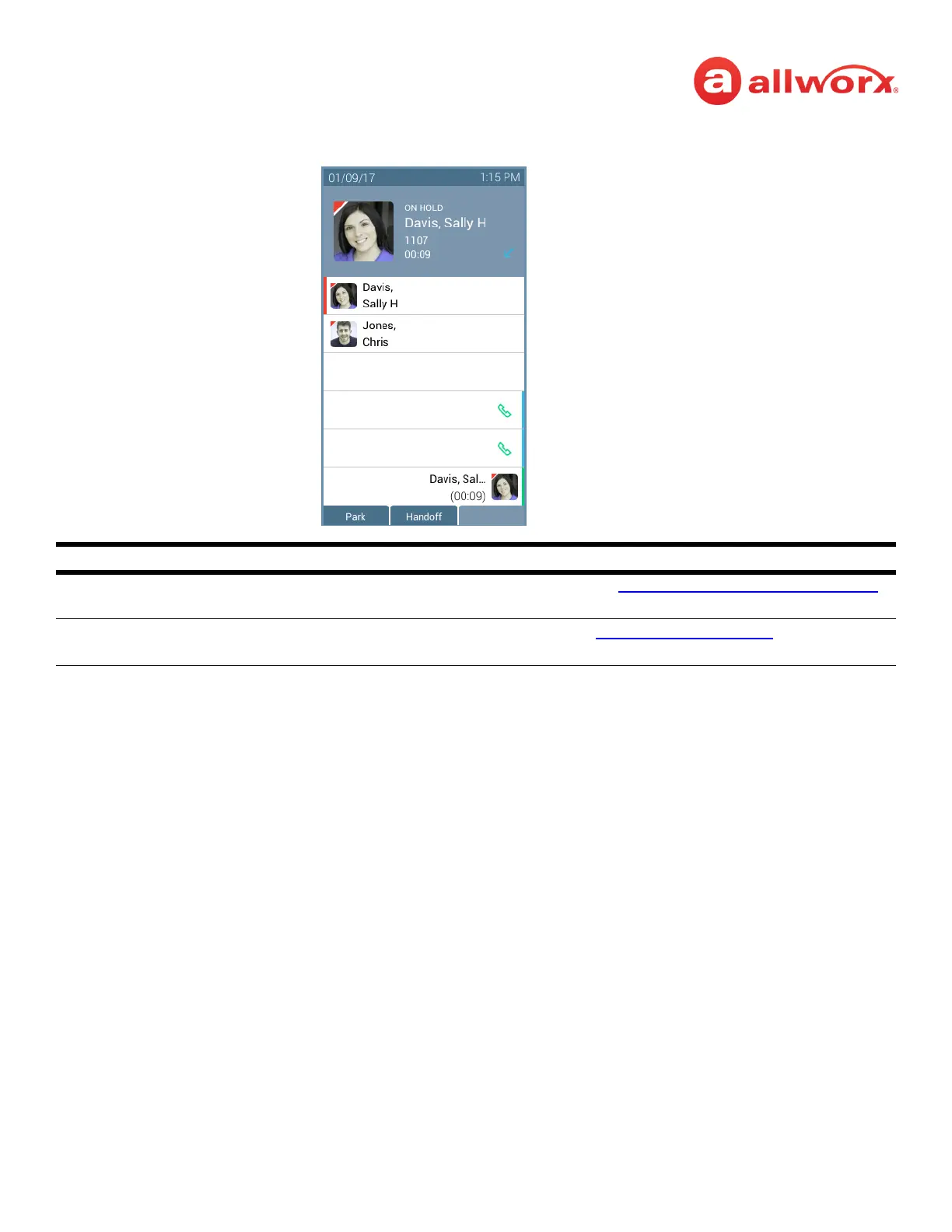
Verge IP phone screen Hold example:
3.9 Park a Call/Park Monitor
A system-wide hold so that any phone can retrieve the call. If the Allworx Server Administrator enables
the Music on Hold feature, callers on hold hear music.
The Allworx Server Administrator defines each Park Monitor programmable button to monitor calls
assigned to a single parking orbit or multiple parking orbits as well as the reminder to ring the phone,
if the call has been parked longer than the specified time limit. If there is a call waiting in an assigned
parking orbit, the LED lights.
Soft Keys Available
Park places the call on the lowest available parking orbit. See “
Park a Call/Park Monitor” on page 18
for more information.
Handoff transition the call to a Reach device (if available). See “
Call Handoff” on page 28 for more
information.
Soft Keys
Call Appearance - call on hold
• Call status hold duration
• Flashing call status indicator
Call Status Area
• Contact image/Allworx user indicator
• Call Status (ON HOLD)
• Caller or Contact ID name/number
• Call status hold duration
• Call status icon
Call Appearance - idle
Call Appearance - idle



 To Next Page