Allworx
®
Verge™ IP Phone Series User Guide
Page 8 866.ALLWORX * +1 585 421 3850
www.allworx.com
Version: D Revised: June 1, 2017
2.4 Function Buttons
The Verge IP phones have 10 function buttons, which are dedicated physical buttons used to perform a
single phone function. The functionality of each function button is explained in the appropriate section
of this guide.
2.5 Navigation Buttons
The Verge IP phones have four navigation buttons - up, down, left, or right navigation buttons to scroll
through the various phone screen listings (press and hold to quickly scroll). On some phone screens,
the left navigation button serves as a backspace and erases the previously entered information while
the right, up, or down navigation buttons move to another field to enter additional information.
Additionally, a select button is available to choose an option or to open a new screen that provides
more context of the highlighted option.
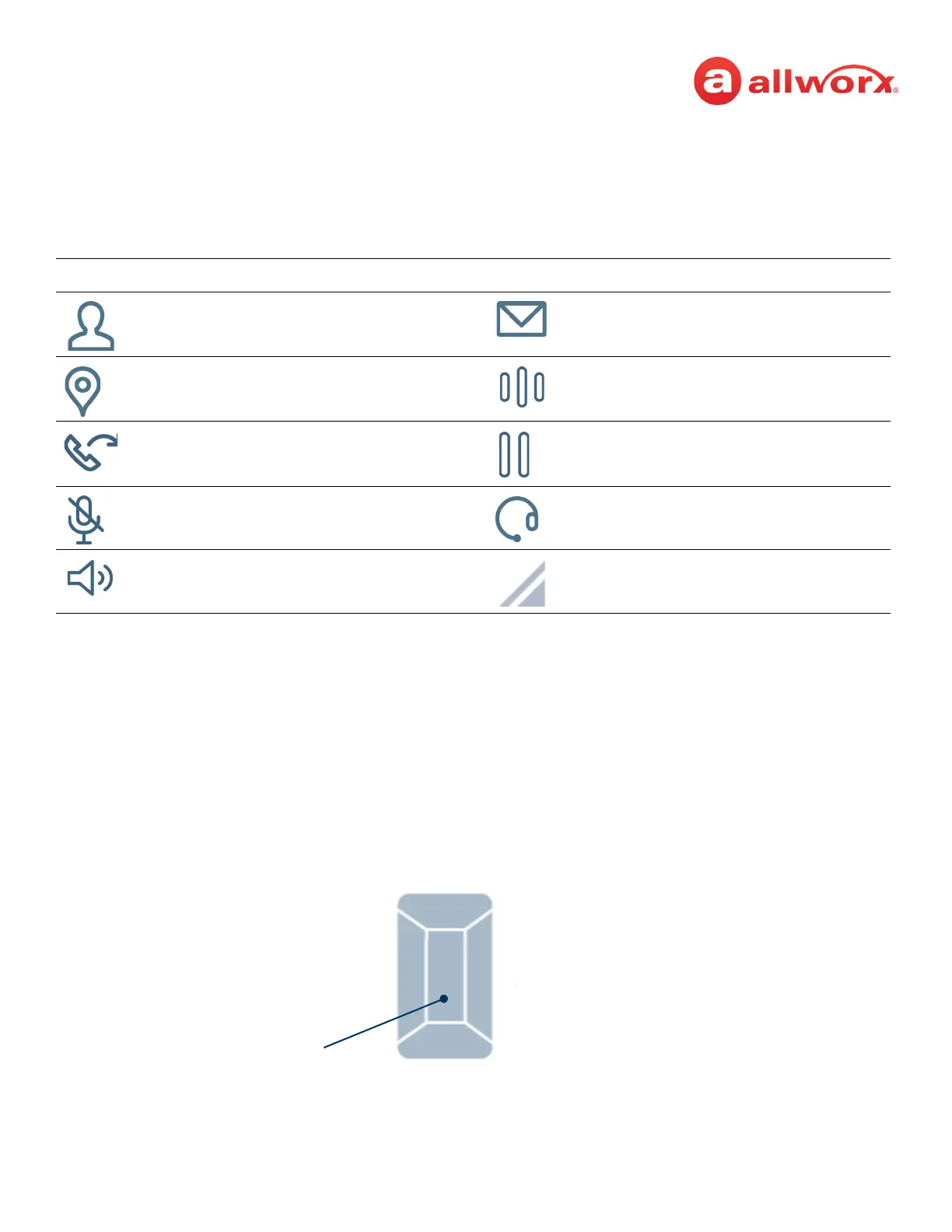
Verge IP phone navigation/select buttons:
Icon Button Function Icon Button Function
Contacts Visual or Audio Voicemail
Presence / DND Intercom
Transfer Hold
Mute Headset
Speaker Phone More soft key options available
Navigate Left Navigate Right
Navigate Up
Navigate Down
Select Button



 To Next Page