Allworx Verge IP Phone Series User Guide
866.ALLWORX * +1 585 421 3850 Page 33
www.allworx.com
Version: D Revised: June 1, 2017
4.1.4 Managing Personal Contacts
Allworx users can manage and update Personal Contacts by using the originating device or application.
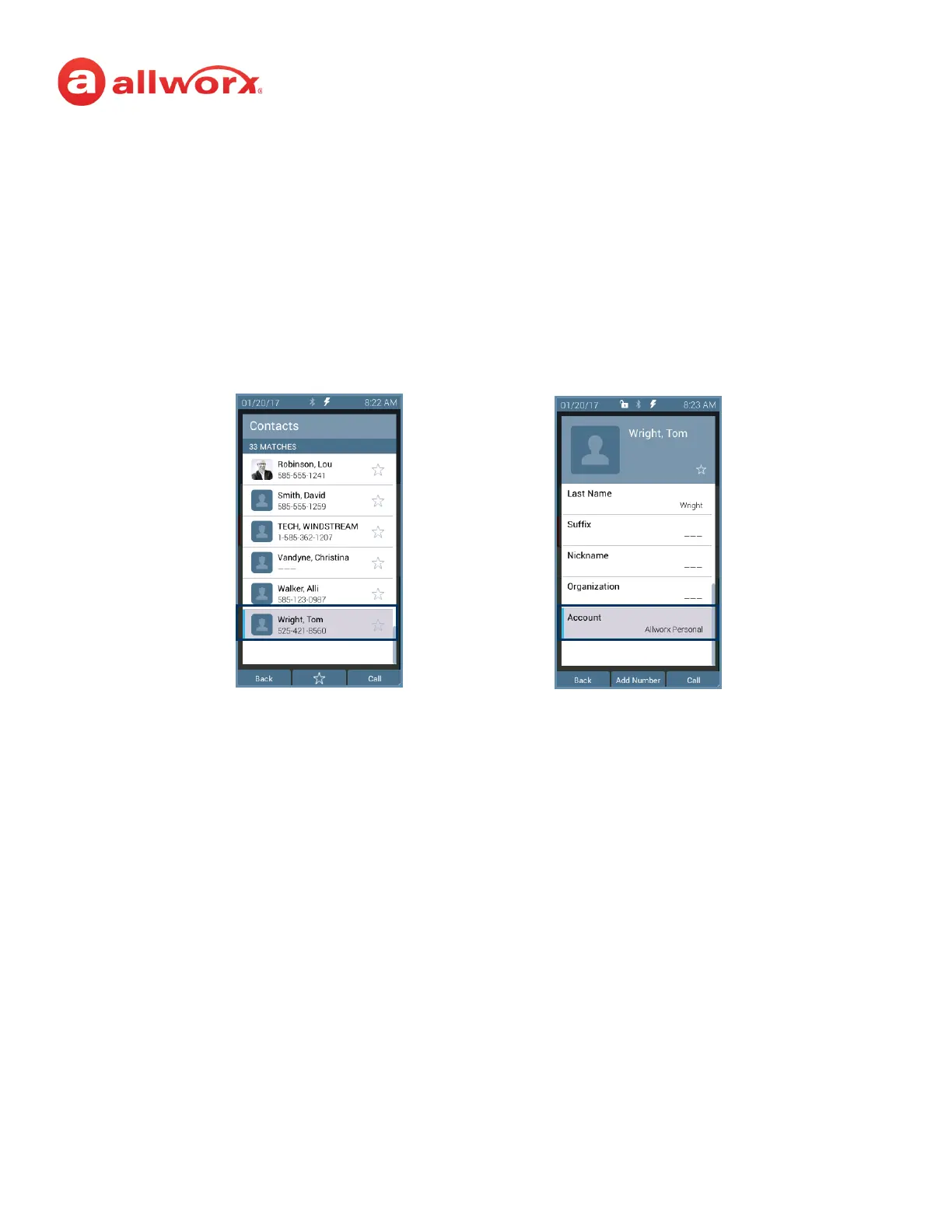
The Verge IP phone Personal Contact Details screen identifies the originating application in the
Account line. Only the Allworx user can add, edit, or delete each Personal Contact. Allworx Server
Administrators can delete all of a user’s personal contacts from the Connect server permanently.
Example:
Jane Smith needs to update her Personal Contact, Tom Wright. Since Jane uses the Verge IP phone,
Reach for iOS, and the Interact application, she needs to determine how she added Tom to her
Personal Contacts. Jane opens the Contact Details for Tom Wright and scrolls to look at the Account
line and learn how she added Tom to her Personal Contacts.
If the Account line reads:
• Allworx Personal: Jane added Tom Wright using her Verge IP phone. To update the contact
information about Tom, Jane can use her Verge IP phone, the Reach application or the Interact
Professional application.
• Allworx User, Allworx System, Allworx Public* – The Allworx Server Administrator manages
these contacts using the Allworx System software.
• <email account>: Jane used her email account (such as Gmail or Outlook) to synchronize her
contacts with her Verge IP phone. To update the contact information about Tom, Jane must do
so in her email application.
• <Reach device>: Jane used an iOS or Android app (such as Contacts) to manage her contacts to
her Verge IP phone. To update the contact information about Tom, Jane must do so on the
identified device in the appropriate app.
* the only user-editable options for these contacts types are the Favorite status and the choice of
default phone number on the Verge IP phone, Reach application or Interact application.



 To Next Page