Allworx Verge IP Phone Series User Guide
866.ALLWORX * +1 585 421 3850 Page 37
www.allworx.com
Version: D Revised: June 1, 2017
4.2 Queue Appearance and Automatic Call Distribution
Queues
The Allworx system distributes incoming calls that are too numerous for agents to answer immediately
in a first-in-first-out order. If enabled, queued callers hear music while on hold. When logged in, users
receive and answer calls, and then immediately enter a wrap-up time when the call ends.
• Queue Appearance - for sites that use Ring All queuing; the phone automatically logs into the
Queue after power up. Additionally, users can manually log in to and out of queues.
• ACD Appearance - for sites that use distributed queuing. In addition to log in / out of ACD
queues, users can temporarily stop ACD calls from routing to the extension with a busy reason.
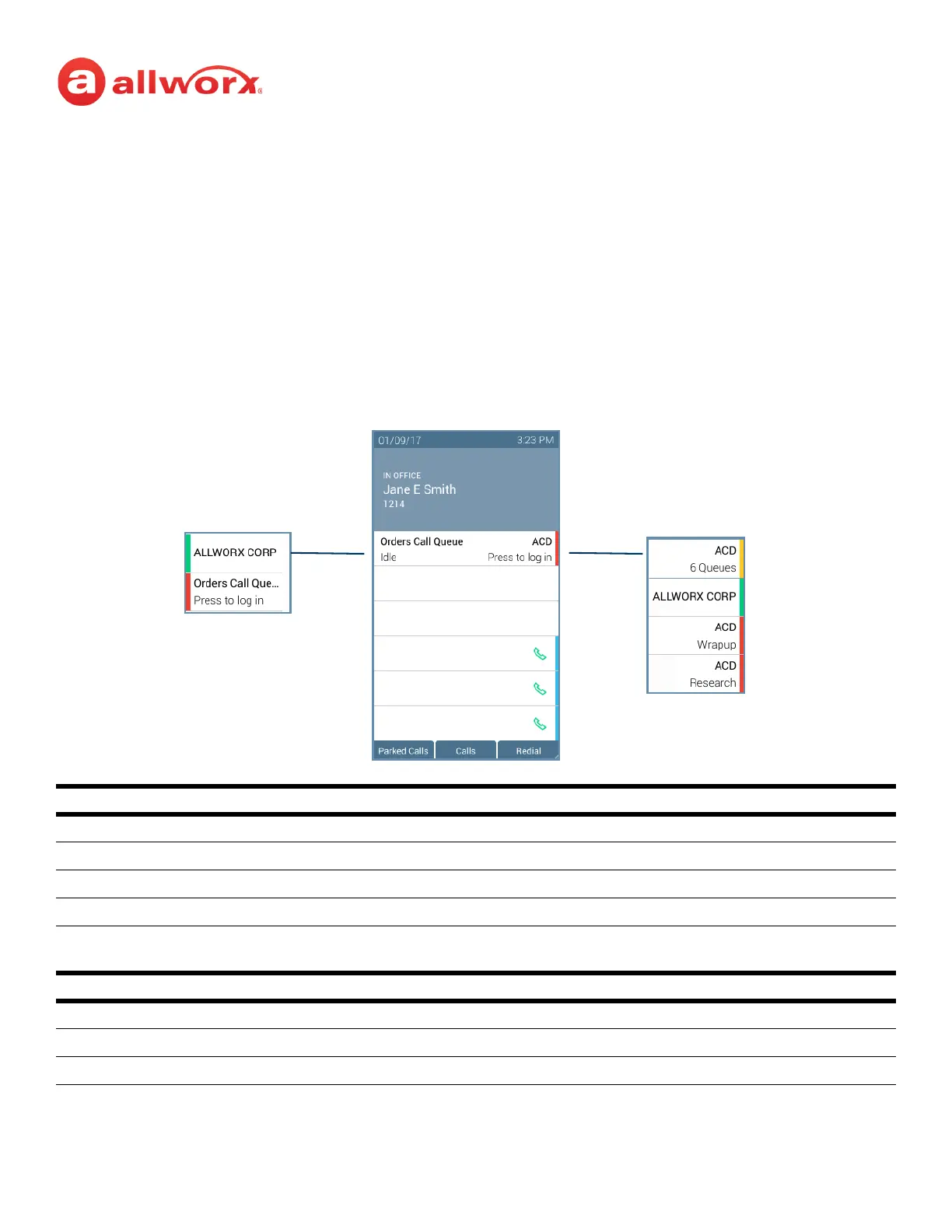
Verge IP phone Queue Appearance and ACD Appearance Programmable button examples:
Call Queue Appearance and ACD Appearance Programmable Button LED
solid red agent not logged in to the ACD queue.
flashing green incoming call or active call on hold.
solid green active call.
amber (ACD only) the only agent logged in.
flashing red incoming call while agent is in wrap-up time, incoming call while agent is not logged in call
queue, or (ACD only) agent has specified a busy reason.
Call Queue Appearance and ACD Appearance Soft Keys
Ok (Call Queue Appearance only) accept the entered log in information.
Cancel returns to the Idle screen.
Delete clears the entire entry field.
Ringing (flashing)
Active Call (solid)
Logged Out
Busy - Displays
reason
Idle - only agent
in queue
Ringing (flashing)
Active Call (solid)
Wrapup



 To Next Page