Allworx
®
Verge™ IP Phone Series User Guide
Page 74 866.ALLWORX * +1 585 421 3850
www.allworx.com
Version: D Revised: June 1, 2017
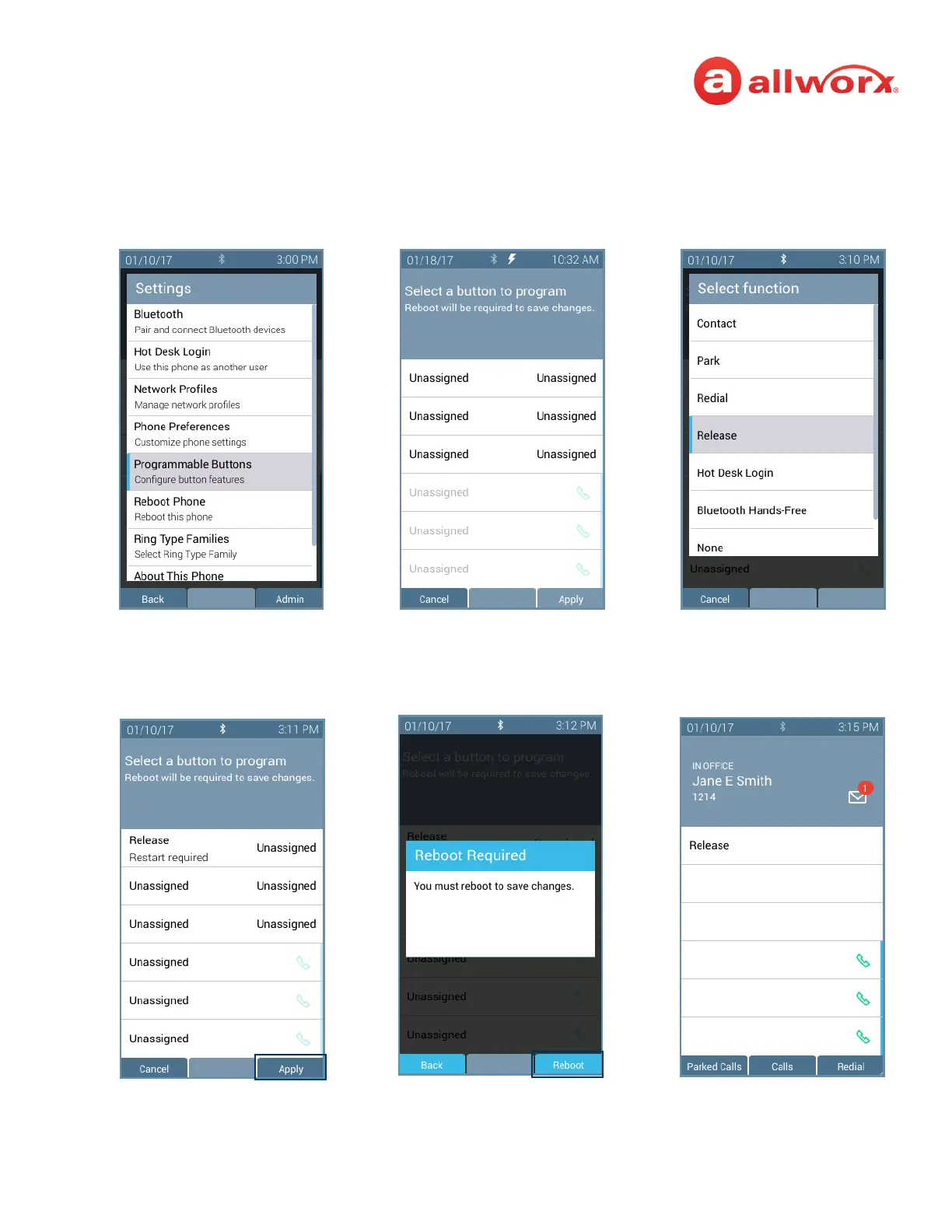
Verge IP phone Programmable Button configuration examples:
Press the Settings soft key, and
then select Programmable
Buttons.
Press an available
programmable button LED.
Select the programmable button
type.
Press the Apply soft key.
Press the Yes soft key.
The Verge IP phone restarts with
the updated programmable
button.



 To Next Page