Altai Technologies Ltd. All rights reserved
C1n Series WIFI AP/CPE Web-admin Configuration Manual
TPS15-003_rev1.3
6. Click Save&Apply to apply
To specify the WEP key, please refer to section WEP Key Setting for more details.
2) Shared Key Mode
Shared Key authentication is one of the authentication methods with WEP encryption.
Wireless clients must be passed through the authentication procedure before
association. WEP is the only chiper scheme for shared key authentication.
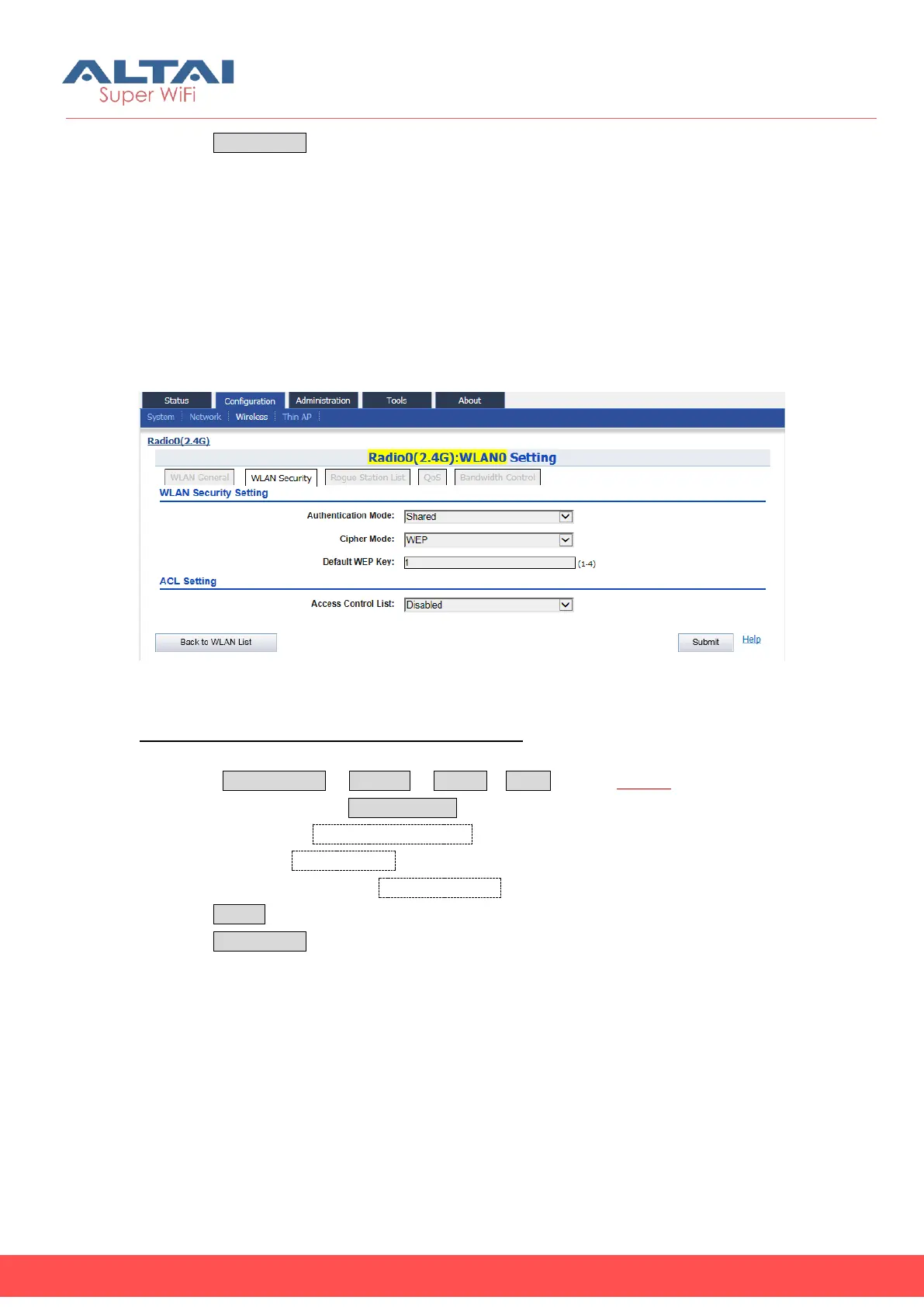
Figure 5-29 Shared Key
Configure an WLAN with Shared Key authentication:
1. Select Configuration -> Wireless -> Radio0-> WLAN to edit “More…” behind the
WLAN, and then select WLAN Security to access to security configuration page.
2. Select “Shared” in Authentication Mode
3. Select “WEP” in Cipher Mode
4. Set the Key number (1-4) in Default WEP Key
5. Click Submit
6. Click Save&Apply to apply
To specify the WEP key, please refer to section 2.4G WEP Key Setting for more details.
3) WPA/WPA2/WPA-auto
WPA is a security technology that improves on the authentication and encryption
features of WEP. WPA provides stronger encryption than WEP by introducing two
standard technologies: Temporal Key Integrity Protocol (TKIP) and Advanced
Encryption Standard (AES). TKIP generates a new 128-bit key for each packet and



 To Next Page