CHAPTER 4: INTRODUCTION TO FEEDBACK MODES AND MONITORING
HF-2500A HIGH FREQUENCY WELD CONTROL
4-2 990-371
Section II. Weld Monitoring
Introduction
The Power Supplies feedback sensors not only control weld energy output, but they can also be used to
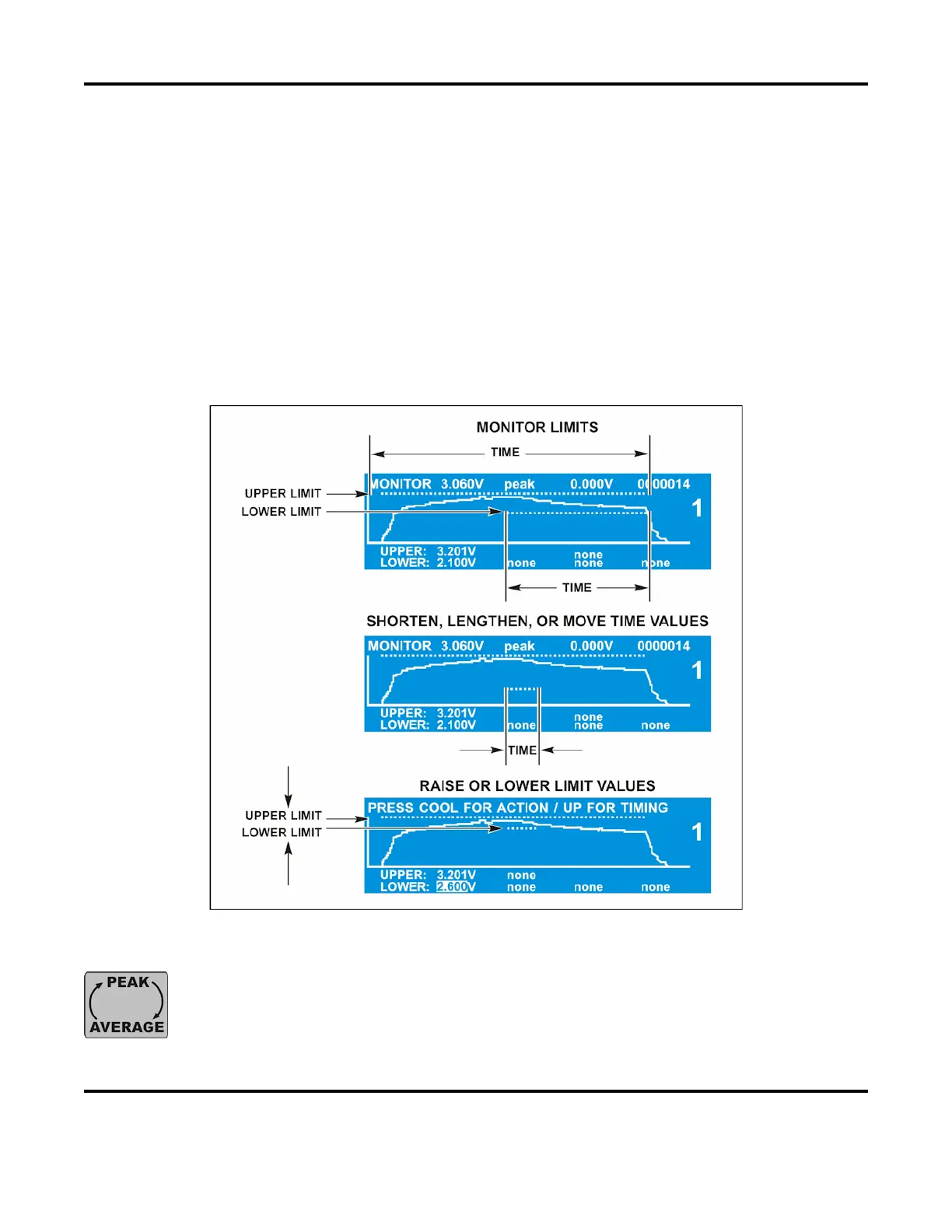
monitor each weld. The Power Supplies MONITOR features allow you to view graphic representations of
welds, visually compare programmed welds to actual welds, look at peak or average energy values, set
upper and lower limits for welds, and vary the time periods for these limits during the weld pulse. These
limits can be used for several purposes. Common uses for out-of-limits welds are to stop a weld, or to
trigger a relay to remove parts with bad welds from the production line. These functions are accessed
using the MONITOR buttons on the front panel. To use these functions, see Chapter 5, Operating
Instructions.
PEAK and AVERAGE MONITORING
The Power Supply is always monitoring both the
PEAK
AVERAGE
of current, voltage,
power, and resistance at the same time. When you press the
PEAK ↔ AVERAGE key,
the top line in the LCD simply toggles back and forth so you can
view either PEAK or
AVERAGE values whenever you choose.



 To Next Page