CHAPTER 3: SYSTEM CONFIGURATION
HF-2500A HIGH FREQUENCY WELD CONTROL
990-371 3-17
Weld State
Once weld current is flowing, the Power Supply is in the WELD state. You can terminate weld current in
five ways:
• Remove the first level of a single-level foot switch, assuming weld abort is ON.
• Remove the second-level of a two-level foot switch, assuming weld abort is ON.
• Input the process stop signal (refer to Appendix B, Electrical and Data Connections).
• Open the normally closed switch across the operator emergency stop switch cable.
NOTE: This action removes all power from the Power Supply.
• Through the action of the monitor settings.
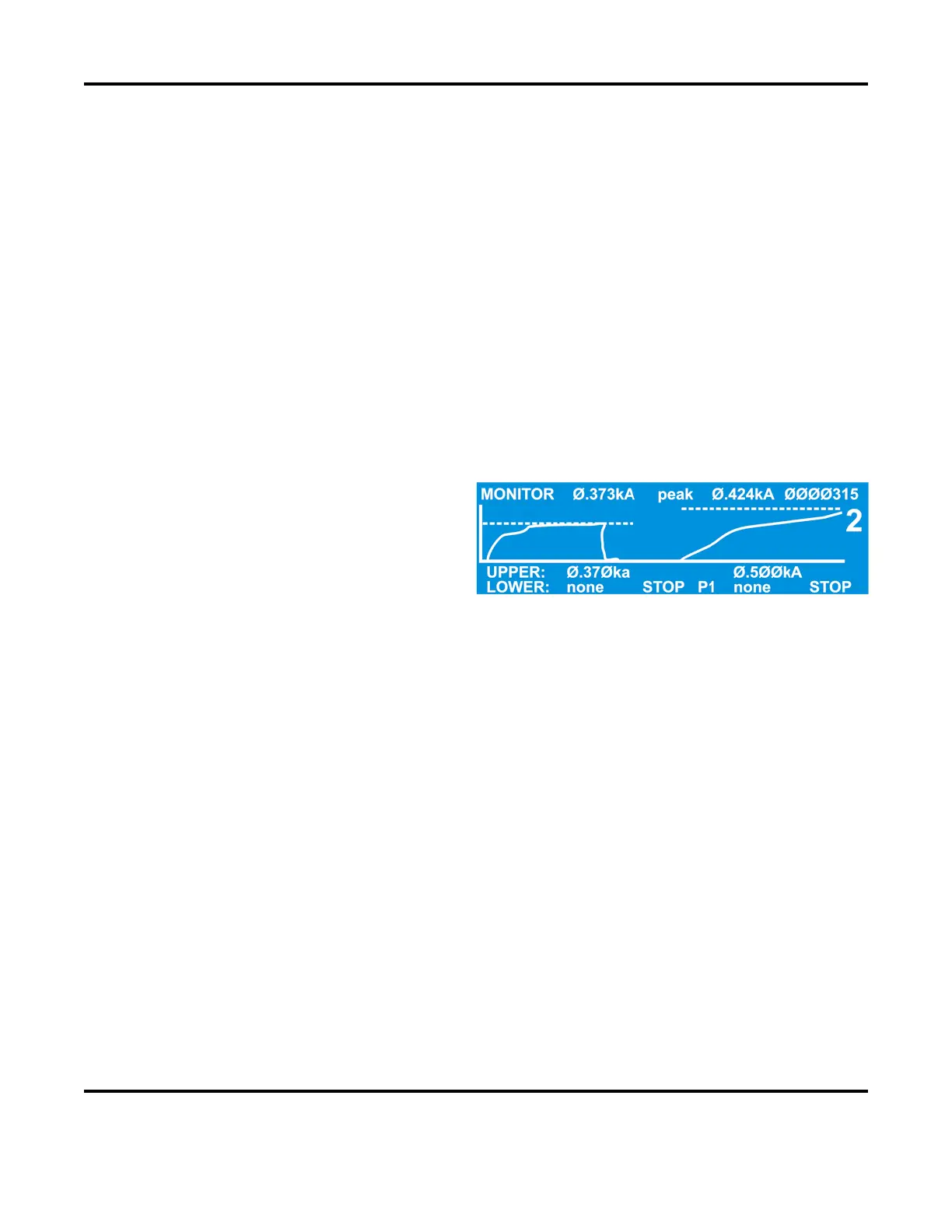
Completion of the firing state is indicated by a profile of actual delivered weld energy superimposed on
the programmed weld energy trace, as shown in the example above.
Monitor State
From the MONITOR keys section on the front
panel, press the
kA, V, kW or Ω key to go to the
monitor state. In this state, when the
Power
detects an out of limits condition, it will
for PULSE 1, and one of
actions for PULSE 2 depending on the
selection made with the MONITOR display as
shown at the right. Also, an alarm message will be displayed and any relay set for ALARM or OUT OF
LIMITS
will be energized.
The selections for PULSE 1 are:
• NONE: The weld cycle will continue.
•
STOP WELD: The weld cycle will stop immediately. Pulse 2 (if applicable) will not fire.
•
INHIBIT PULSE 2: During the COOL time, the Power Supply calculates the average of the Weld1
pulse (including upslope, weld and downslope). If the average of the Weld1 pulse is out of limits,
the weld cycle will stop and the Weld2 pulse will be inhibited.
• PART CONDITIONER (Stop Pulse 1) stops Pulse 1 immediately after upper or lower energy limits
are exceeded, but allows Pulse 2 to fire.
The selections for PULSE 2 are:
• NONE: The weld cycle will continue.
• STOP WELD: The weld cycle will stop immediately.
The display shows the actual trace of the weld current, voltage or power, and either the peak or the average
value for each weld pulse as selected by pressing the PEAK/AVERAGE key.



 To Next Page