CHAPTER 1: DESCRIPTION
HF-2500A HIGH FREQUENCY WELD CONTROL
1-6 990-371
Power Supply
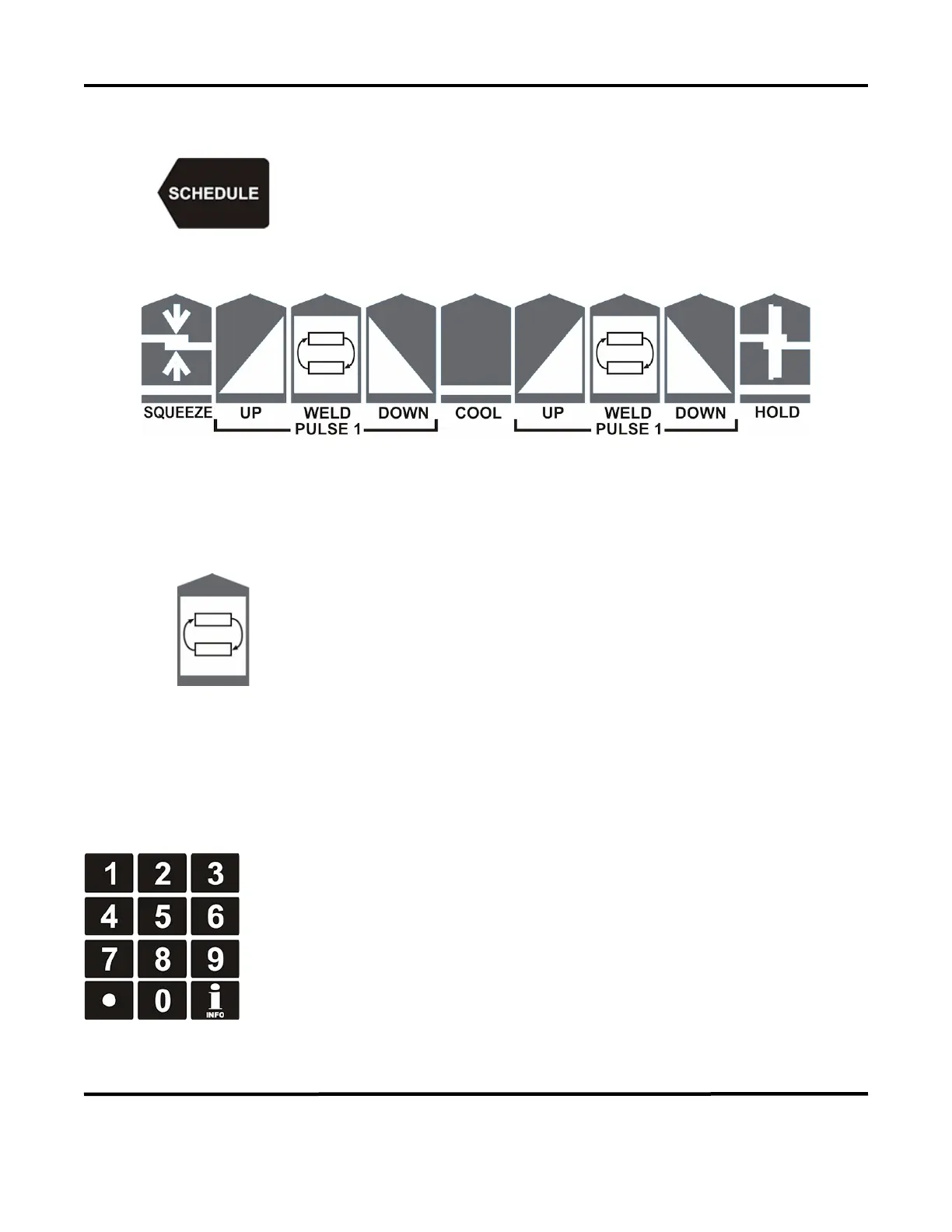
into the weld schedule selection mode. Use the
keypad to directly enter a desired weld schedule (refer to Front Panel
Data Entry and Mode Controls in this section), then press the RUN key.
Weld Period Selector Keys
Select individual weld periods and weld energy fields in the weld schedule profile for programming. See
Front Panel Data Entry and Mode Controls.
Time/Energy Selector Keys
These two switches, one for each of the
PULSE 1
PULSE 2
weld
periods, select either the bottom line of data
or the second-to-
bottom
line of data on the screen to be programmed. The bottom line of data
is weld period time in milliseconds. The second
-to-bottom line is
Weld
Energy, in the units selected by the energy units selection keys. See
Front Panel Data E
ntry and Mode Controls.
Front Panel Data Entry and Mode Keys
Key Pad
The keypad consists of the numeric keys and the up/down/left/right keys.
Numeric Keys: The numeric keys allow you to:
• Enter or modify weld period time and energy values
• Enter or modify monitor and limit values
• Directly recall a specific weld schedule.
To use the numeric keypad, you must first select a time/energy weld period key or
the schedule key.



 To Next Page