CHAPTER 2: INSTALLATION AND SETUP
HF-2500A HIGH FREQUENCY WELD CONTROL
2-6 990-371
Foot Pedal-Actuated Weld Head Connection
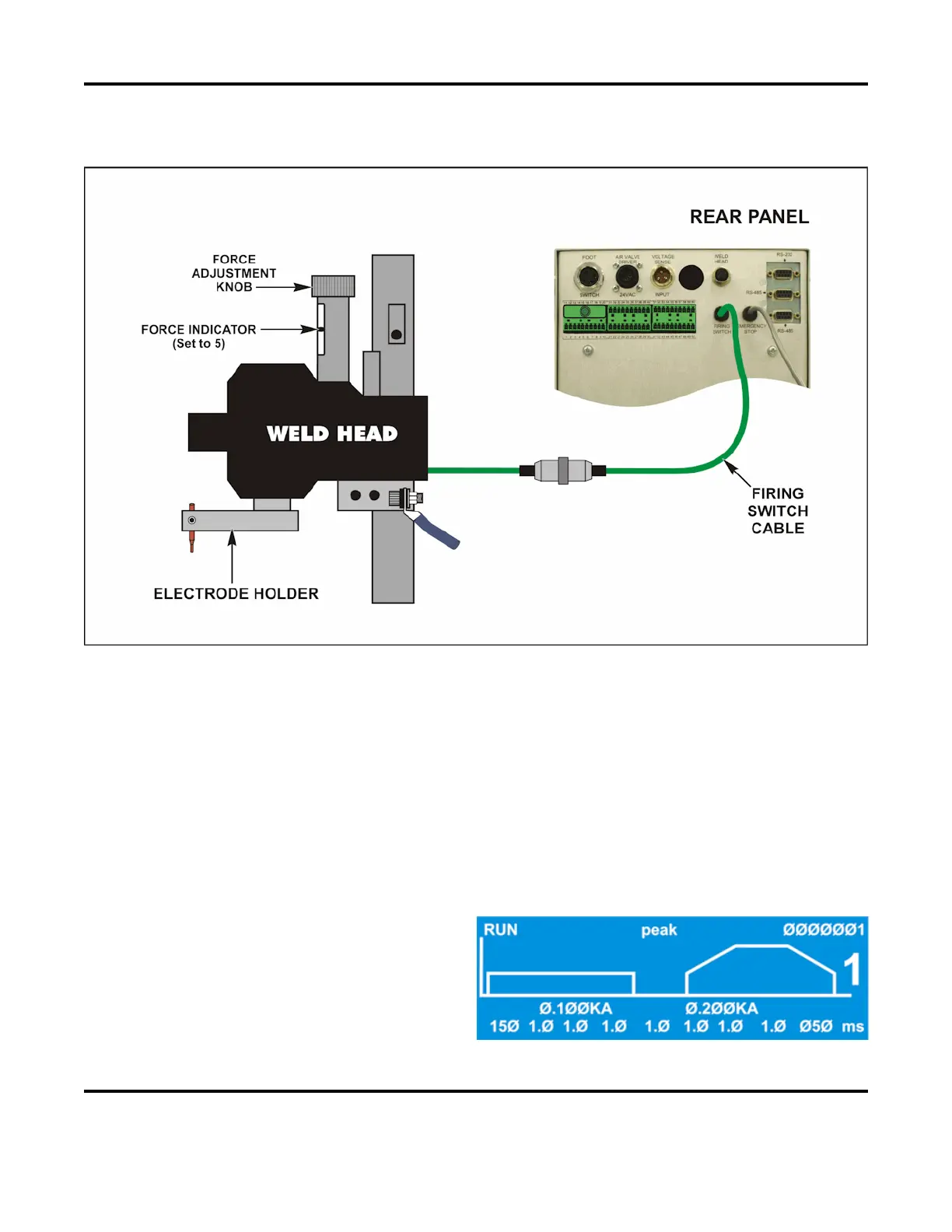
1. Adjust the weld head force adjustment knob to produce 5 units of force, as displayed on the force
indicator index.
2. Connect the weld head firing switch cable connector to the Power Supply firing switch cable
connector.
3. Connect a normally closed, approved, emergency stop switch across the two leads of the operator
emergency stop switch cable. This switch, when operated (open), will immediately stop the weld
cycle. See Appendix B. Electrical and Data Connections for circuit details.
4. Set the WELD/NO WELD switch on the Power Supply front panel to the NO WELD position. In this
position, the Power Supply cannot deliver weld energy, but the firing switch connection can be
verified.
5. Set the circuit breaker on the rear panel
of the Power Supply to the ON position.
The default RUN screen will be
displayed. You will use this screen to
enter welding parameters.



 To Next Page