CHAPTER 5. OPERATING INSTRUCTIONS
HF-2500A HIGH FREQUENCY WELD CONTROL
990-371 5-15
Section V. Resistance Set
NOTE: The Resistance Set tool is very similar to the Active Part Conditioning tool. The difference is
that the first pulse is programmed as all Upslope for Resistance Set, where it is programmed as all Weld
Time (Square Wave) for Active Part Conditioning. The Resistance Set pulse is programmed as all
Upslope to keep both the Voltage and Current low at the beginning of the pulse.
SCHEDULE
key, then select a Weld Schedule using either the ▲▼ arrows or
the numeric keypad.
Program a single pulse for Constant Power operation, but program the time in the Upslope
portion of Pulse 1
. Program the Weld Time and Downslope of Pulse 1 to 0.0 ms.
Program the
power level and
Upslope
time to cause slight sticking between the two parts. Make a few welds
and pull them apart. Increase or decrease the power setting until a light tack weld is
achieved.
From the MONITOR keys section on the front panel, press the voltage V key and observe
gradual rise of the voltage waveform.
MONITOR
keys section on the front panel, press the Ω (resistance) key and
observe the resistance waveform. This should appear to begin high, then start to drop as
a tack weld is made and the resistance decreases.
From the MONITOR keys section on the front panel, press the kA (current) key and observe
the current waveform starting to rise as the resistance decreases
. If the current waveform
starts to flatten, this is an indication that the resistance has stabilized and the parts have
come into closer contact.
Push RUN and optimize the energy and time setting of Pulse 1 to provide an adequate tack
weld and also a current waveform (view in the monitor screen) that has started to flatten
out, but is still rising. This indicates that a full melt has not yet occurred.
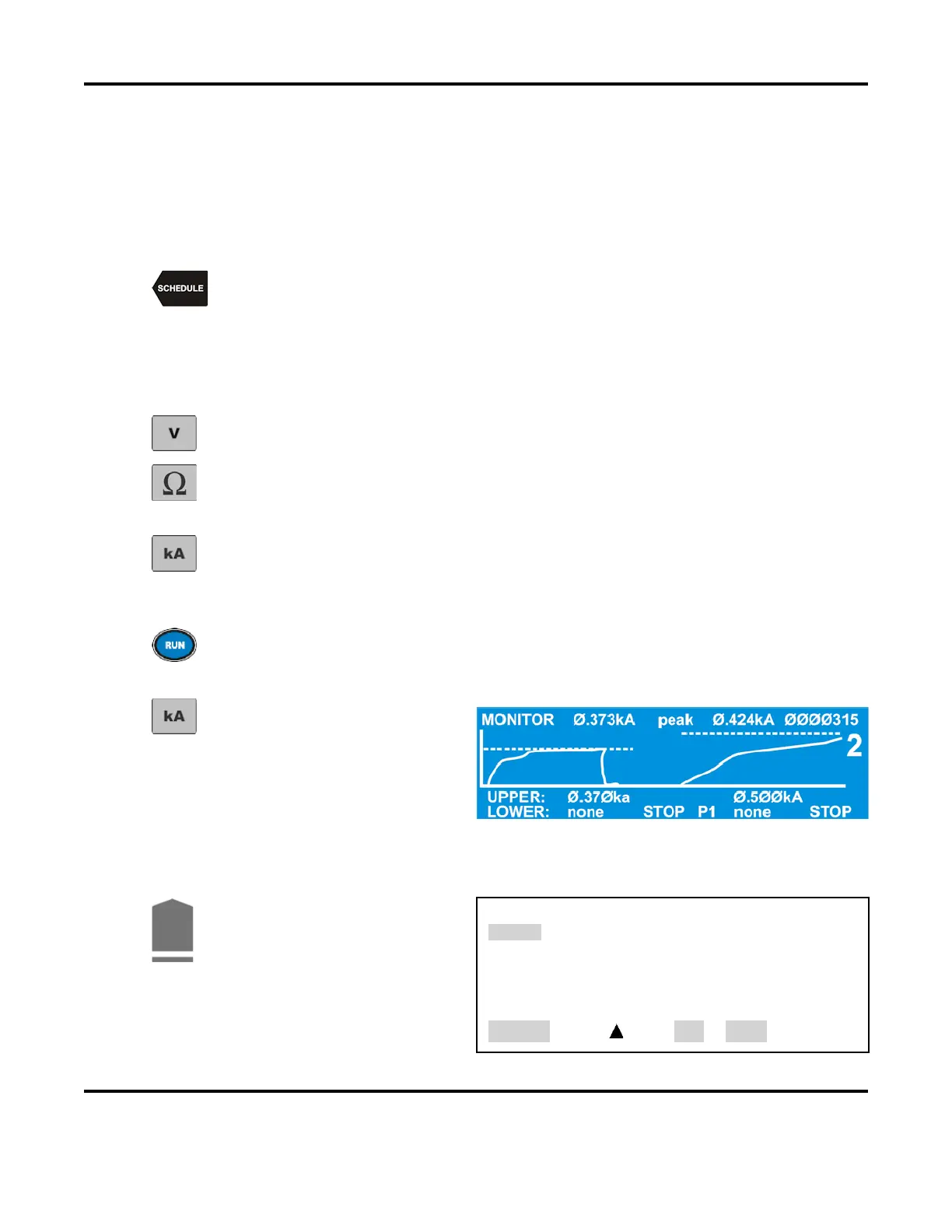
From the MONITOR keys section
on the front panel, press the kA
key to program an upper current
limit on the MONITOR screen.
NOTE: You can toggle between PEAK and AVERAGE readings by pressing the
PEAK/AVERAGE key.
Press the COOL weld period key.
This will bring up the PULSE 1
OUT OF LIMITS ACTION
screen.
Select 4.
(Stop PULSE1).
PULSE 1 OUT OF LIMITS ACTION
1. none
2. STOP WELD
3. INHIBIT PULSE 2
4. PART CONDITIONER (Stop Pulse1)
NUMBER Select, Page, RUN or MENU



 To Next Page