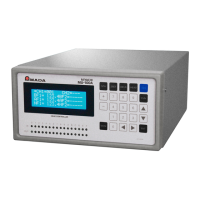
MU-100A
Contents
1
Thank you for purchasing our Head Controller MU-100A.
Please read this manual carefully to ensure correct use. Keep the manual handy after
reading for future reference.
Contents
1. Special Precautions ........................................................................................................ 1-1
(1) Safety Precautions....................................................................................................... 1-1
(2) Precautions for Handling ............................................................................................. 1-4
(3) On Disposal ................................................................................................................. 1-4
(4) Model-Specific Function .............................................................................................. 1-5
(5) Warning Labels for Safety ........................................................................................... 1-5
2. Features ........................................................................................................................... 2-1
3. Packing List ..................................................................................................................... 3-1
(1) Accessories ................................................................................................................. 3-1
(2) Options ........................................................................................................................ 3-2
4. Name and Functions of Each Section ........................................................................... 4-1
(1) Front ............................................................................................................................ 4-1
(2) Rear ............................................................................................................................. 4-3
5. Connection ....................................................................................................................... 5-1
6. Interface ........................................................................................................................... 6-1
(1) INPUT and OUTPUT Connectors ................................................................................ 6-1
(2) RS232C, RS485 and ETHERNET Connectors ......................................................... 6-10
7. Program Display After Power-On .................................................................................. 7-1
8. Function Setting .............................................................................................................. 8-1
(1) Function Menu ............................................................................................................. 8-1
(2) Setting Common Items (0=Setup) ............................................................................... 8-2
(3) Selecting Items Displayed on LCD (1=Monitor Display) .............................................. 8-8
(5) Setting Communication Items (3=Communication) ................................................... 8-11
(6) Copying a Schedule (4=Duplicate) ............................................................................ 8-12
(7) Initializing Settings (5=Initialize) ................................................................................ 8-13
(8) Displaying Present Values (6=Manual) ..................................................................... 8-14
9. Schedule Setting ............................................................................................................. 9-1
10. Setting of Measurement Mode and Schedule ............................................................. 10-1
(1) Synchro Mode “Disp Measure Mode : SYNC(0)” ....................................................... 10-1
(2) Sequence Mode “Disp Measure Mode : SQNC(1)” ................................................... 10-3
(3) Sample Hold 1 Mode “Disp Measure Mode : SH1(2)” ............................................... 10-5
(4) Sample Hold 2 Mode “Disp Measure Mode : SH2(3)” ............................................... 10-6
(5) Sample Hold 3 Mode “Disp Measure Mode : SH3(4)” ............................................... 10-8
(6) Sequence Mode “Force Measure Mode : SQNC(0)” ............................................... 10-10
(7) Sample Hold 1 Mode “Force Measure Mode : SH1(1)” ........................................... 10-12
(8) Sample Hold 2 Mode “Force Measure Mode : SH2(2)” ........................................... 10-14


 To Next Page