MU-100A
10. Setting of Measurement Mode and Schedule
10-1
10. Setting of Measurement Mode and
Schedule
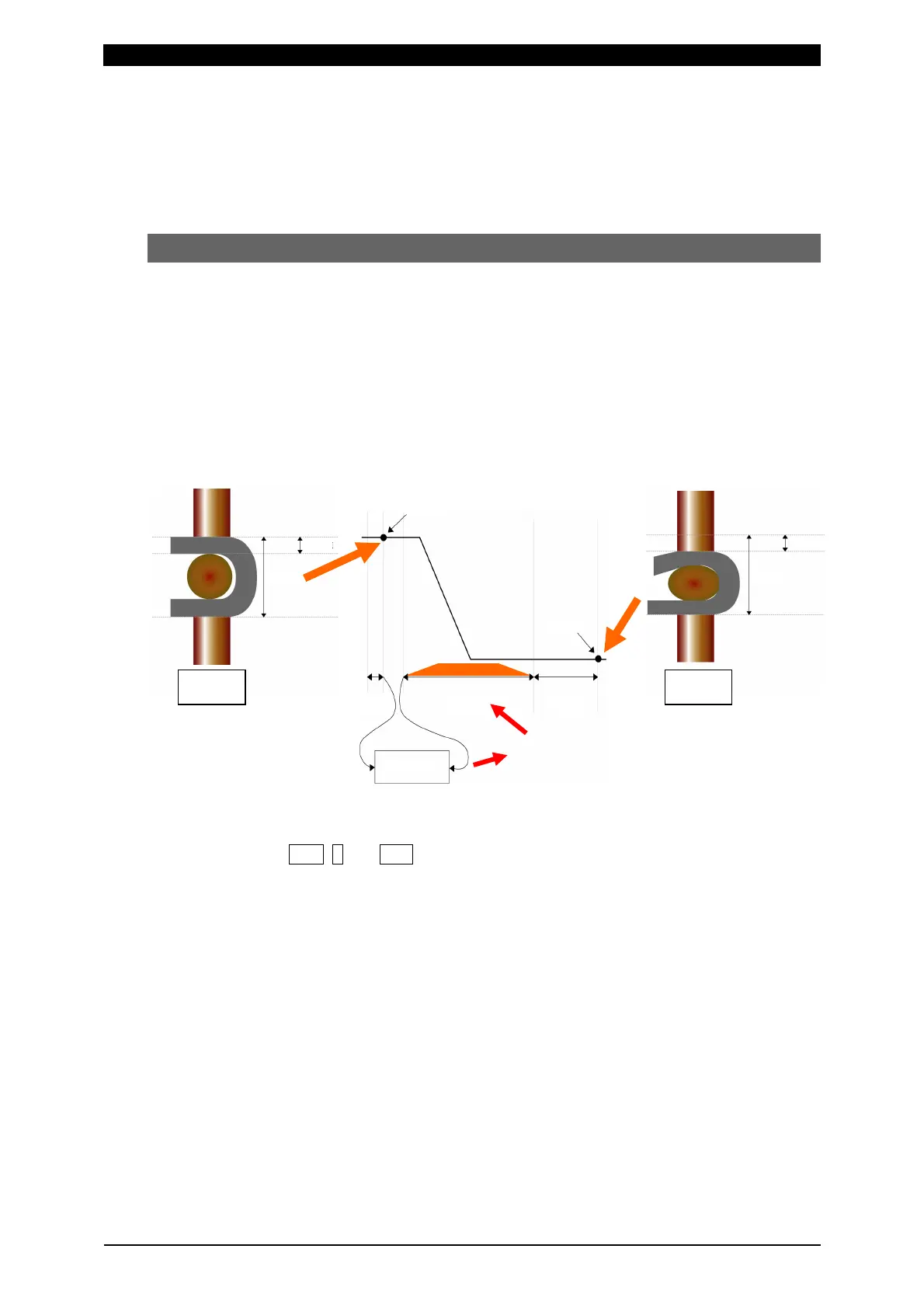
(1) Synchro Mode “Disp Measure Mode : SYNC(0)”
This is the mode for measuring force and displacement. The before/after-welding
force, workpiece thickness, and workpiece displacement can be measured and
judged.
Variability of welding can be minimized by performing welding after judging the
before-welding force.
The presence of workpiece and abnormality in workpiece can be checked by
measuring the workpiece thickness before welding. Also, the finished dimension can
be checked by measuring the workpiece displacement.
a. Setting of measurement mode
1
Press FUN, 0 and ENT keys in this order to select “0=Setup”.
2Select the setting object between “Axis1(0)” (first axis) and “Axis2(1)” (second
axis). “Axis2(1)” can be set for the 2-axis type (option).
3Set No.3 “Disp Measure Mode” (measurement mode of displacement sensor) to
“SYNC(0)” (synchro mode).
4Set the rated capacity of the connected load cell in No.4 “L.C. Rated Capacity”.
The rated capacity of the load cell is shown on the certificate of the load cell.
5Select the force unit from “N(0)”, “kgf(1)”, and “lbf(2)” in No.5 “Loadcell Unit”.
6Set the rated output of the connected load cell in No.6 “L.C. Rated Output”. The
rated output of the load cell is shown on the certificate of the load cell.
7When there is a limit switch for force check, set No.7 “LS Input Validity” (use of
force-detecting signal input) to “Valid(0)”. When not using the force-detecting
signal (LS), set it to “Invalid(1)”.
Welding start !
WORK value
WELD
value
WORK
value
Squeeze
time
Hold
time
Weld
time
WELD
value
WORK
value
WELD value
Before
welding
After
welding
Force judged
as good


 To Next Page