MU-100A
8. Function Setting
8-12
(6) Copying a Schedule (4=Duplicate)
Copies the setting of a schedule to another schedule.
a. Procedure
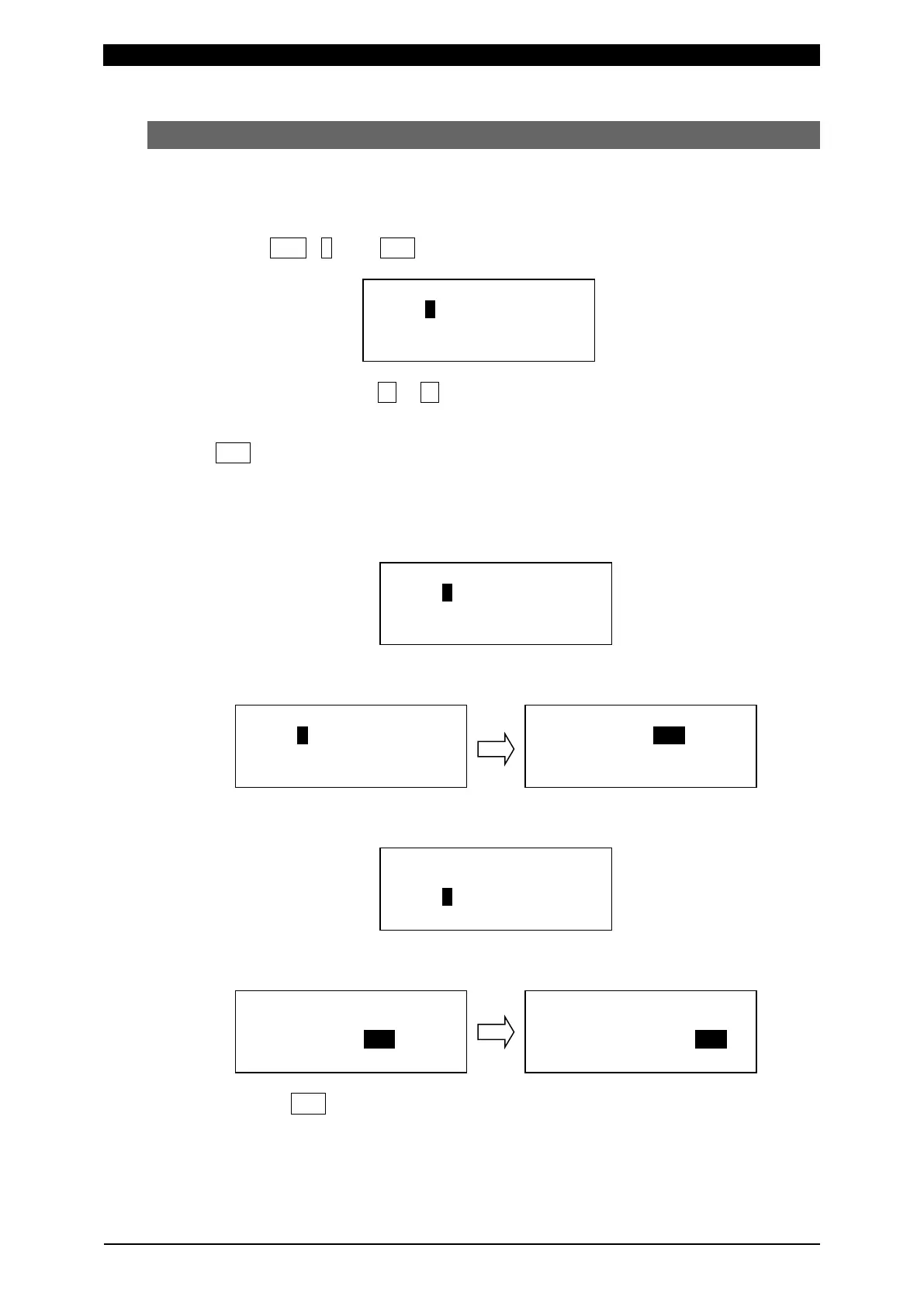
When FUN, 4 and ENT keys are pressed in this order, the LCD display
becomes as shown below.
Move the cursor with ▼ or ▲ keys.
Input the number of copy source axes and the schedule number, input the
number of copy destination axis and the schedule number, and establish it with
ENT key.
For an axis, only 1 can be input in Axis.
Example) Copy the SCH005 conditions of 2-axis to SCH002 to 030 of 1-axis.
Initial screen
Set the copy source axis to 2 with the numeric key. Move the cursor and set
SCH to 005 with the numeric key.
Move the cursor to the copy destination axis and set it to 1 with the numeric
key.
Move the cursor and set SCH to 002 with the numeric key. Move the cursor
and set SCH to 030 with the numeric key.
Press ENT key to start writing.
Caution: When the schedule is copied to another axis, do the zero setting of
load cell for the copy destination axis.
:
:
:
:
:
:
:
:
:
:
:
:
:
:


 To Next Page