MU-100A
10. Setting of Measurement Mode and Schedule
10-10
(6) Sequence Mode “Force Measure Mode : SQNC(0)”
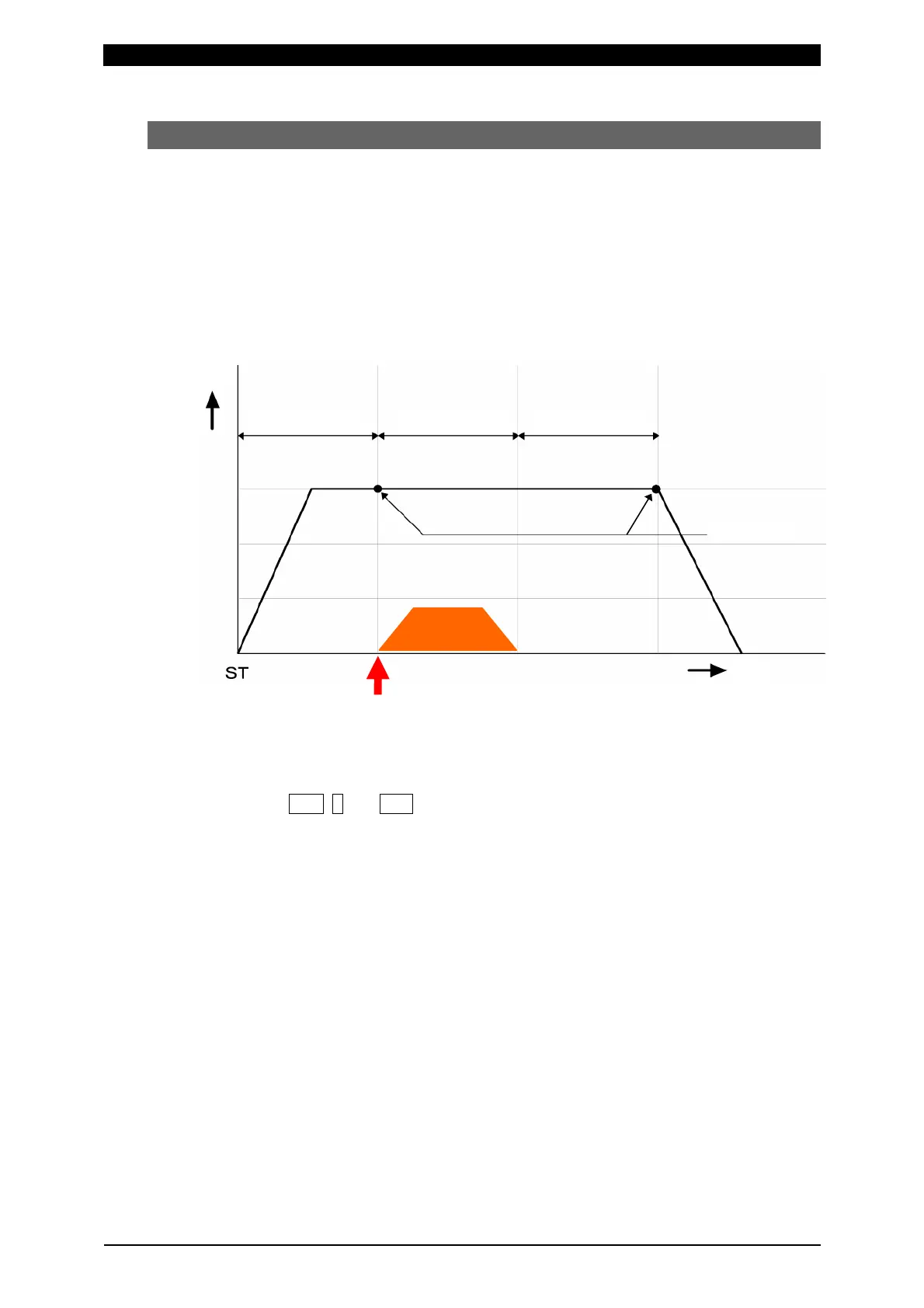
This is the mode for measuring force. The before/after welding force can be
measured and judged.
Variability of welding can be minimized by performing welding after judging the
before-welding force.
When the before-welding force is outside the judgment range, the welding can be
stopped.
The welding head can be sequentially controlled.
a. Setting of measurement mode
1
Press FUN, 0 and ENT keys in this order to select “0=Setup”.
2Select the setting object between “Axis1(0)” (first axis) and “Axis2(1)” (second
axis).
3Set No.3 “Disp Measure Mode” (measurement mode of displacement sensor) to
an item other than “SYNC(0)” (synchro mode); “SQNC(1)” (sequence mode),
“SH1(2)”, “SH2(3)”, or “SH3(4)” (sample hold mode).
4Set the rated capacity of the connected load cell in No.4 “L.C. Rated Capacity”.
The rated capacity of the load cell is shown on the certificate of the load cell.
5Select the force unit from “N(0)”, “kgf(1)”, and “lbf(2)” in No.5 “Loadcell Unit”.
6Set the rated output of the connected load cell in No.6 “L.C. Rated Output”. The
rated output of the load cell is shown on the certificate of the load cell.
7When there is a limit switch for force check, set No.7 “LS Input Validity” (use of
force-detecting signal input) to “Valid(0)”. When not using the force-detecting
signal (LS), set it to “Invalid(1)”.
8Set No.8 “Force Measure Mode” (measurement mode of load cell) to “SQNC(0)”
(sequence mode).
Welding start !
Welding
Squeeze time Hold time Weld time
Time
Force
Force


 To Next Page