CHAPTER 1: DESCRIPTION
UB25 LINEAR DC RESISTANCE WELDING CONTROL
990-665 1-9
KEY FUNCTION
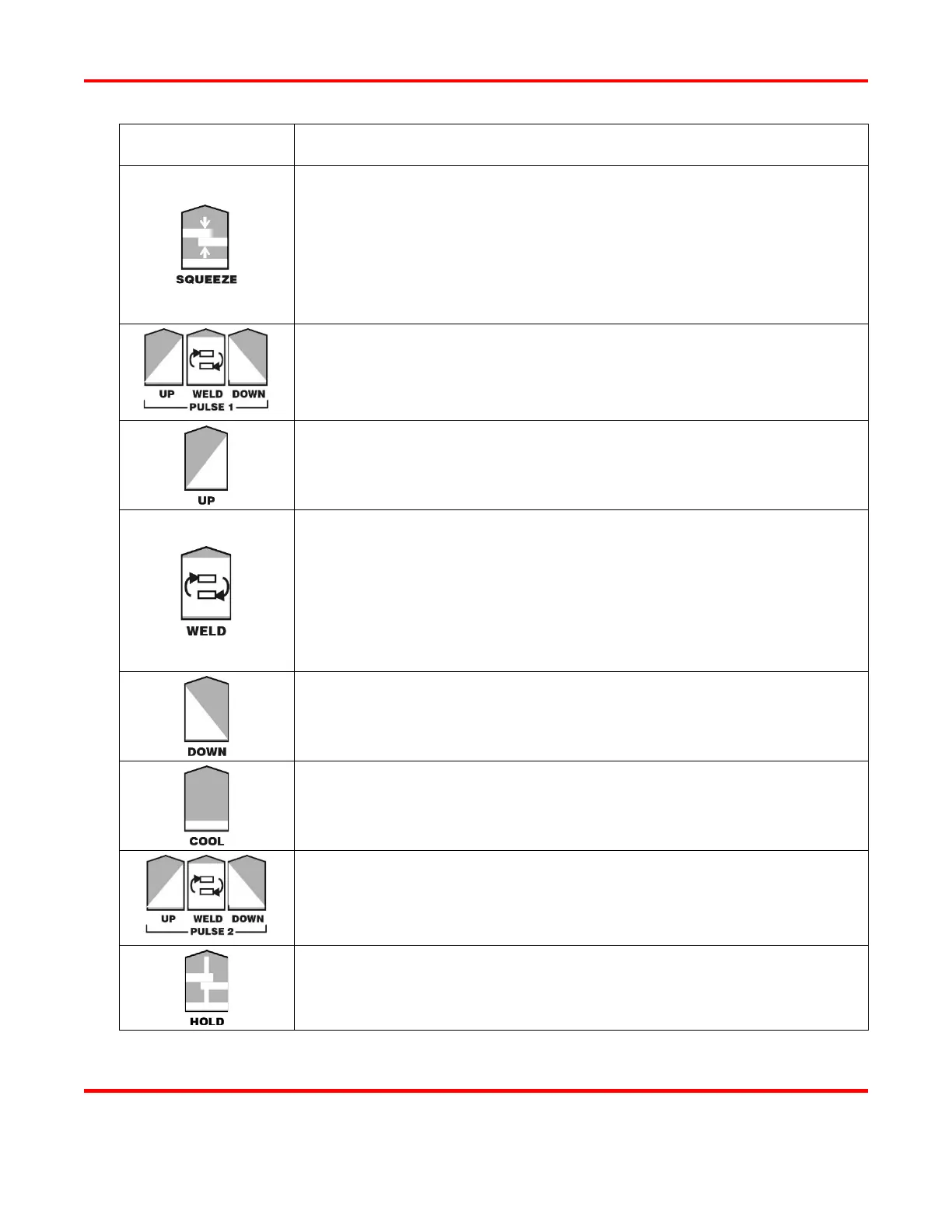
Press to enter the squeeze time before the weld. To select the value, use
either the ▲▼ (up/down) keys, or use the numeric keypad to enter the
numbers. The squeeze time will start after a firing signal is given to the
Power Supply.
NOTE: In addition to the debounce time, there is a delay of no greater
than 2.5ms before the start signal is recognized by the Power Supply.
A group of 3 individual keys used to program the time and energy for
Pulse 1. Each key is described below.
Press to enter the amount of time Weld Pulse 1 upslope. To select the
value, use either the ▲▼ (up/down) keys, or use the numeric keypad to
enter the numbers.
This switch toggles between the middle and bottom data lines on the
LCD. To enter weld energy values (energy level and feedback mode),
press the switch to highlight the middle line. To enter weld time values
[in milliseconds], press the WELD switch again to highlight the bottom
line. To select energy and time values, use either the ▲▼ (up/down)
keys, or
use the numeric keypad to enter the numbers and decimal point.
To select feedback mode, press the kA, V, or kW key.
Press to enter the amount of time for Weld Pulse 1 downslope. To select
the value, use either the ▲▼ (up/down) keys, or use the numeric keypad
to enter the numbers and decimal point.
Press to enter the amount of time for the cool period. To select the value,
use either the ▲▼ (up/down) keys, or use the numeric keypad to enter
the numbers and decimal point.
A group of three individual keys that program Pulse 2. These keys have
the exact same function as the Pulse 1 Keys.
Press to enter the amount of time for the hold period after the weld. To
select the value, use either the ▲▼ (up/down) keys, or use the numeric
keypad to enter the numbers.



 To Next Page