GO TO 4 - UP DISPLAY
LANGUAGES
STORED CODES
ENGINE CONF
SETUP 1 - UP DISPLAY
SETUP 4 - UP DISPLAY
SELECT UNITS
396012
ADJUST BACKLIGHT
ADJUST CONTRAST
UTILITIES
396031
2
1
GO TO 4 - UP DISPLAY
LANGUAGES
STORED CODES
ENGINE CONF
SETUP 1 - UP DISPLAY
SETUP 4 - UP DISPLAY
SELECT UNITS
396045
396322
20%
FUEL LEVEL
100
ENG HRS
28°C
COOL TEMP
0 RPM
ENG RPM
2.6. Controllers & Control Instruments
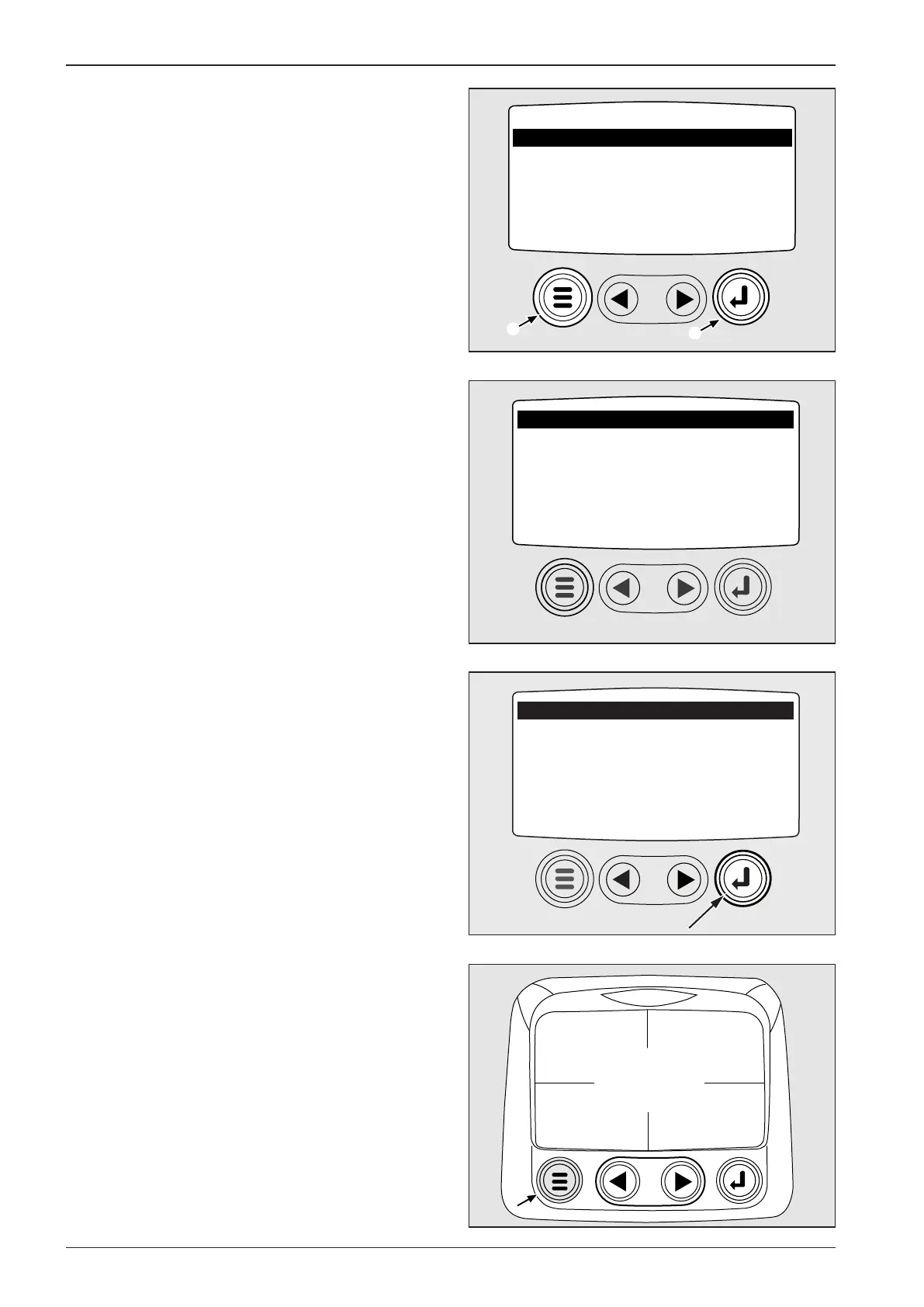
Use ENTER 1 to open highlighted item. Press buttons in Menu
2.
Main menu will be displayed (GO TO 4-UP DISPLAY).
Press ENTER button.
Four-parameter display will show. Press MENU button to display
main menu.
Note
Four-parameter display is basic setting from the machine manu-
facturer; turn ON ignition box key to display it.


 To Next Page