Section 4 Unit Operation
4-24
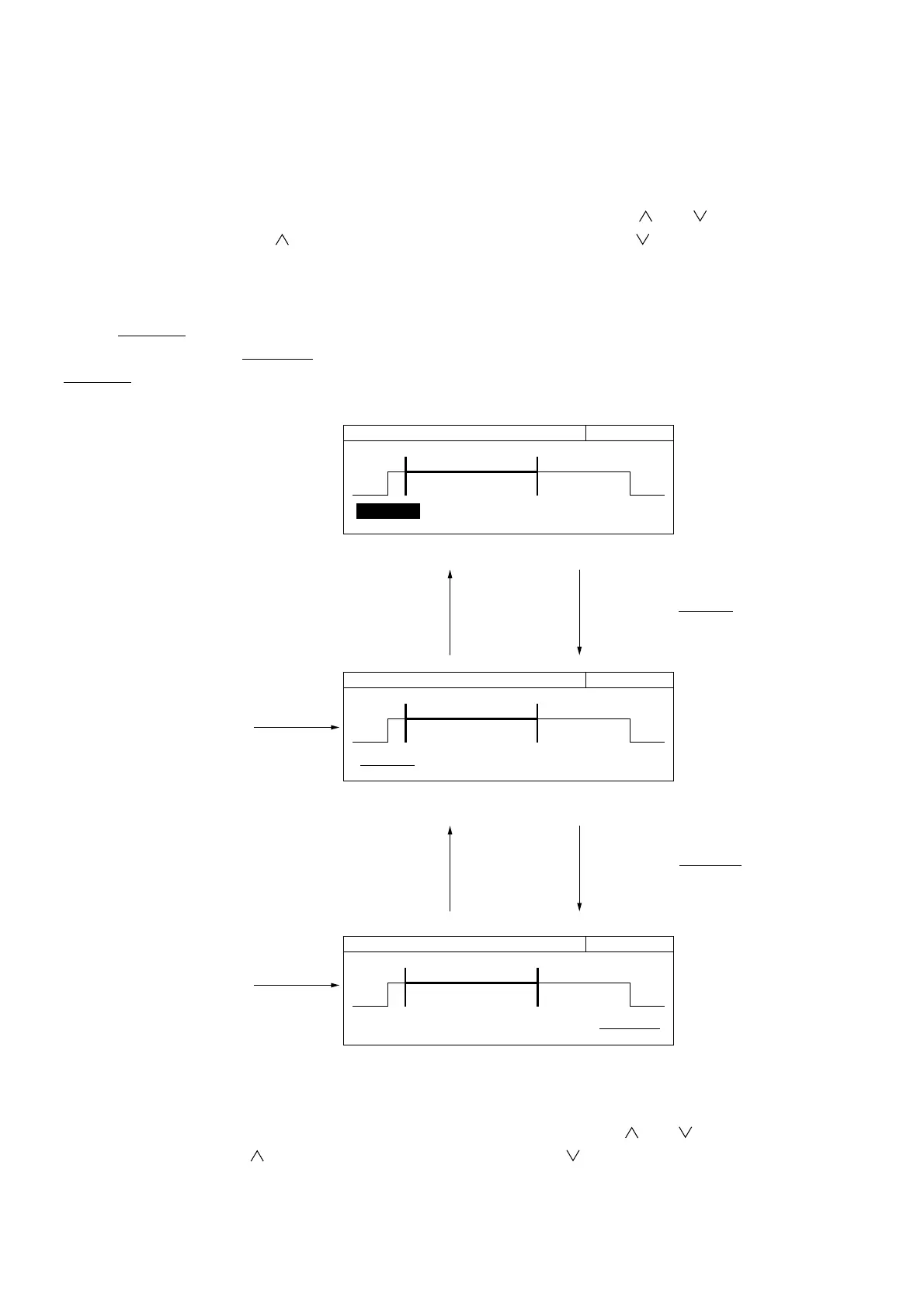
Pressing the [TD] key displays the burst monitor screen for trigger delay setting (Fig. 4-21). [ ] and [ ] keys allow you
to set a trigger delay. Pressing the [ ] key increases the trigger delay value, and pressing the [ ] key decreases the trigger
delay value.
To enter a numeric value using numeric keys, press the [Enter] key here.
"Trig Delay" is highlighted, allowing you to enter a numeric value. After entering a numeric value, pressing the [Enter] key
displays "
Trig Delay".
Pressing the [>] key displays "Gate Width", allowing you to set the gate width. Pressing the [<] key at this time displays the
"Trig Delay", allowing you to set the delay width from the trigger.
20 000 000 000 Hz Trig Delay
Trig Delay Gate Width
100.000 us 120.000 us
20 000 000 00
0 Hz Trig Delay
Trig Delay Gate Width
100.000 us 120.000 us
20 000 000 000 Hz Trig Delay
Trig Delay Gate Width
100.000 us 120.000 us
Burst Monitor Screen for Trigger Delay Setting (Numeric Input Mode)
Burst Monitor Screen for Trigger Delay Setting
Burst Monitor Screen for Gate Width Settin
Pressing the [Enter] key
highlights "Trig Delay",
allowing you to enter a
numeric value.
Pressing the [TD] key
displays the burst monitor
screen for trigger delay
setting.
Pressing the [Enter] key
displays "Trig Delay".
Pressing the [<] key
allows you to return to the
burst monitor screen for
trigger delay setting.
Pressing the [GW] key
displays the burst monitor
screen for gate width.
Pressing the [>] key
displays "Gate Width" on
the burst monitor screen
for gate width setting.
Fig. 4-21 Burst Monitor Screen
Pressing the [GW] key displays the burst monitor screen for gate width setting (Fig. 4-21). [ ] and [ ] keys allow you to
set a gate width. Pressing the [ ] key increases the gate width, and pressing the [ ] key decreases the gate width.
The numeric value input method and screen switching method are the same as those for the burst monitor screen for trigger
delay setting.



 To Next Page