Section 4 Unit Operation
4-42
4.4.4 Burst Wave Measurement via Input1
(Frequency Acquisition Mode = Auto; Level Acquisition Mode = Auto)
Setting Measurement Mode to Burst allows you to measure the carrier frequency, pulse width, and pulse repetition period
of the pulse-modulated signal.
(1) Connecting the input signal
Connect the signal to measure to the Input1 connector on the front panel.
Note:
When Auto frequency capture measurement is carried out, the pulse modulation width must be more than 1 us.
Do not connect a signal of +10 dBm or higher to the Input1 connector.
(2) Setup
1) Press the [Preset] key to preset this unit.
2) Select the Burst mode.
Press the [Meas Mode] key. The Burst LED lights up.
3) Using the [<] and [>] keys, set a desired frequency measurement resolution.
20 000 000
GHz MHz kHz Hz
Auto
Gate •
The maximum resolution
depends on the pulse width of
the signal to measure.
If you set a resolution higher
than the maximum resolution,
"UNCAL" appears and the
digits that cannot be displayed
are represented by asterisks.
Fig. 4-46 Burst Carrier Frequency Measurement
10 kHz
100 Hz
1 Hz
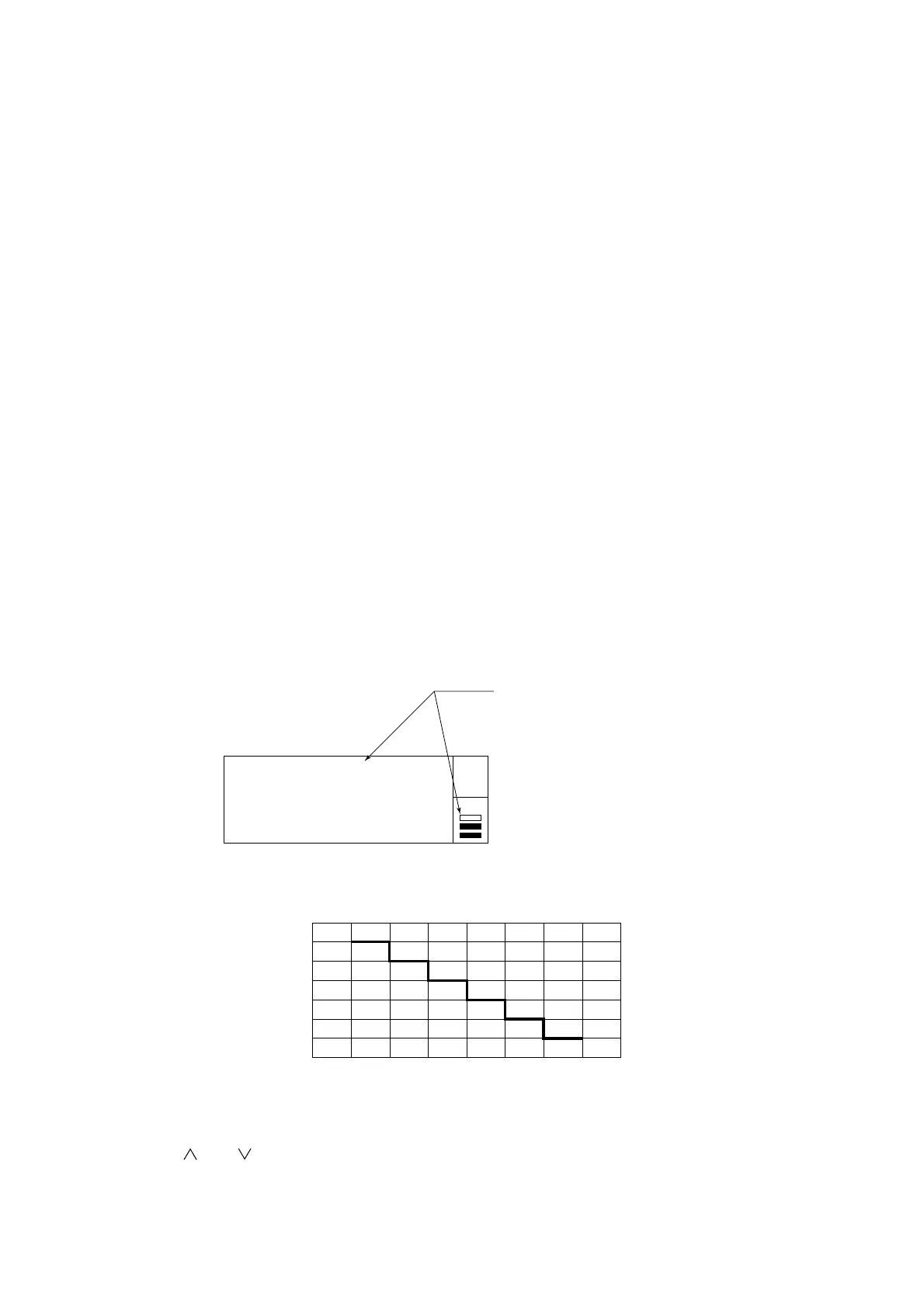
100 n 1 µ 10 µ 100 µ 1 m 10 m 100 m
Maximum measurement resolution
Pulse width of signal to measure
10mHz
10n
Fig. 4-47 Pulse Width Vs. Maximum Resolution
4) Using the [ ] and [ ] keys, set a desired sample rate.
Note:
In the case of frequency acquisition Auto measurement, the pause time may be greater than the set sample rate
depending on the pulse width and/or cycle modulation.



 To Next Page