4-27
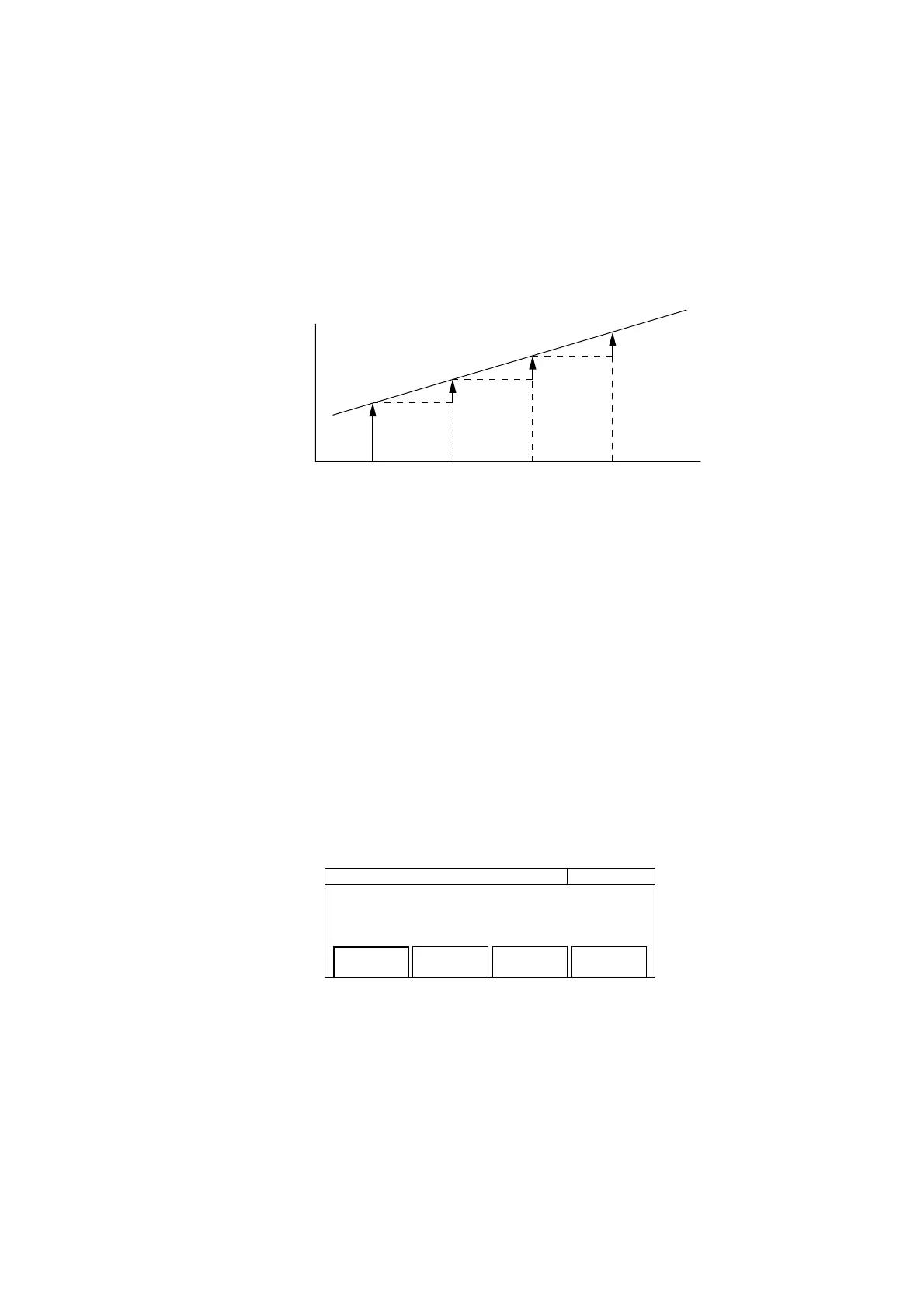
(4) Menu F4 : Turns the update mode On/Off. When the update mode is On, the unit sequentially updates the previous
measurement value as an offset value. Fig. 4-26 shows the situation when –Offset is selected when the update mode
is On.
F1
F2-F1Display value
Frequency
F3-F2 F4-F3
F2
F3
F4
Time
Fig. 4-26 Display Value when Update is On and –Offset is Selected
4.3.11 Statistics Processing
This function calculates mean, minimum, and maximum values from frequency measurement results, and then displays the
result. The statistics processing mode setting selects whether to calculate the mean value or minimum and maximum value
or perform another calculation. Number (1) that follows describes the statistics processing mode.
Statistics processing requires that you collect data (samples) to calculate. The number (frequency measurement count) you
collect will be set as the sample number in advance. Number (3) that follows describes the sample number.
You must set which combination you will use to calculate the sample data you collected. Number (2) that follows describes
how to set a combination.
Pressing the [Stat] key displays the screen shown in Fig. 4-27 where you can set parameters.
20 000 000 0
00
Hz Statistic
Mode
[Mean]
Extract
[Disc]
Sample
[6]
Fig. 4-27 Setting Statistics Processing Parameters
4.3 Parameters



 To Next Page