4-21
4.3 Parameters
4.3.7 Burst Measurement Mode
The burst measurement mode is only available when you set Meas Mode to Burst. Select either carrier frequency, burst
width, or burst period. You can also set whether to perform burst width measurements and burst period measurements with
burst On (positive polarity) or burst Off (negative polarity) and set the burst wave to be measured to correspond with the
burst width.
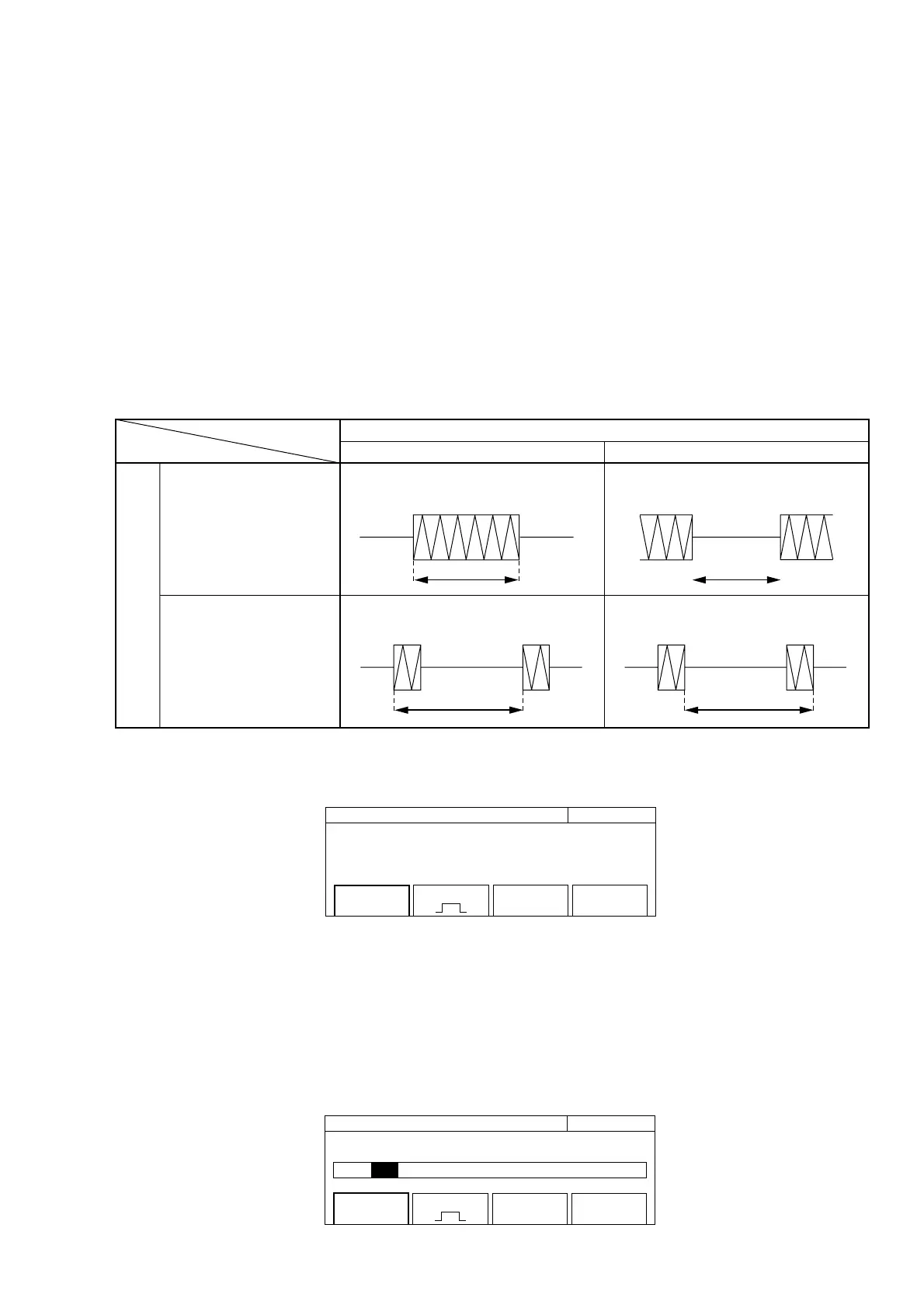
Table 4-10 shows the measurement range.
Table 4-10 Measurement Subject Relationship According to Burst Measurement Polarity
Burst Measurement Polarity
Measurement at Burst Off time
Measurement of Off-Off period
Measurement at Burst On time
Measurement of On-On period
Burst Width
Burst Period
Positive Negative
Measurement
Pressing the [Burst] key displays the screen where you can set parameters (see Fig. 4-18).
20 000 000 0
00
Hz Burst
Mode
[Freq]
Polarity
[ ]
Width
[Wide]
Fig. 4-18 Burst Mode Screen
(1) Menu F1 : Sets carrier frequency measurement, burst width measurement, or burst frequency measurement. Selecting
menu F1 displays the mode selection screen shown in Fig. 4-19 below. Use the cursor in this screen to select either
Freq, Width, or Period, and then Press the [Enter] key to enter your selection and return to the burst mode screen
shown in Fig. 4-18. At that point, you will see the parameter you set displayed within the square brackets [ ] of the
menu F1.
20 000 000 0
00
Hz Burst
Mode [ Freq / Width / Period]
Mode
[Freq]
Polarity
[ ]
Width
[Wide]
Fig. 4-19 Mode Selection Screen



 To Next Page