WEB BROWSER-BASED CONFIGURATION
122
a specic time period (called a lease period) and to eliminate the
work necessary to administer a large IP network.
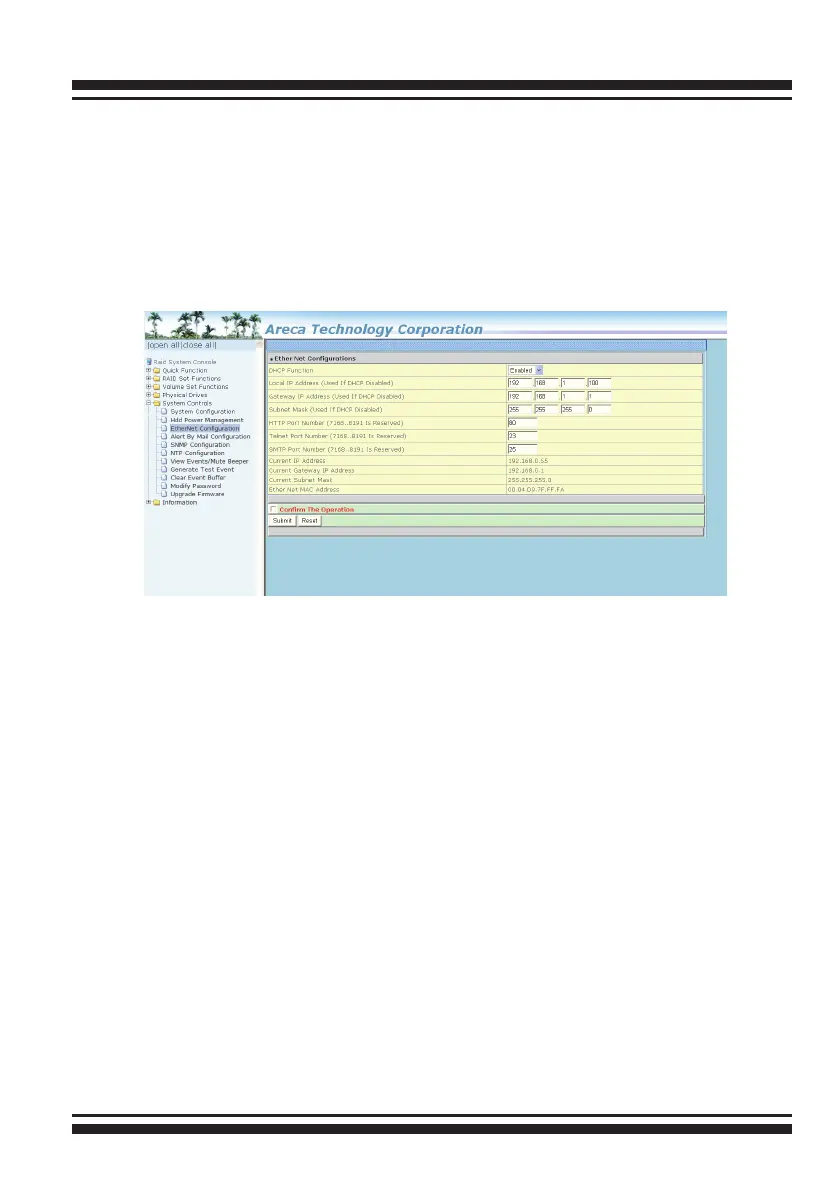
To congure the RAID controller Ethernet port, move the cursor
bar to the main menu and click on the “System Controls” link.
The “System Controls” menu will show all items. Move the cursor
bar to the “Ethernet Conguration” item, then press Enter key to
select the desired function.
6.8.3 Alert By Mail Conguration
To congure the RAID controller e-mail function, move the cur-
sor bar to the main menu and click on the “System Controls”
link. The “System Controls” menu will show all items. Move the
cursor bar to the “Alert By Mail Conguration” item, then select
the desired function. This function can only be set via web-based
conguration.
The rmware contains a SMTP manager monitoring all system
events. Single or multiple user notications can be sent via “Plain
English” e-mails with no software required. (Please refer to sec-
tion 5.6.2 of SMTP Sever Conguration, Mail Address Congura-
tion and Event Notication Conguration)



 To Next Page