BIOS CONFIGURATION
44
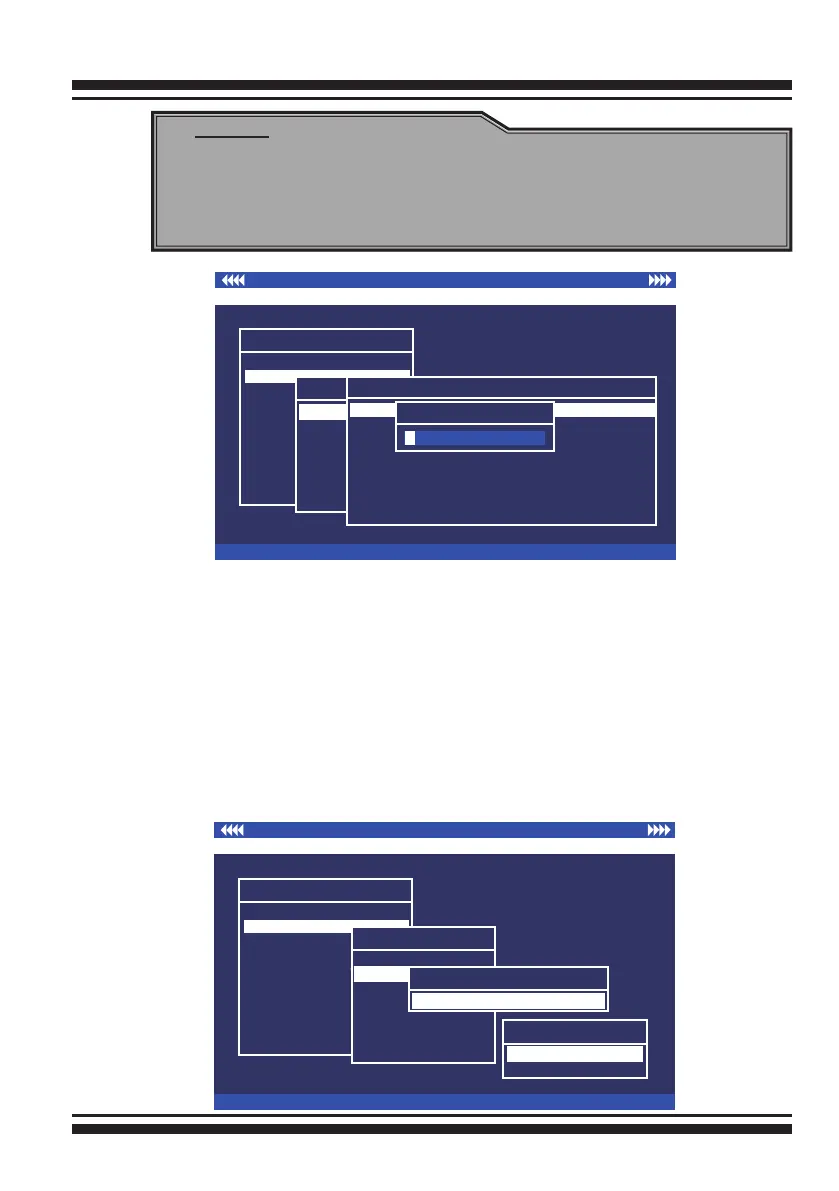
3.7.2.2 Delete Raid Set
To completely erase and recongure a RAID set, you must rst
delete it and re-create the RAID set. To delete a RAID set, select
the RAID set number that you want to delete in the “Select Raid
Set To Delete” screen. Then “Delete Raid Set” dialog box will ap-
pear, press the Yes key to delete it. Warning, data on RAID set
will be lost if this option is used. But for deleting RAID set with
the Raid 30/50/60 volume, rstly, you need to delete the vol-
ume belonging those RAID sets.
I/O Port Addr : 28000000h, F2(Tab): Select Controller, F10: Reboot System
ArrowKey Or AZ:Move Cursor, Enter: Select, ESC: Escape, L:Line Draw, X: Redraw
Areca Technology Corporation RAID Controller
Main Menu
Quick Volume/Raid Setup
Raid Set Function
Volume Set Function
Physical Drives
Raid System Function
Ethernet Conguration
View System Events
Clear Event Buffer
Hardware Monitor
System information
Raid Set Function
Raid Set Function
Create Raid Set
Expand Raid Set
Activate Raid Set
Create Hot Spare
Delete Hot Spare
Raid Set Information
Delete Raid Set
Select Raid Set To Delete
Raid Set # 00
Are you Sure?
No
Yes
I/O Port Addr : 28000000h, F2(Tab): Select Controller, F10: Reboot System
ArrowKey Or AZ:Move Cursor, Enter: Select, ESC: Escape, L:Line Draw, X: Redraw
Areca Technology Corporation RAID Controller
Main Menu
Quick Volume/Raid Setup
Raid Set Function
Volume Set Function
Physical Drives
Raid System Function
Ethernet Conguration
View System Events
Clear Event Buffer
Hardware Monitor
System information
Raid Set Function
Raid Set Function
Delete Raid Set
Expand Raid Set
Activate Raid Set
Create Hot Spare
Delete Hot Spare
Raid Set Information
Create Raid Set
Select IDE Drives For Raid Set
[ ]E#1Solt#2 : 500.1GB : HDS725050KLA360
[ ]E#1Solt#3 : 500.1GB : ST3500630NS
[ ]E#1Solt#4 : 400.1GB : Hitachi HDT725040VLA360
[ ]E#1Solt#5 : 400.1GB : Hitachi HDT725040VLA360
[ ]E#1Solt#6 : 400.1GB : Hitachi HDT725040VLA360
[ ]E#1Solt#7 : 500.1GB : HDS725050KL360
[ ]E#1Solt#8 : 500.1GB : ST3500630NS
[*]E#1Solt#1 : 400.1GB : Hitachi HDT725040VLA360
Edit The Raid Set Name
aid Set # 00
R
Note:
To create RAID 30/50/60 volume, you need create multiple
RAID sets rst with the same disk members on each RAID
set. The max no. Disk drives per volume set: 8



 To Next Page