BIOS CONFIGURATION
77
I/O Port Addr : 28000000h, F2(Tab): Select Controller, F10: Reboot System
ArrowKey Or AZ:Move Cursor, Enter: Select, ESC: Escape, L:Line Draw, X: Redraw
Areca Technology Corporation RAID Controller
Main Menu
Quick Volume/Raid Setup
Raid Set Function
Volume Set Function
Physical Drives
Raid System Function
Ethernet Conguration
View System Events
Clear Event Buffer
Hardware Monitor
System information
Clear Event Buffer
Clear Event Buffer?
No
Yes
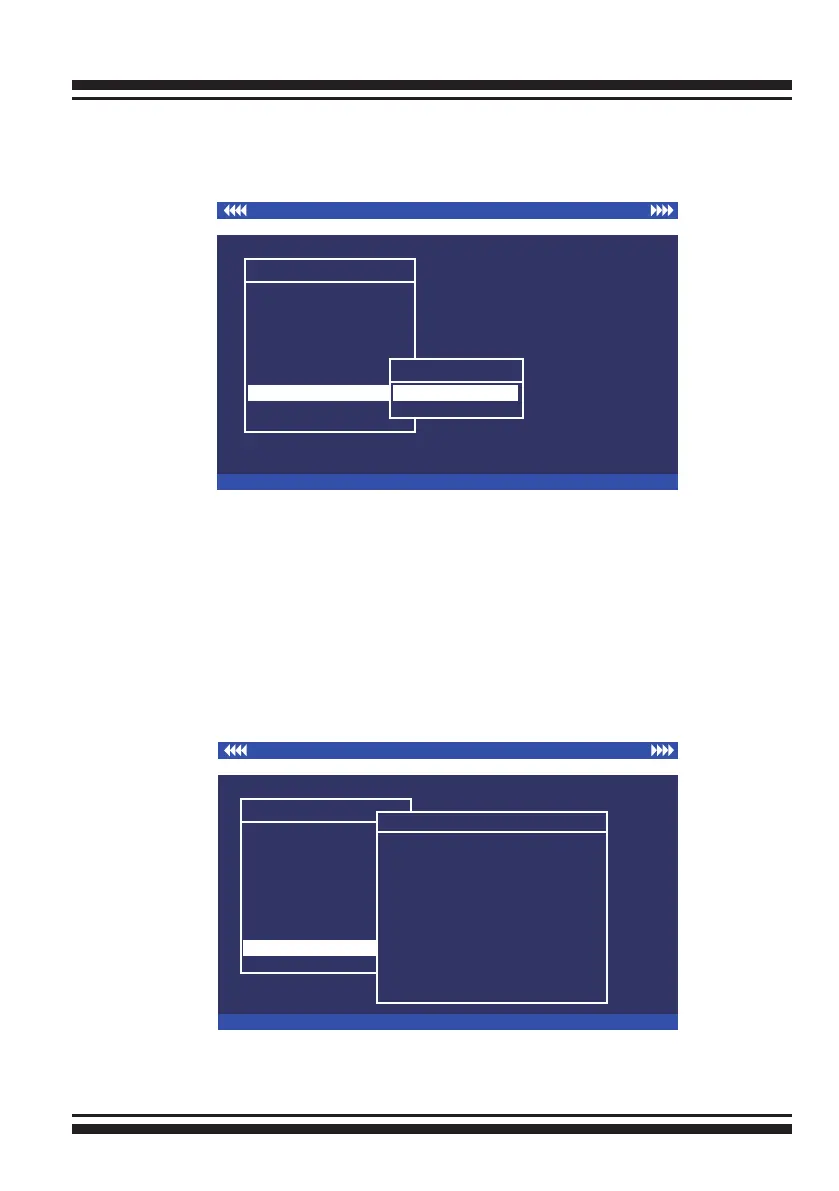
3.7.8 Clear Events Buffer
Use this feature to clear the entire events buffer.
3.7.9 Hardware Monitor
To view the RAID controller’s hardware monitor information, move
the cursor bar to the main menu and click the “Hardware Monitor”
link. The “Controller H/W Monitor” screen appears.
The “Controller H/W Monitor” provides the CPU Temperature,
Controller Temperature, Voltage and Fan speed (I/O Processor
fan) of the SAS RAID controller.
I/O Port Addr : 28000000h, F2(Tab): Select Controller, F10: Reboot System
ArrowKey Or AZ:Move Cursor, Enter: Select, ESC: Escape, L:Line Draw, X: Redraw
Areca Technology Corporation RAID Controller
Main Menu
Quick Volume/Raid Setup
Raid Set Function
Volume Set Function
Physical Drives
Raid System Function
Ethernet Conguration
View System Events
Clear Event Buffer
Hardware Monitor
System information
Hardware Monitor
Controller H/W Monitor
CPU Temperature : 0
Controller Temp. : 0
CPU Fan : 0 RPM
12V : 0.000
5V : 0.000
3.3V : 0.000
DDR-ll +1.8V : 1.840 V
PCI-E +1.8V : 1.840 V
CPU +1.8V : 1.840 V
CPU +1.2V : 1.200 V
DDR-ll +0.9 : 0.896V



 To Next Page