BIOS CONFIGURATION
45
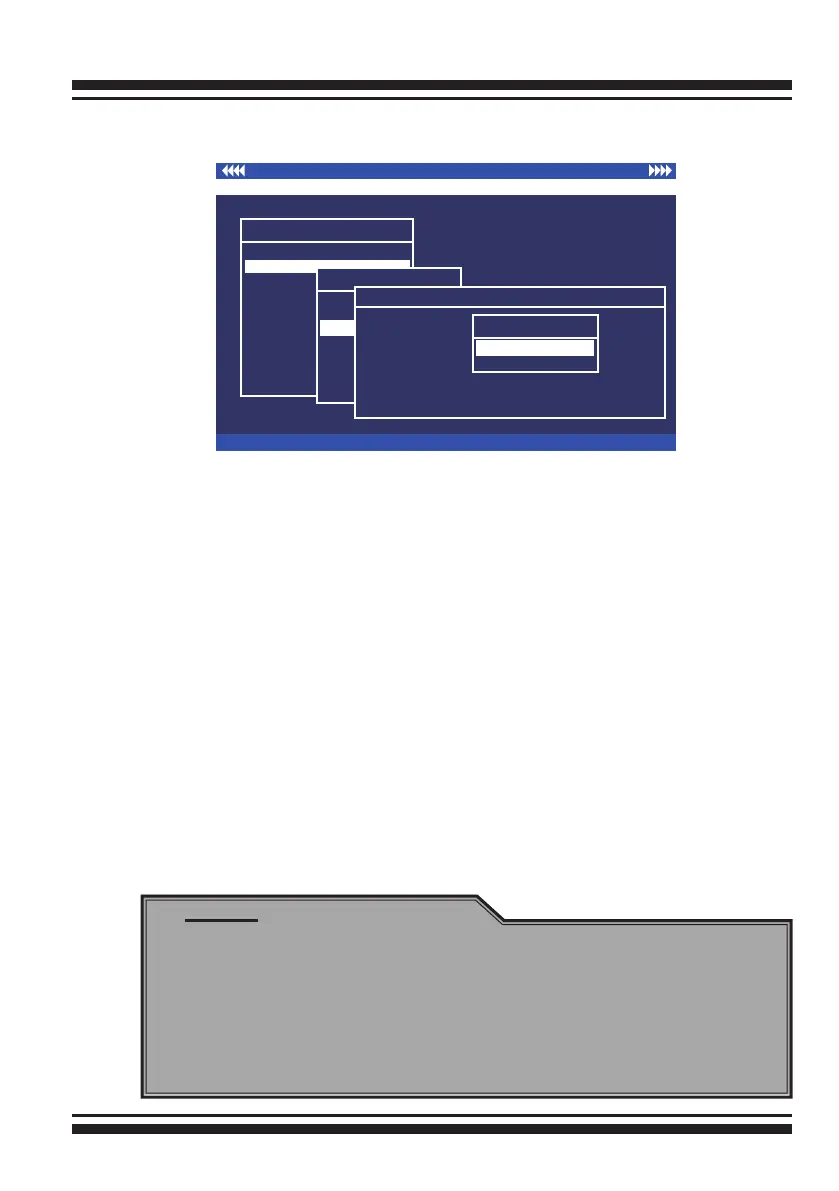
3.7.2.3 Expand Raid Set
Instead of deleting a RAID set and recreating it with additional
disk drives, the “Expand Raid Set” function allows the users to
add disk drives to the RAID set that have already been created.
To expand a RAID set:
Select the “Expand Raid Set” option. If there is an available
disk, then the “Select SATA Drives For Raid Set Expansion”
screen appears.
Select the target RAID set by clicking on the appropriate radio
button. Select the target disk by clicking on the appropriate
check box.
Press the Yes key to start the expansion on the RAID set.
The new additional capacity can be utilized by one or more
volume sets. The volume sets associated with this RAID set
appear for you to have chance to modify RAID level or stripe
size. Follow the instruction presented in the “Modify Volume Set
” to modify the volume sets; operation system specic utilities
may be required to expand operating system partitions.
Note:
1. Once the “Expand Raid Set” process has started, user
can not stop it. The process must be completed.
2. If a disk drive fails during raid set expansion and a hot
spare is available, an auto rebuild operation will occur after
the RAID set expansion completes.
3. RAID 30/50/60 doesn't support the "Expand Raid Set".
I/O Port Addr : 28000000h, F2(Tab): Select Controller, F10: Reboot System
ArrowKey Or AZ:Move Cursor, Enter: Select, ESC: Escape, L:Line Draw, X: Redraw
Areca Technology Corporation RAID Controller
Main Menu
Quick Volume/Raid Setup
Raid Set Function
Volume Set Function
Physical Drives
Raid System Function
Ethernet Conguration
View System Events
Clear Event Buffer
Hardware Monitor
System information
Raid Set Function
Raid Set Function
Create Raid Set
Delete Raid Set
Expand Raid Set
Activate Raid Set
Create Hot Spare
Delete Hot Spare
Raid Set Information
Expand Raid Set
Select IDE Drives For Raid Set Expansion
[*]E#1Solt#2 : 500.1GB : HDS725050KLA360
[ ]E#1Solt#3 : 500.1GB : ST3500630NS
[ ]E#1Solt#4 : 400.1GB : Hitachi HDT725040VLA360
[ ]E#1Solt#5 : 400.1GB : Hitachi HDT725040VLA360
[ ]E#1Solt#6 : 400.1GB : Hitachi HDT725040VLA360
[ ]E#1Solt#7 : 500.1GB : HDS725050KL360
[ ]E#1Solt#8 : 500.1GB : ST3500630NS
Are you Sure?
No
Yes



 To Next Page