HARDWARE INSTALLATION
26
Note:
A cable for the global indicator comes with your computer
system. Cables for the individual drive LEDs may come with a
drive cage, or you may need to purchase them.
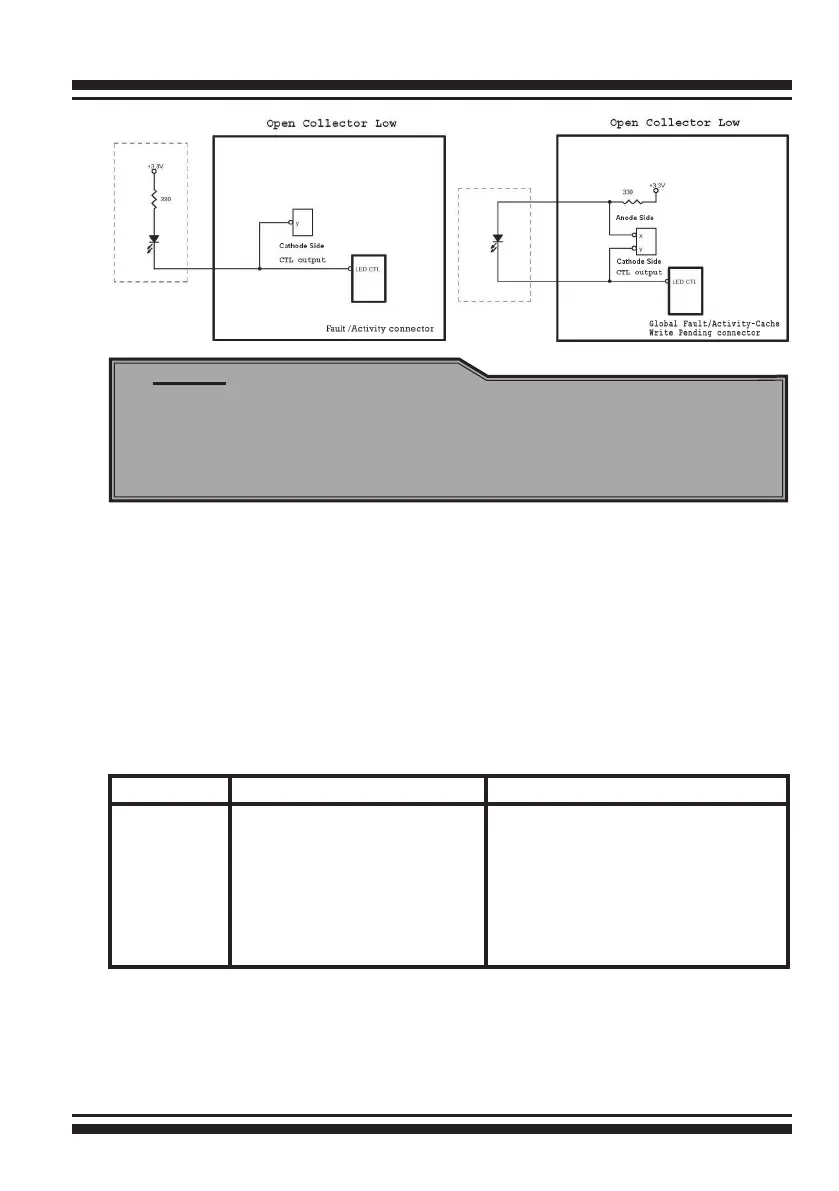
The following diagrams and descriptions describe each type of con-
nector.
A: Individual Fault LED Indicator Connector
Most of the backplane has supported the HDD activity from the
HDD. The SAS RAID controller also provides the fault activity for
fault LED. Connect the cables for the drive fault LEDs between the
backplane of the cage and the respective connector on the SAS
RAID controller. The following table is the fault LED signal behavior.
LED Normal Status Problem Indication
Fault LED When the fault LED is solid
illuminated, there is no disk
present. When the fault LED
is off, then disk is present
and status is normal.
When the fault LED is slow blinking
(2 times/sec), that disk drive has
failed and should be hot-swapped
immediately. When the activity
LED is illuminated and fault LED is
fast blinking (10 times/sec) there
is rebuilding activity on that disk
drive.



 To Next Page