DRIVER INSTALLATION
88
You must have administrative level permissions to install Areca Mac
driver & software. You can install driver& software on your Power
Mac G5 or Mac Pro as below:
1. Insert the Areca Mac driver & software CD that came with
your Areca SAS RAID controller.
2. Double-click on the following le that resides at <CD-ROM>\
packages\MacOS to add the installer on the Finder.
a). install_mraid_mac.zip (For Power Mac G5)
b). install_mraid_macpro.zip (For Mac Pro)
3. Launch the installer by double-clicking the install_mraid_mac or
install_mraid_macpro on the Finder.
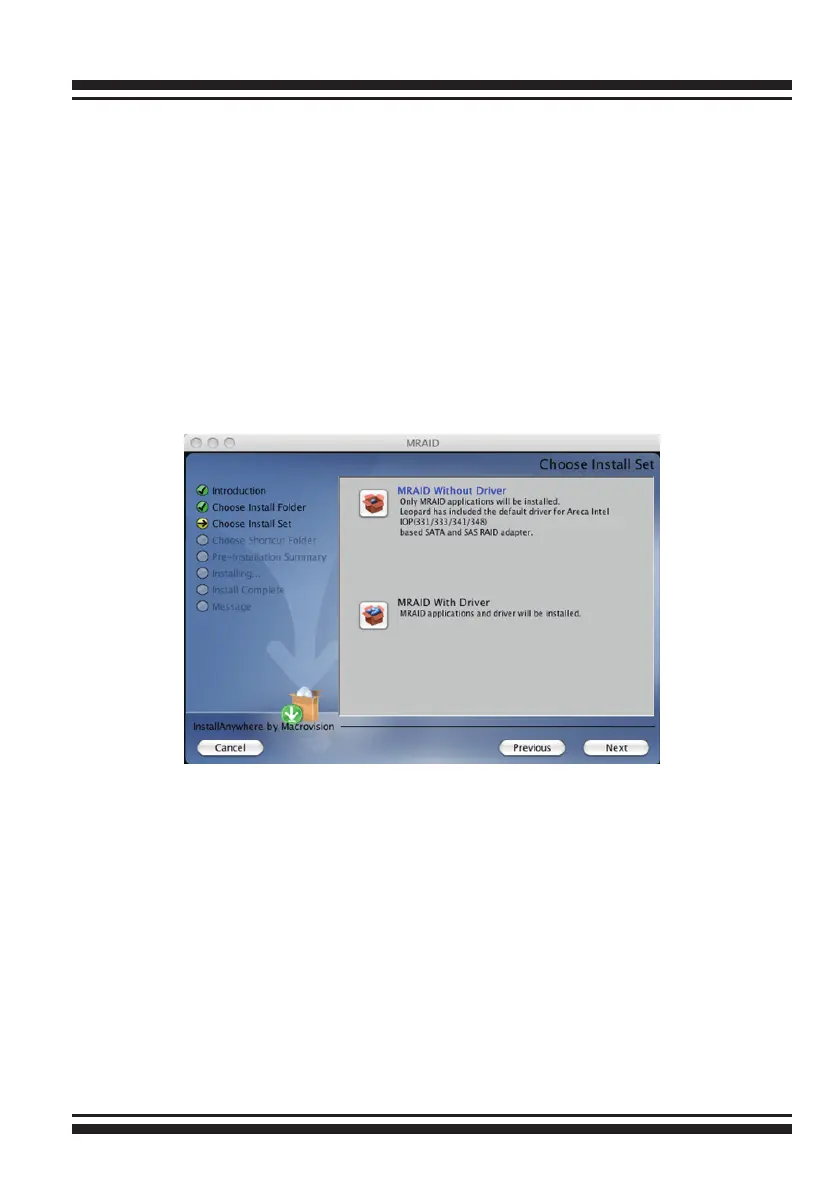
4. Follow the installer steps to install Areca driver, MRAID (archttp64
and arc_cli utility) at the same time.
5. Reboot your Power Mac G5 or Mac Pro system.
Normally archttp64 and arc_cli are installed at the same time on
6Gb/s SAS RAID controller. Once archttp and arc_cli have been
installed, the archttp background task automatically starts each
time when you start your computer. There is one MARID icon
showing on your desktop. This icon is for you to start up the
McRAID storage manager (by archttp) and arc_cli utility. You can
also only upgrade the driver (using ArcMSR-x….x.dmg le),
archttp or arc_cli individual item that resides at <CD-ROM>\pack
-ages\MacOS directory.



 To Next Page