PU-4010 3-12
Turn on the power.
Press the button twice.
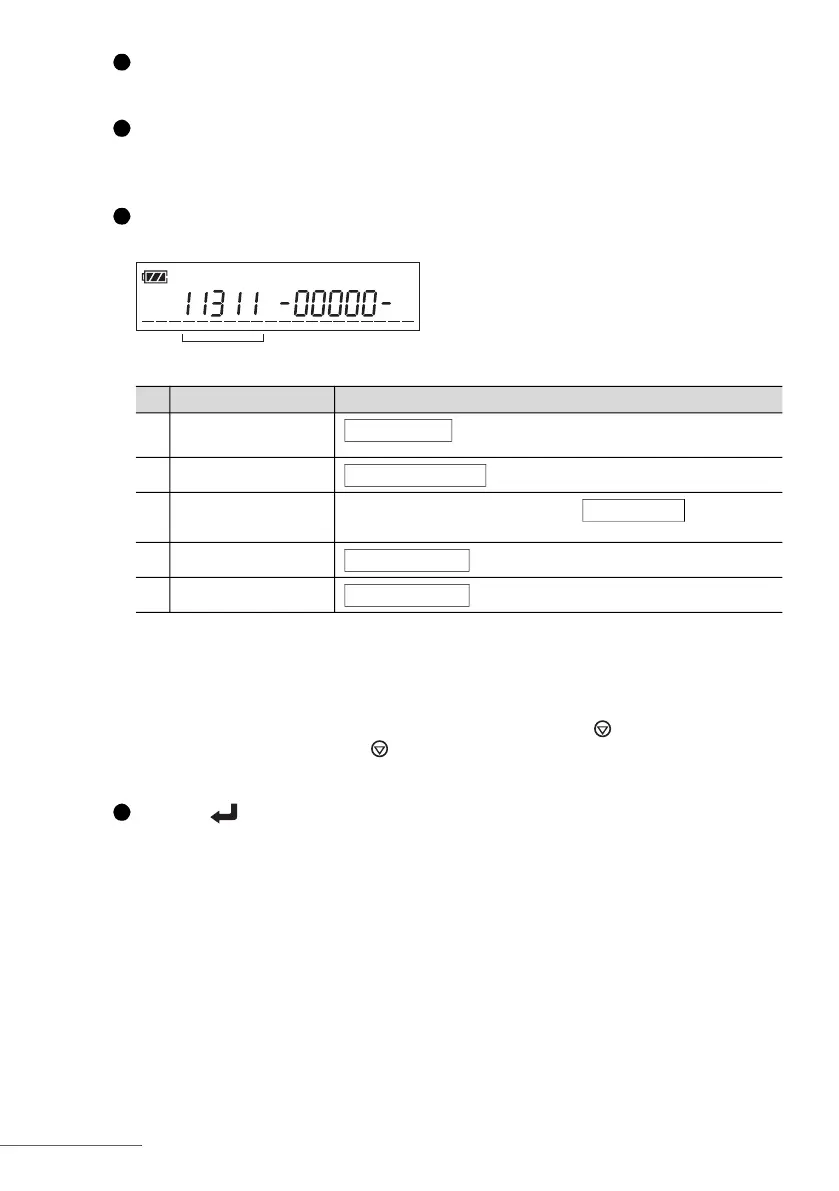
• The special parameters screen (shown in step 3) will appear.
Set new values for the parameters using the numeric buttons.
• See the table below. You need to enter new values for the desired parameters only.
REFERENCE:
• For example, if you enter “23211”, the instrument will be set to “feed test strip from the left,
day-month-year, mg/dL, +n, conventional and conventional”.
• To delete the number one digit at a time, press and release the button. To clear the
entire entry, press and hold the button for one second.
Press the button.
• This will confirm your entries and the standby screen will appear again.
Parameters Options
1 Direction of test strip
feeding
2: From left
2 Date format
2: Month-day-year 3: Day-month-year
3 Unit and qualitative
sign
1: mg/dL, +++ 2: mg/dL, +n
4: mmol/L, +++ 5: mmol/L, +n 6: mmol/L, n+
4 Print format
2: JCCLS compliant
5 Display format
2: JCCLS compliant
1
2
3
1: From right
1: Year-month-day
3: mg/dL, n+
1: Conventional
1: Conventional
4








 To Next Page