100 Camera Controls
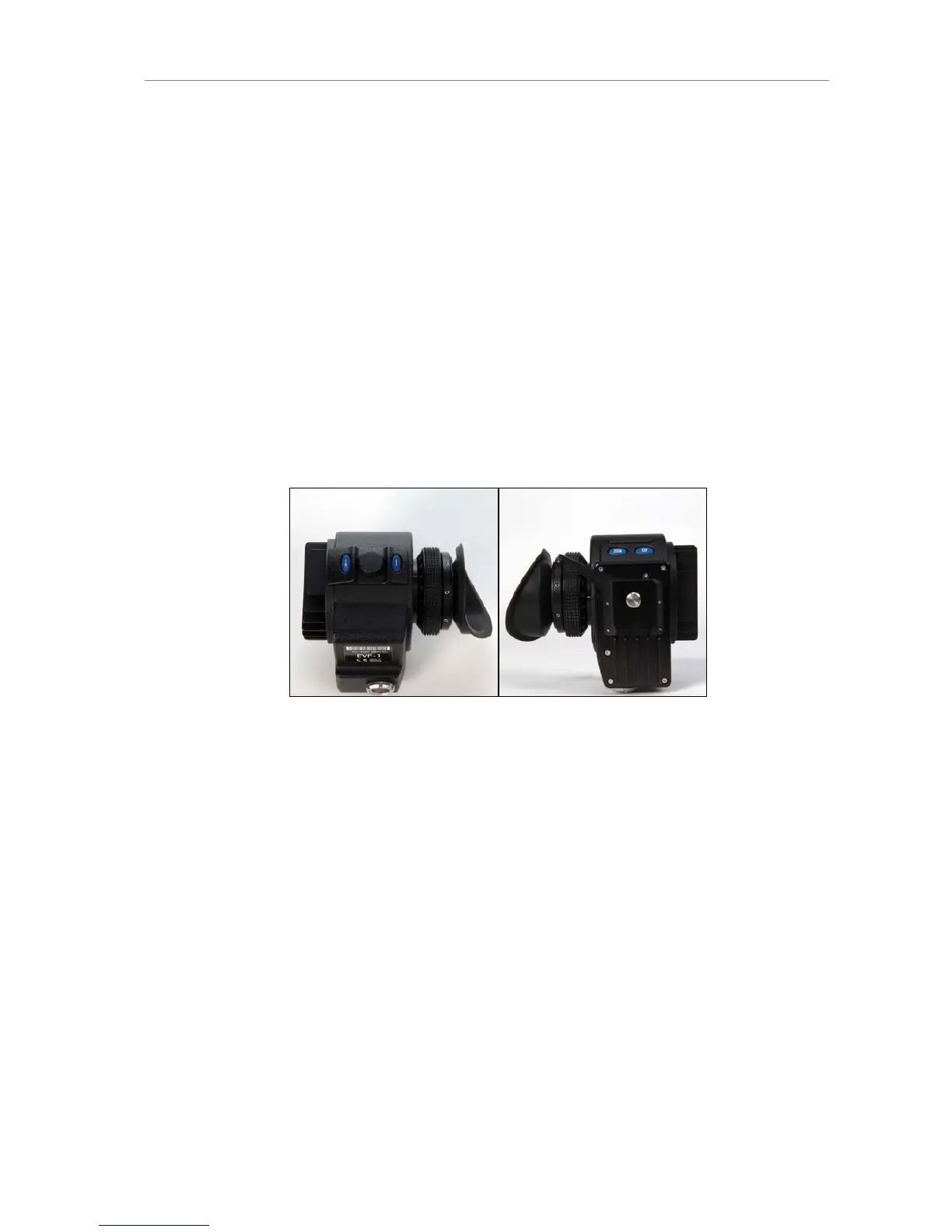
11.3 EVF Controls
The EVF controls are located on the electronic viewfinder. They consist of a
number of function buttons and a jogwheel.
CAM Opens the viewfinder CAM menu
EVF Opens the viewfinder EVF menu.
ZOOM Zooms into the image with a 2.25x magnification for
focus checking. This results in matching one sensor
pixel to one viewfinder pixel. Zoom button toggles
zoom on and off. Active zoom is indicated by an
orange frame around the image. Frame lines are
deactivated while zoom is active.
EXP Toggles false color display on and off.
The EVF buttons CAM and EVF are locked whith the camera UI. ZOOM and
EXP are not affected by the lock. The controls are locked by pressing the
LOCK button on the camera left or right side until the lock timer has elapsed.
On the right side the timer is shown as a countdown on the display. The
locked controls are visualized by a lock icon. On the left side the locked
controls are visualized by a blue LED next to the LOCK button.
The EVF shows the info text "button is locked!" when a locked button is
pressed.
11.3.1 Viewfinder EVF menu
Pushing the EVF button opens a menu in the viewfinder display to set the
viewfinder parameters. Select the setting to be changed with the jogwheel,
press the wheel and set it to the desired value. Press again to confirm. To
quit the menu, press the EVF button.
Brightness Select the brightness of the EVF. A level of 5 is
recommended for normal circumstances.











 To Next Page