126 ALEXA Plus
13.6 Plus Camera Controls
The ALEXA PLUS has an additional function button labeled WRS. It gives
access to the WRS screen, from where all camera settings related to the
Plus camera features can be handled.
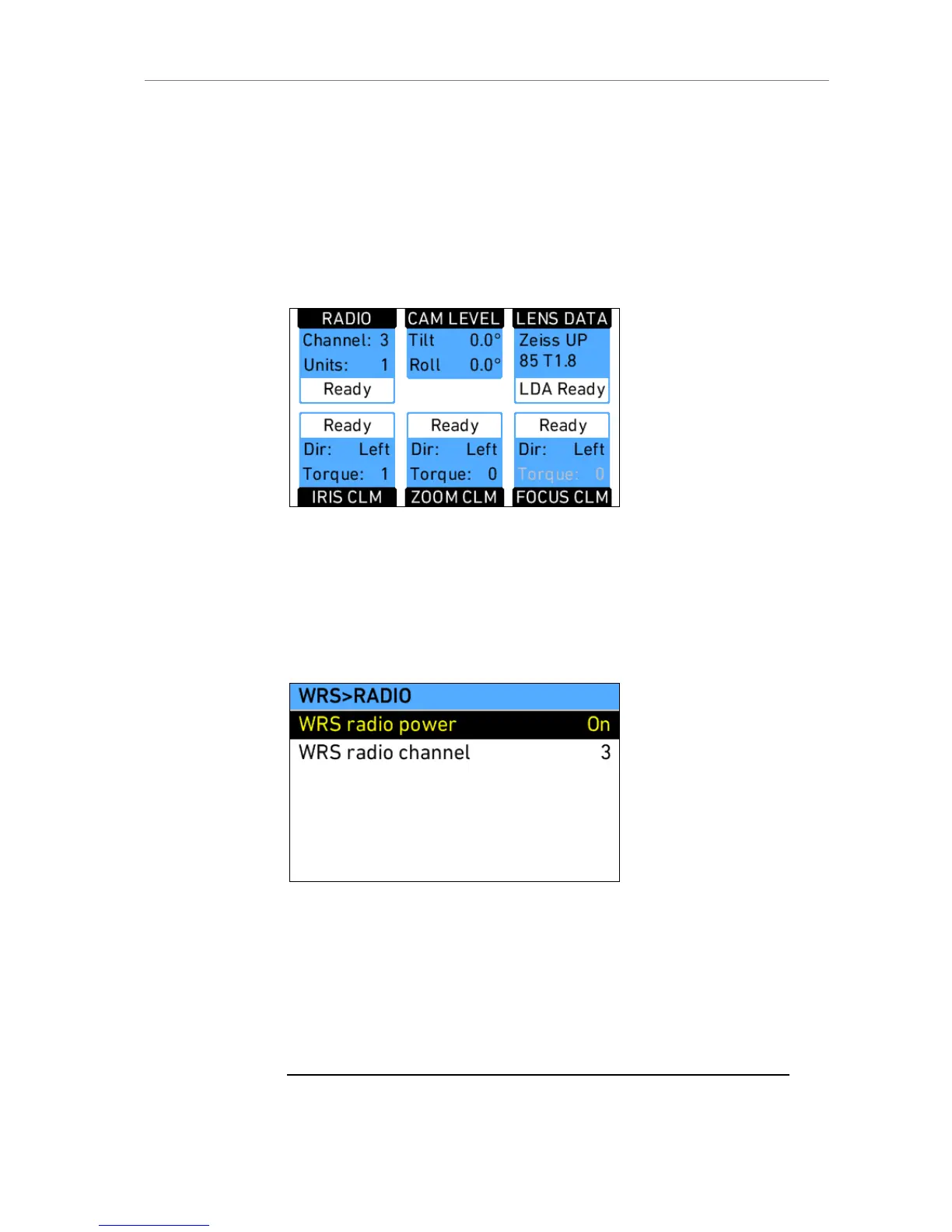
The WRS screen gives an overview of radio status, camera level, LDS
status, and CLM status. The screen buttons lead to screens containing more
detailed info on these topics and where settings can be changed.
Figure 84: WRS screen
RADIO
Shows the currently set radio channel, the number of connected hand units
and the staus of the radio system. Pressing the screen button opens a
screen where radio can be set on or off and the channel number can be set.
When radio is switched on, a small icon appears in the camera homescreen.
Figure 85: WRS radio screen
CAM LEVEL
Shows the tilt and roll of the camera in degrees as measured by the
camera's position sensor. This sensor can be reset if it appears to have an
offset. Press the CAM LEVEL screen button to access the reset screen. By
pressing the two lower outer screen buttons simultaneously, the sensor is
reset.
Note: The sensor can only be reset while both axis are within a threshold of +/-10











 To Next Page