Main Controls 57
The High Speed mode is exited the same way it is loaded, by pressing the
upper middle screen button of the FPS list screen. Exiting High Speed mode
takes approximately 40 seconds.
11.1.3.3 AUDIO
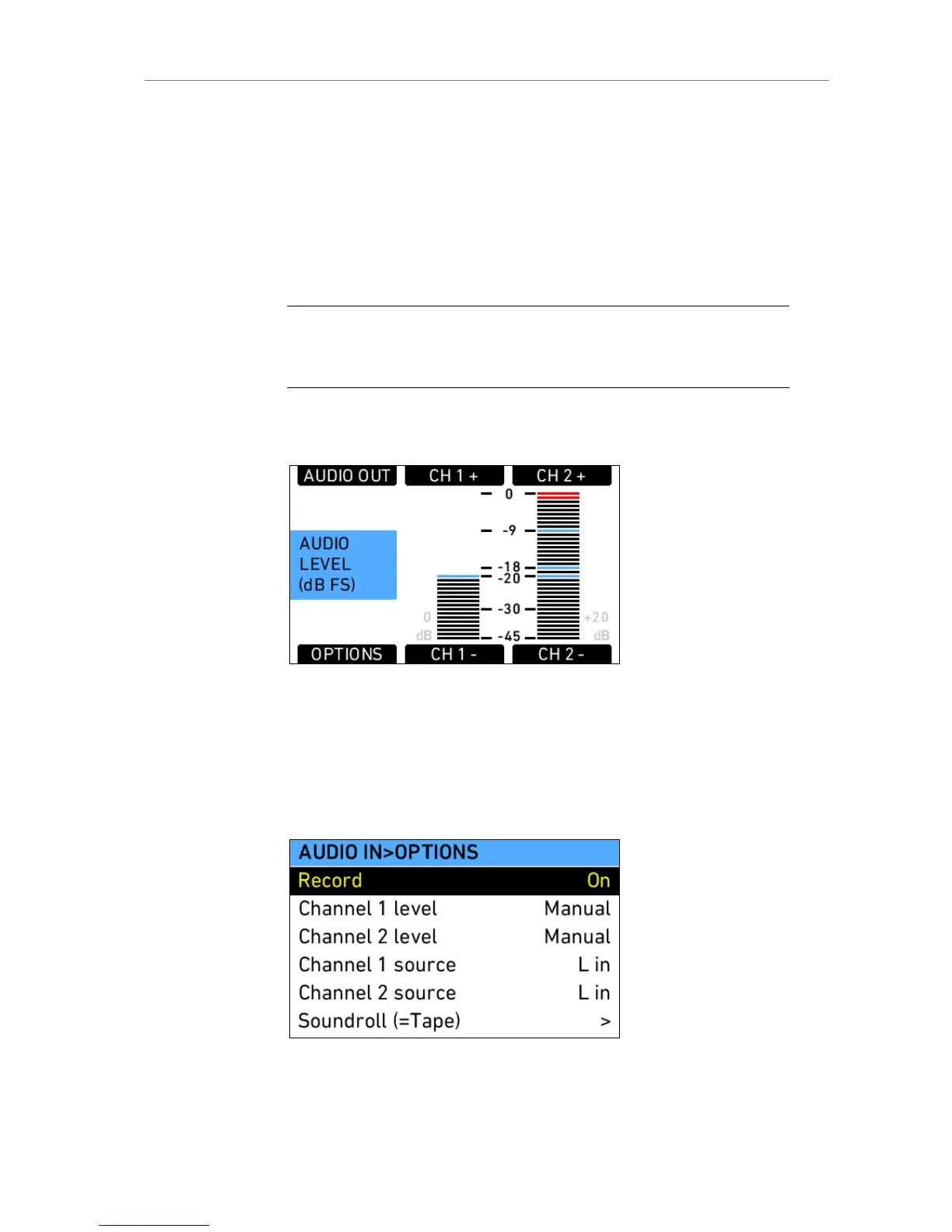
Pressing the AUDIO screen button in the Home screen opens the Audio
screen. This screen shows the level on the two audio channels in the
camera. The audio levels are displayed from -45 dB FS to 0 dB FS.
Note: When audio is switched off or disabled, no meters are displayed, but a
message shows OFF or DISABLED. Audio is disabled by the camera when sensor
fps does not match project fps.
Light blue markers show reference levels of -20, -18 and -9 dB FS.
Red markers at levels -1 and 0 dB FS warn of clipping. With a properly
levelled audio signal, the red markers should almost never be visible.
Figure 35: Audio screen
Gain can be applied to the audio channels by either turning the jogwheel to
set both channels, or with the associated screen buttons (CH 1/2/ +/-)
individually. The amount of gain applied by the camera is visible next to the
levels in light gray.
Pressing the OPTIONS screen button opens the audio options screen. It
contains a list of audio parameters to set.
Figure 36: Audio options screen











 To Next Page