A.4 False Color Display
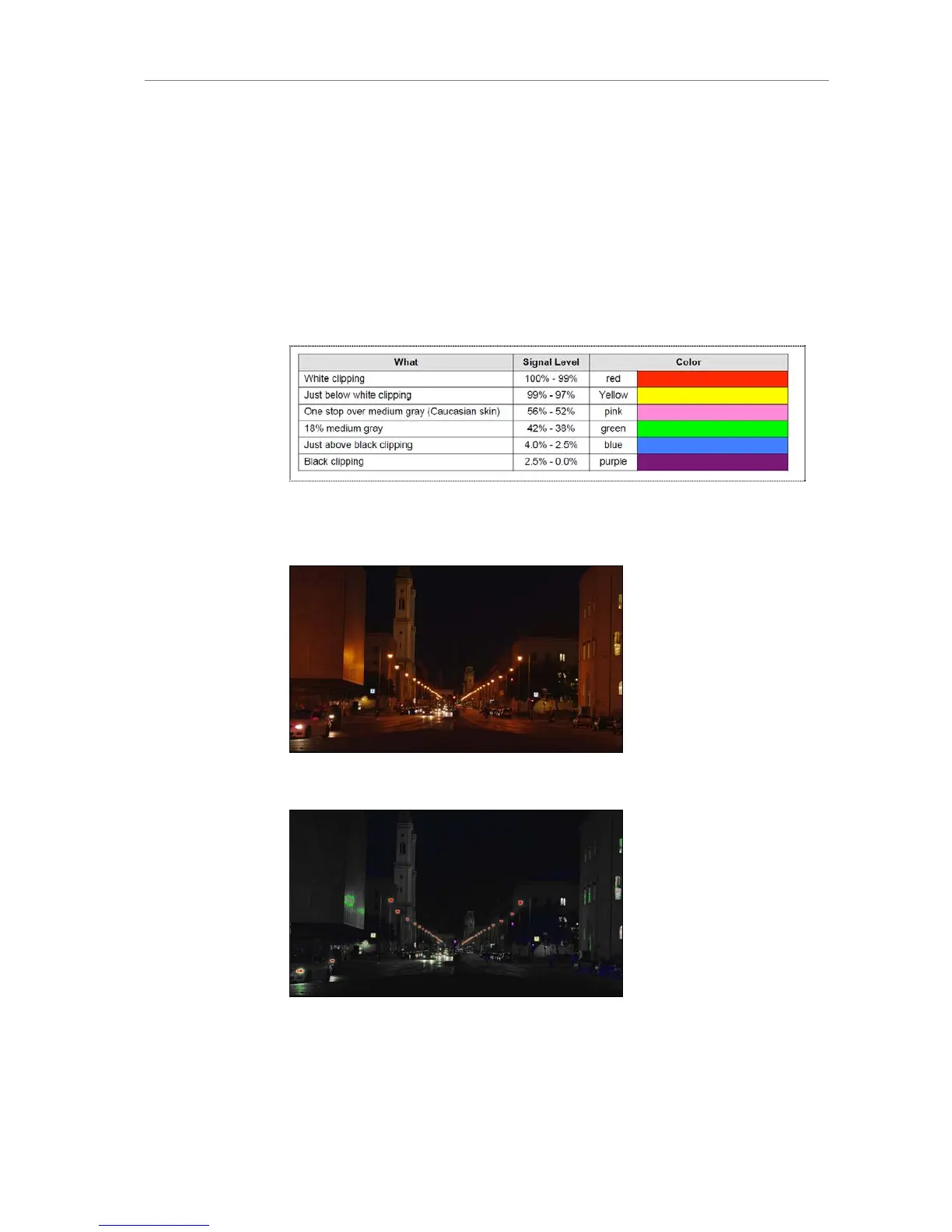
The false color display is a tool to check correct exposure. It can be
activated in the EVF and the MON OUT image. When active, the image is
turned into a greyscale image with important luminance ranges shown in
signal colors.
Color Encoding
Six different colors are used to show the important luminance ranges.
Figure 126: False Color Encoding
The following example illustrates the behavior of the false color display.
Figure 127: Night scene captured with ALEXA
Figure 128: ALEXA night shot with false color active











 To Next Page