Main Controls 97
11.1.5.5 Frame grabs
By pressing the GRAB button, or by assigning the function "Grab still frame"
to one of the user buttons 1-3, a still image from the sensor can be stored on
the SD card.
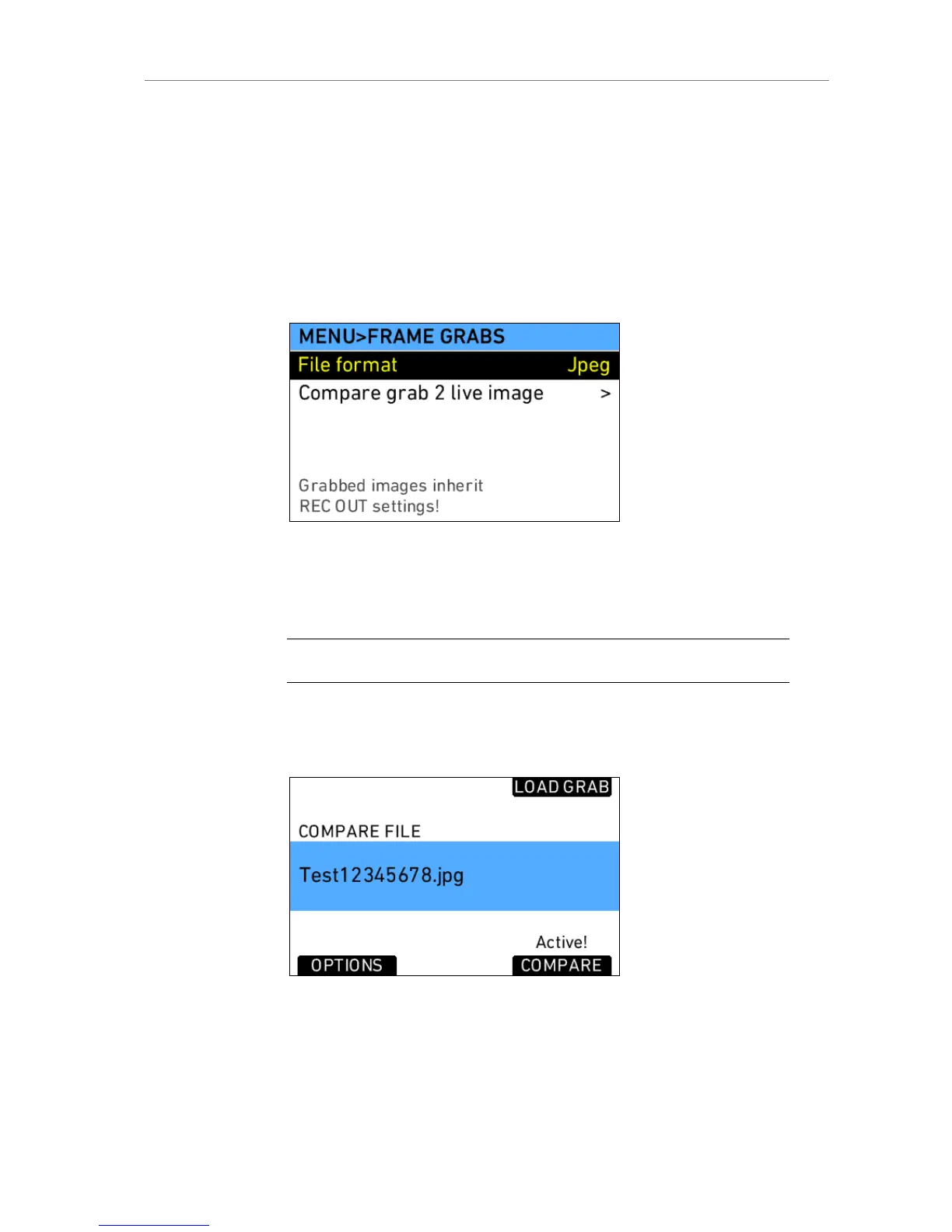
The images inherit the setting of the REC OUT. If it is set to ARRIRAW,
frame grabs are currently not posible. For all other formats, users can
choose from .jpg, .tif or .dpx file formats in this screen.
Grabbing an image can take up to 45 seconds, depending on the chosen file
format. During this time, no further images can be grabbed.
Compare Grab 2 Live image
An image grabbed with the camera to the SD card can be reloaded to the
camera and displayed on the EVF and MON OUT.
Note: Currently only JPEG images can be used for the compare function.
Load a grab by pressing the LOAD GRAB screen button. A list of all grabs
on the SD card will appear. Select a grab and load it. When loading the
image has finished, press the COMPARE screen button to activate the
image on the selected image paths.
Figure 77: Compare screen
The OPTIONS button gives access to additional settings.











 To Next Page